Category Archives: Cloud Services

Microsoft aims to make machine learning accessible and as easy to use as any other program

Machine_Learning2Machine learning makes software smarter and more aware. It’s becoming as integral to our collective computing experience as the Internet itself. But how can developers really get started with it? What’s the first step? Microsoft aims to make that leap a little easier with its Azure Machine Learning service.

A brief overview of how machine learning works

Computer scientists create software designed to work with numerous amounts of data. Machine learning evolved from the creation of algorithms that can train itself in other words, learn from and make predictions on these huge volumes of data.

Where machine learning really shines is in variable analysis: The human brain can only consciously consider a few variables at the same time when trying to make a decision or form a conclusion about some issue. Software, however, is capable of considering far more variables than a human making the same decision, which, the theory goes, will almost always result in a better, higher quality decision — without a fear of so-called “analysis paralysis,” when you refrain from consciously making a decision or rush to a conclusion because your brain cannot handle all of the different variables.

In a time when the quantity of data is doubling about every 18 months, machine learning can consume all that data and actively use it to solve business problems.

Machine learning involves computers and software that get better at whatever their objective is over time, using insights gained through experience without explicit programming. Microsoft defines “experience” in the machine learning context as past data processed through the application, plus human input to guide, correct and gently guide the program more toward achieving its objective. The more data that passes through the software, and the more input data scientists give the software, the better the outcomes the software makes.

What are some examples of machine learning? You can look as far back as the late 1990s when Bayesian spam filtering was introduced to tackle the growing problem of unsolicited commercial e-mail. Other, more recent and fairly ordinary examples of machine learning include:


  • Google claims its use of machine learning helps keep 99.9 percent of spam out of Gmail users’ inboxes.
  • Mapping and navigation services that answer the question “What is the best way home?” keeping in mind traffic data, road construction, weather conditions and what time of day the request is being made or what time of day the request is for.
  • Skype Translator, a service that naturally translates from one language to another in real time while a conversation is happening.
  • Facebook’s People You Might Know feature, which looks through your relationships and other peoples’ profile data and activities to find connections to friends you might not already be associated with on the social network.
  • Evaluating the context of the text on a webpage to decide which ads to display and at what cost to the advertisers each click or impression of that ad on the context sensitive page should be worth, especially when the overall objective of the ad campaign differs (from selling products to delivering sign ups or opt ins to a newsletter and so on).
  • Self-driving cars. Chris Urmon who heads up Google’s driverless car program recently gave a TED talk on how a driverless car sees the road that shows, among other things, the amount of data these vehicles need to process in order to make autonomous decisions about what to do next.

In a testament to how machine learning has evolved, all of these techniques have matured over the last decade. What’s different now is the volume of data being generated, not just by humans and their activities but by all the machines and sensors plugged in and connected to the network, generating logs and observations. All of this data from all of these different sources can be combined and used to generate insights and make decisions faster and better than ever before.

While Microsoft has been a big user and applier of machine learning for a while now, its Azure Machine Learning service puts the scale and power of one of the world’s largest cloud platform operators into an easy-to-use package that takes just minutes and a credit card to get started with.

Off-the-shelf machine learning

Microsoft’s Azure Machine Learning offering is a one-stop shop designed to get you started with cloud-based machine learning quickly and very easily. It starts in the Azure portal, then configures storage options and provisions virtual networks to connect everything together where IT personnel can create a Machine Learning Studio (ML Studio) workspace and dedicated storage account.

The data that models within the ML studio can use can come from a variety of sources:


  • Models can access data already in Azure.
  • Models can query across Big Data in HDInsight.
  • Models can pull datasets in right from the data scientists’ desktops.

Once the data scientist is ready to publish, that’s when tested models become available to developers via the API service. The business users can access results, from anywhere, on any device. And any model updates simply refresh the model in production with no new development work needed. It is essentially machine learning as a service.

Azure Machine Learning is already in use by many companies who are using the service in the following ways:


  • telemetry data analysis
  • buyer propensity models
  • social network analysis
  • predictive maintenance
  • Web app optimization
  • churn analysis
  • natural resource exploration
  • weather forecasting
  • predictive healthcare outcomes
  • financial fraud detection
  • life sciences research
  • targeted advertising
  • network intrusion detection
  • smart meter monitoring

Conclusion on machine learning

 

machine_learning

Microsoft’s goal with Azure Machine Learning is to make it easy to get started with the data you already have and the staff you already employ just start an Azure subscription, set up a workspace and start playing in the ML Studio. Microsoft provides sufficient additional technical documentation and access to a 30-day free trial. You can also browse the ML Studio gallery to find five-minute educational tutorials on how to get sample data, run experiments, and more.


How the EU legislation will impact data processing in the cloud

EU_flagLast week, the European Union agreed on proposed Data Protection Regulations that potentially impact all organizations that either use or process the personal data of EU citizens. There will now be further discussions before these become law, but for the first time these will be regulations, rather than policy; which mean that different EU member states will have little room for interpretation in how they are applied.

This has implications for IT service providers, SaaS providers or cloud providers, and for their customers. Under the current policy, third-party organizations who store data on behalf of others, have limited responsibilities as “processors” rather than “controllers” of data. But under the new proposals, individuals will be able to seek legal compensation against any organization they believe has misused their data and against any third-party that processed that data. In addition the EU may be able to fine those who breach the regulations, with a maximum possible fine of two percent of their global turnover.

In practice this will mean that the safeguarding of personal data will become even more important; and that organizations will have cover their diligence into investigation of the controls and processes deployed by any third party they trust to process data on their behalf. Businesses must now implement “privacy by design”; how this will work in practice is still being debated, but with increasing amounts of sensitive data being available online, companies will be expected to be more aware of and better able to implement privacy into their IT platforms and into any outsource relationships.

Larger processors of data will need to appoint a Data Protection Officer and they will need to evidence transparent processes that deal with:

  • Controls to mitigate risks
  • Data security breach and communication around such incidents
  • Impact and risk assessment around the use of personal data
  • Staff training and awareness
  • The deletion of personal data or “Right to be Forgotten”

data_protection

In turn this means that businesses engaging with service providers should determine that these

Appropriate tools to ensure the physical and sound security of their data; ranging from secure data centers with appropriate access controls, through to consistent controls like firewalls, web application firewalls, intrusion detection or file integrity monitoringpartners have:

  • Processes that control access to and management of data; for example secured logical access to networks or devices, or best practices around server image hardening and patching
  • Processes and tools that facilitate audit and investigation; for example the review and storage of device logging data; transparent monitoring and reporting; or the willingness to allow a 3rd party audit of systems and processes
  • Processes and tools for the identification and erasure of records, including secure destruction of storage and backup media
  • A demonstrable commitment to staff training and culture of data security.

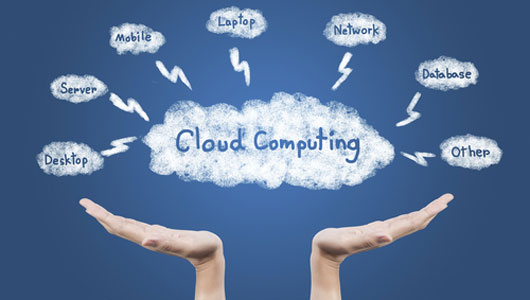
What you should know about Cloud Computing

cloud_computing Over the past five years cloud computing has been rapidly picking up steam. Cloud computing is kind of a big deal (like, change the face of IT big), in this article I am going to provide a brief cloud computing introduction. Here are some key points you need to know about cloud computing to help your organization reap its benefits and get you back into the 21st century.

1. There are two versions of cloud to know about

There are several varieties of cloud computing services. Depending on your company’s IT needs, you might be able to use a cloud service instead of investing in new IT hardware. Two of the more popular versions of cloud offerings are Software-as-a-Service (SaaS) and Infrastructure-as-a-Service (IaaS). With SaaS, the cloud service provider hosts your enterprise applications and associated data on its servers and storage systems. Users gain access to SaaS applications using a Web browser. And your company would typically pay a fee per user per month. With IaaS, the provider or Apex IT Solutions in this case, offers virtual machines, physical servers, storage, switching, and connectivity resources to run your enterprise applications on a pay-as-you-go basis. You are responsible for installing and maintaining the operating system and application or virtual machine; the provider is responsible for managing the infrastructure hardware that the applications or virtual machines run on.

2. Cloud Computing Services offer greater flexibility in delivering IT services

Business today is very dynamic. Cloud services let companies quickly ramp capacity up and down to match business needs.

In comparison to legacy hosting services, which often locked companies into contracts for multiple months or years, today’s cloud computing services are offered by the month or based on the consumption of resources. This is a perfect match for some industries, such as retail and financial services, which are subject to boom times and quiet times in their normal business cycles. Maybe you have a new application and are unsure of the speed of growth. A cloud computing service lets you expand and contract IT resources in sync with those cycles.

Need more capacity to handle late summer back to school sales or to support a web site for a trendy service? You can throttle up capacity for several months to support the peak period and then scale back when activities return to normal. Similarly, you can match capacity to demands as business units grow and contract over time. This helps align IT spending with actual needs.

3. Cloud computing gives you the ability to refresh an aging infrastructure without incurring future altering costs. 

This is critical especially for companies that are trying to accommodate new technologies. For instance, many companies today are virtualizing their mission-critical applications. To do so, they need the virtual machines associated with those applications to run on powerful and resilient servers. Cloud computing gives companies a way to do this without having to buy new servers.

5. Cloud frees up staff for other projects. 

IT staff members spend most of their time keeping the proverbial “lights on.” A good portion of an IT staff’s time is dedicated to managing, maintaining, and troubleshooting equipment. Cloud computing providers often offer infrastructure as well as management services, allowing companies to offload those tasks to the provider, thus freeing up IT staff to work on other projects that are more critical to the success of a business in turn saving you money.

As you can see, cloud computing can be many things to different companies. The great thing about cloud computing is that the services can help companies be more responsive to market conditions, all while controlling  IT costs.cloud_computing2


The Benefits of Hosted Microsft Exchange

hosted-exchange


The advantages of outsourcing Microsoft Exchange to the cloud.

Microsoft Exchange is an email server solution from Microsoft that works extremely well for the small business as well as the enterprise.  Some of the great features of Microsoft Exchange is the ability to synchronize your email, contacts and tasks across multiple devices.  Every email you send or receive, every calendar appointment you make will synchronize with every device that’s configured with a Microsoft Exchange account. Whether you’re on a PC or MAC, Android or iPhone, all your emails & contacts will always be in sync.  There are other features, but that’s for another time.

Because Microsoft Exchange Server is such an important part of any business, it is critical to keep it up and running at all time.  Any down time could mean lost worker time, lost email and potentially lost business.  This is where hosted Microsoft Exchange service comes in.  Here are the major benefits of having a hosted exchange service, instead of having one onsite in your office.

  • Deployment cost  – No need to purchase any hardware of software.  You only pay a small monthly for the licenses you need.
  • Up time – By outsourcing the exchange service to a hosting company, you take advantage of their infrastructure, which includes reliable power sources with diesel generators, secure facility, and fire suppression systems.  No need to worry about anyone breaking in or an unforeseen circumstance such fire or flood.
  • Redundant Internet – Multimillion dollar datacaenter come equipped with state of the art internet connection from multiple vendors.  Things like outages don’t exist.  The internet at these facilities will always be on.  When was the last time the internet connection at your office went down?  How much lost productivity did you encounter?  How many customer emails bounced back to sender?
  • Maintenance –  maintenance is a very time & resource intensive task.  All needed maintenance is included with your hosted exchange account.
  • Upgrades – Hosted services will upgrade your exchange as part of their overall upgrade strategy. No need buying additional software or licences. No need to spend a weekend at the office upgrading the most important peace of your infrastructure.

If you would like more information about hosted exchange or other cloud solutions, contact Apex IT Solutions, Inc at (800-275-6513.