
Coordinated backup and disaster-recovery planning for Orange County businesses
Connect Protected Copies With Restore Readiness and Operational Recovery
An online backup is useful when it captures the right business data, completes on schedule, retains usable recovery points, protects access to the copies, and supports a tested restoration process. A green job status answers only one part of that chain. It does not prove that a missing folder was included, that the retained version is usable, or that the business can resume a time-sensitive workflow.
Apex IT Solutions helps Orange County businesses coordinate supported backup and disaster-recovery planning. The work can include inventory, business priorities, recovery objectives, backup frequency, local and offsite copies, retention, access controls, encryption dependencies, monitoring, restore testing, technical recovery sequences, and documentation. Each device, server, application, cloud service, data set, vendor, circuit, identity dependency, and recovery resource must be evaluated rather than assumed to be included.
Find Backup Gaps Before a Restore Request Exposes Them
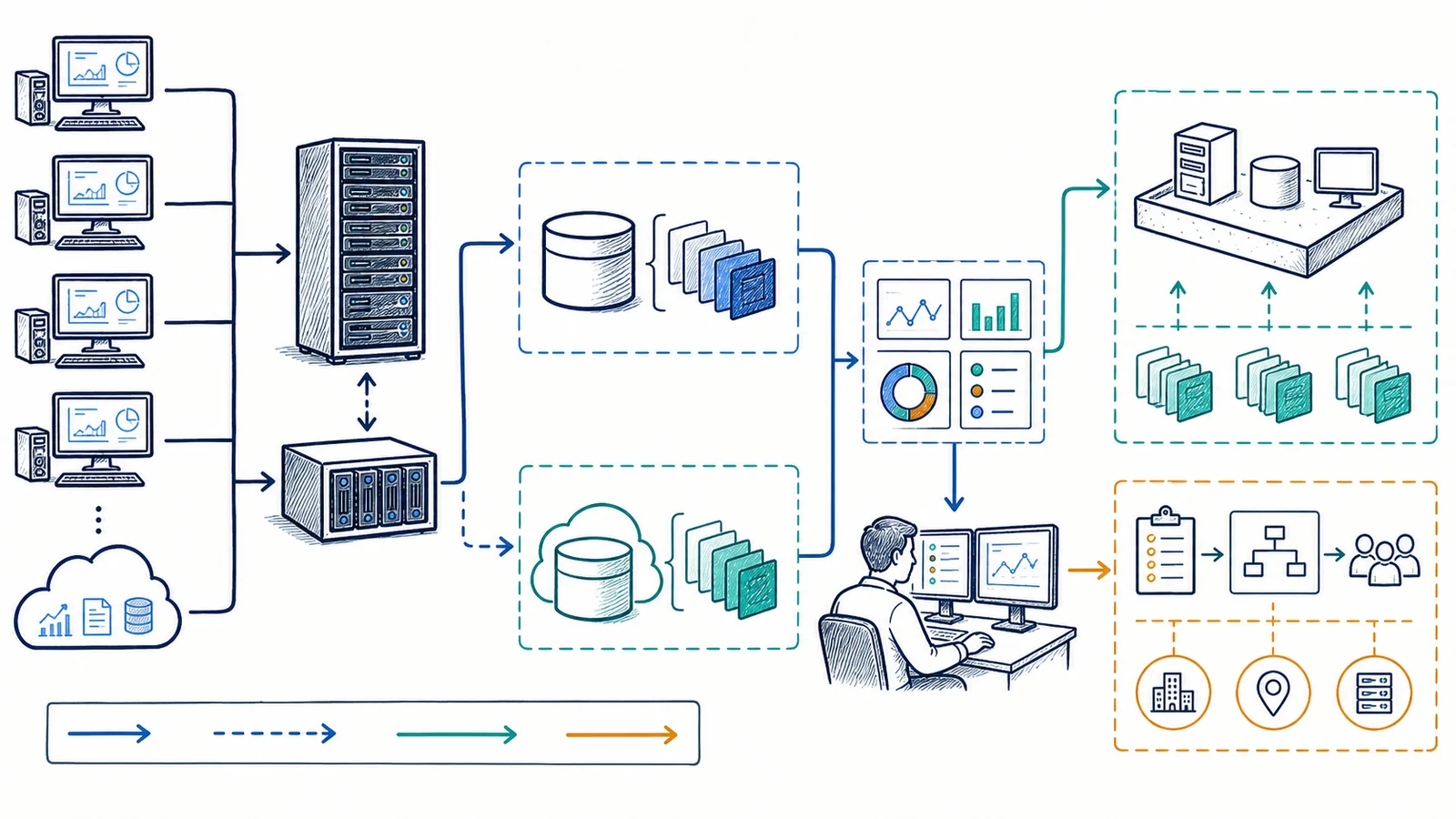
Businesses often inherit a backup arrangement that nobody can explain. An application was added but its data path was not documented. A workstation stores an important local folder outside the approved location. A server job reports success while a database needs an application-aware method. An old employee still controls a cloud account. Retention no longer covers the time between an unnoticed error and its discovery.
Unknown Coverage
No current inventory connects business systems and data to a specific backup job, destination, schedule, retention policy, and owner. “The cloud backs it up” is not enough to establish scope.
Unreviewed Failures
Jobs fail, miss schedules, lose credentials, exceed storage, or stop reporting without a defined recipient and follow-up procedure. Automated monitoring can support review but does not mean a person is continuously watching.
No Recent Restore Test
The organization has no representative file or supported-system restore on record, or the procedure depends on unknown credentials, encryption keys, hardware, software versions, bandwidth, or vendor access.
One Failure Domain
The original data and its only copy remain on the same device, storage system, account, or location. Hardware loss, administrative error, account compromise, or a physical incident could affect both.
Other warning signs include retention that changed without approval, backup storage reachable by broad administrator accounts, expired licenses, unsupported software, missing reports, unexplained job exclusions, and restore instructions that have not been updated after a migration. These findings call for assessment, not a blanket claim that one product fits all business systems.
Distinguish Backup From Replication, Sync, Versioning, and Storage
A backup creates a recoverable copy of selected data or systems according to a defined schedule and retention policy. A local copy may support faster restoration but can share risks with the source. An offsite copy is kept away from the primary location or system. A cloud copy uses a provider’s infrastructure, subject to its service, account, region, capacity, egress, licensing, and security terms. “Cloud” describes where or how a service operates; it does not establish that the data is independently backed up.
Replication copies changes to another system, often to improve availability or provide a secondary instance. It may also copy deletion, corruption, or unwanted changes. Synchronization keeps selected content aligned across locations or devices and can propagate the same mistake. Versioning retains prior states according to product rules, limits, and retention. Each can support a broader design, but none should be represented as a backup without reviewing isolation, history, deletion behavior, access, and restoration.
Retention defines how long recovery points remain and often how daily, weekly, monthly, or other versions are preserved. More retention uses more storage and may raise legal, privacy, contractual, or operational questions. The right policy starts with business need and data ownership. Apex can help translate those needs into a supported design but does not provide legal or regulatory advice.
Set Recovery Priorities Before Choosing a Schedule or Retention Policy
A recovery-point objective (RPO) describes the point in time to which data should be recovered after a disruption. It helps frame how much recent data the business can tolerate recreating, subject to the system and backup design. A recovery-time objective (RTO) describes the target time for restoring a process or service after a disruption. These are planning objectives, not promises. Actual recovery depends on the failure, available recovery point, data volume, bandwidth, hardware, applications, credentials, vendors, staffing, and sequence of dependencies.
Different workloads may need different objectives. A shared working folder, accounting database, application server, scanned archive, workstation profile, and cloud service do not necessarily require the same schedule or restoration order. The business owner and application owner should identify which processes matter, what data each uses, how quickly work becomes materially affected, and what temporary procedure is realistic.
A successful backup job reports that the software completed according to its own checks. Tested restore readiness goes further. It asks whether the intended content can be located, accessed, decrypted, restored to a safe destination, opened or started with the supported application, and documented. A test must be designed so it does not overwrite production data or disrupt an operating system.
Protect the Backup Account and Storage Path
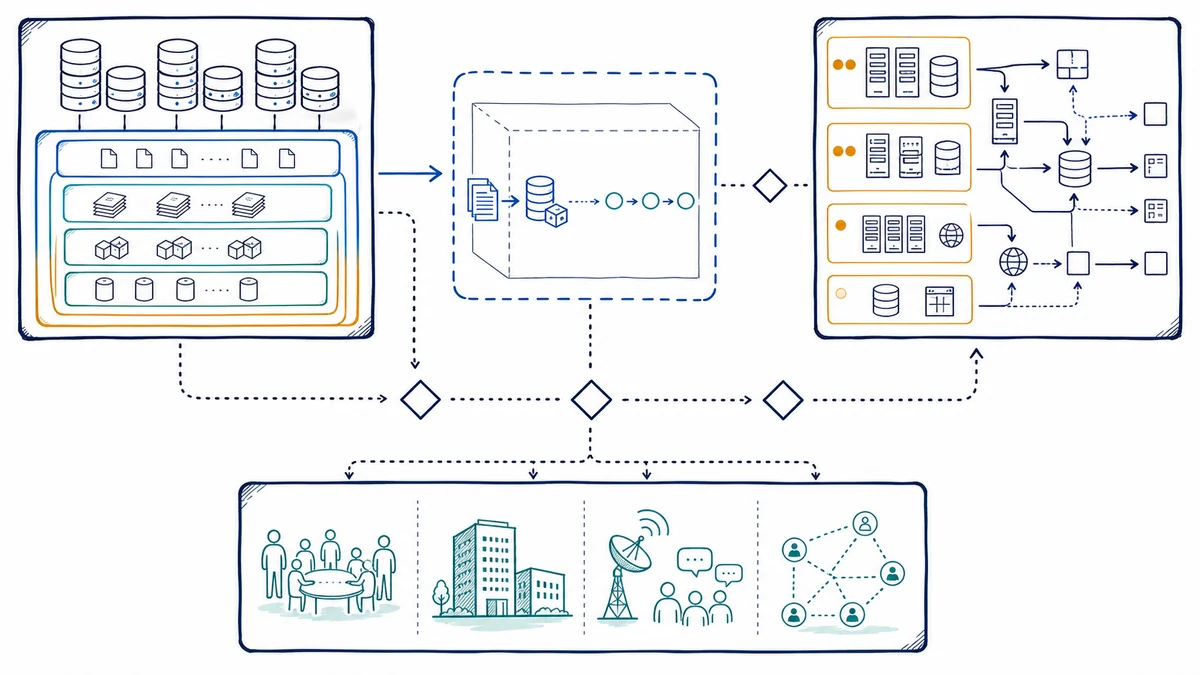
Backup systems need administrative access to source data and may hold a broad history of business information. Ownership, administrator roles, service accounts, multi-factor authentication where supported, recovery methods, vendor access, and employee departure procedures should be documented. Permissions should fit operational needs, and ordinary user or workstation credentials should not automatically control every retained copy.
Encryption can protect data in transit and at rest when the chosen product, configuration, and workflow support it. The design must also address who controls keys, passwords, or recovery material; how access is recovered when an administrator leaves; and whether a lost key would make the backup unusable. Stating that storage is encrypted does not answer those custody questions.
Some products support immutable, object-locked, offline, air-gapped, or otherwise protected copies. Those terms have precise product and configuration dependencies. Apex will describe such a control only after verifying that it is available, enabled, retained as intended, and administratively separated for the applicable scope. These controls can reduce particular risks but do not remove the need to account for credentials, policies, provider access, software defects, retention limits, and untested procedures.
Review Job Evidence and Test Representative Restores
Monitoring may review selected job status, missed schedules, warning and failure states, recovery-point age, storage capacity, agent health, or notification delivery where the product and access support those signals. A useful procedure defines who receives the notice, when it is reviewed under the service arrangement, what evidence is retained, and when the issue moves to a separate support request. An automated alert does not establish delivery, acknowledgment, diagnosis, or repair.
Restore testing should reflect business priorities and the backup method. A representative file restore may verify selection, retention, permissions, and content. An application or system restore can require an isolated environment, compatible infrastructure, licenses, network settings, service accounts, databases, and application-vendor participation. Test scope, destination, acceptable interruption, security, result, and cleanup should be approved in advance.
Documentation should include protected sources, exclusions, schedules, destinations, retention, access ownership, encryption-key custody, monitoring recipients, restoration steps, dependencies, vendor contacts, last test, test result, and unresolved gaps. Changes to servers, workstations, applications, accounts, or cloud platforms should trigger a coverage review.
Turn Backup Evidence Into a Prioritized Technical Recovery Plan
Disaster recovery addresses more than the location of backup files. It identifies the business services that must be restored, the systems and data each service depends on, the order in which those dependencies should return, the people authorized to make decisions, and the infrastructure needed to perform the work. A file server may depend on identity, DNS, switching, firewall policy, storage, power, licensing, and user devices. A cloud application may depend on tenant administration, internet connectivity, identity controls, vendor availability, integrations, and exported or separately protected data.
A practical plan records the event assumptions, supported recovery options, current backup evidence, recovery objectives, access ownership, communication path, vendor contacts, replacement or alternate infrastructure, network and security dependencies, and criteria for moving from one recovery stage to the next. The plan should distinguish a temporary workaround from restoration of the normal environment. It should also define when a technical issue requires application-vendor, carrier, facilities, insurance, legal, or specialist data-recovery involvement.
Business continuity is broader still. It considers how people perform critical work while technology, facilities, communications, suppliers, or other resources are disrupted. Apex can help align supported technology recovery with those business priorities, but the organization retains responsibility for executive decisions, staffing, facilities, vendor agreements, legal or regulatory obligations, and nontechnical operating procedures. Backup, restore testing, disaster recovery, and continuity planning support one another; none should be presented as an automatic substitute for the others.
Define Included Data and Separate Related Recovery Services
A Defined Backup and Recovery Scope May Include
- Inventory of approved systems, data sets, owners, and business priorities
- Supported local, offsite, or cloud-copy design and retention planning
- Backup agent, schedule, destination, account, and notification configuration
- Encryption and access-control review for the selected product
- Job-status review and escalation boundaries stated in the agreement
- Documented, authorized restore tests for representative included data
- Prioritized technical recovery sequences, dependency mapping, owner assignments, and recovery documentation
It Does Not Automatically Include
- Every server, workstation, mobile device, application, database, or SaaS platform
- Microsoft 365 mail, OneDrive, SharePoint, Teams, or other cloud workloads
- Hardware, storage, bandwidth, licenses, subscriptions, or vendor charges
- Continuous human monitoring, fixed restore times, or after-hours recovery work
- Alternate facilities, business communications, staffing procedures, legal advice, or a complete enterprise continuity program unless separately scoped
- Recovery from physically damaged or inaccessible media when no usable backup exists
Server operating systems, applications, databases, virtual machines, and shared storage need focused technical review through server backup services. If required data is already inaccessible and a usable backup is not available, data recovery is a separate assessment with uncertain outcomes. Microsoft 365 backup is not assumed to be part of this service; the tenant, workload, product, license, retention, and restore method must be confirmed through Microsoft 365 support.
Build the Plan Around Data, Dependencies, and an Approved Test
- Identify important workflows. Discuss which business activities rely on the data, what interruption means, who owns the systems, and which recovery order makes sense.
- Inventory sources and current copies. Map supported servers, workstations, applications, databases, shares, cloud platforms, storage, existing jobs, destinations, schedules, retention, accounts, and known exclusions.
- Define planning objectives. Record desired recovery points and restoration timing by workload, then identify where infrastructure, bandwidth, application, vendor, or staffing constraints affect those objectives.
- Choose a supported design. Evaluate local and offsite copies, cloud storage, retention, capacity, access, encryption, administrative separation, licensing, and provider dependencies without assuming a single architecture fits every business.
- Configure and protect access. Install supported components, apply approved schedules and retention, establish account ownership, enable available identity protections, and document key or password custody.
- Observe initial jobs. Review logs, warnings, exclusions, capacity, performance impact, recovery-point age, and notifications. Correct the defined scope or configuration when evidence shows a gap.
- Test a representative restore. Restore approved data to a safe destination, validate it with the appropriate owner or application, record the result and elapsed conditions, and document unresolved dependencies.
- Review after change. Reassess coverage after new equipment, applications, staff, locations, data growth, migrations, license changes, or provider changes.
Customer responsibilities include identifying data owners, approving scope and retention, providing authorized access, protecting credentials, maintaining required licenses and connectivity, participating in restore validation, and reporting material changes. Third-party providers may control platforms, storage, internet service, application support, or account recovery.
Backup and Disaster Recovery Planning for Orange County Businesses
Apex IT Solutions works with businesses and organizations in Anaheim, Irvine, Santa Ana, Costa Mesa, Fullerton, Brea, Buena Park, and other Orange County communities where service is available. Professional offices, medical and dental practices, manufacturers, warehouses, retailers, nonprofits, and multi-location operations often have different systems, internet connections, maintenance windows, vendors, and recovery priorities.
An onsite review may be useful when the data source, local storage, server, workstation, network, power, or physical backup device must be inspected. Remote work may suit cloud-console review, job evidence, configuration, documentation, or a supported restore when access is available. Broader device and server issues can be coordinated through computer and server support.
Backup and Disaster Recovery FAQs
Is cloud storage the same as online backup?
No. Cloud storage may hold primary data, synchronized files, or retained copies. It becomes part of a backup design only when scope, recovery points, retention, deletion behavior, access separation, and restoration have been defined and tested for the business need.
Does file synchronization count as a backup?
Not by itself. Synchronization can copy deletions, corruption, or unwanted changes. Version history may help, but its limits and access model require review. A backup design needs protected recovery points and a documented restore path.
Does a successful job mean our data can be restored?
No. It shows that the software completed according to its checks. Restore readiness also depends on correct scope, usable retained data, credentials, keys, compatible systems, applications, bandwidth, documentation, and a test appropriate to the workload.
What are RPO and RTO?
RPO is the planning objective for the point in time to which data should be recovered. RTO is the planning objective for how soon a process or service should be restored after disruption. Neither is a recovery promise; the actual event and dependencies affect results.
Are our Microsoft 365 mail and files included?
Not automatically. Coverage depends on the confirmed backup product, license, tenant, workloads, users, retention, permissions, and restore method. Microsoft 365 platform retention or recycle-bin features should not be assumed to satisfy the organization’s separate backup needs.
How often should we test a restore?
The cadence depends on business importance, rate of change, system complexity, contractual needs, and how often the backup environment changes. Material migrations, new applications, changed retention, or failed tests may justify an additional review.
Is online backup by itself a disaster-recovery plan?
No. It supplies selected recoverable copies. A coordinated disaster-recovery service also addresses restoration order, infrastructure, applications, identity, networking, facilities, vendors, staff, communications, decision authority, testing, and documentation. Business continuity includes the temporary ways critical work continues.
How can our Orange County business begin a backup review?
Share the locations, important workflows, servers, workstations, applications, cloud services, current jobs, retention, recent warnings, and any restore-test history. Use the Request IT Support form or call (800) 275-6513.
Verify What Is Protected and Plan How Priority Systems Would Return
Share the business workflows, systems, data locations, existing backup jobs, retention, warning history, cloud services, vendors, recovery priorities, and prior restore tests. Apex IT Solutions can assess the supported environment, document gaps and dependencies, and recommend a practical backup, restore-readiness, and disaster-recovery next step.