
A coordinated operating model for internal IT teams
Add Capability Without Giving Up the IT Leadership You Want to Keep
Internal IT leaders often know the business, its people, and its priorities better than an outside provider could. The challenge is capacity. Daily support can compete with infrastructure work. A major project can expose a specialist gap. Vacation coverage can be difficult when knowledge sits with one person. Vendors, Microsoft 365, cybersecurity, documentation, and planning can all demand attention at the same time.
Apex IT Solutions provides co-managed IT services that work alongside an internal IT function. The relationship is not designed to replace internal IT by default. Instead, Apex and the customer decide what the internal team is comfortable retaining, what Apex will own within the managed-service agreement, and where responsibilities should be shared. That split can be narrow or broad, but it should never be vague.
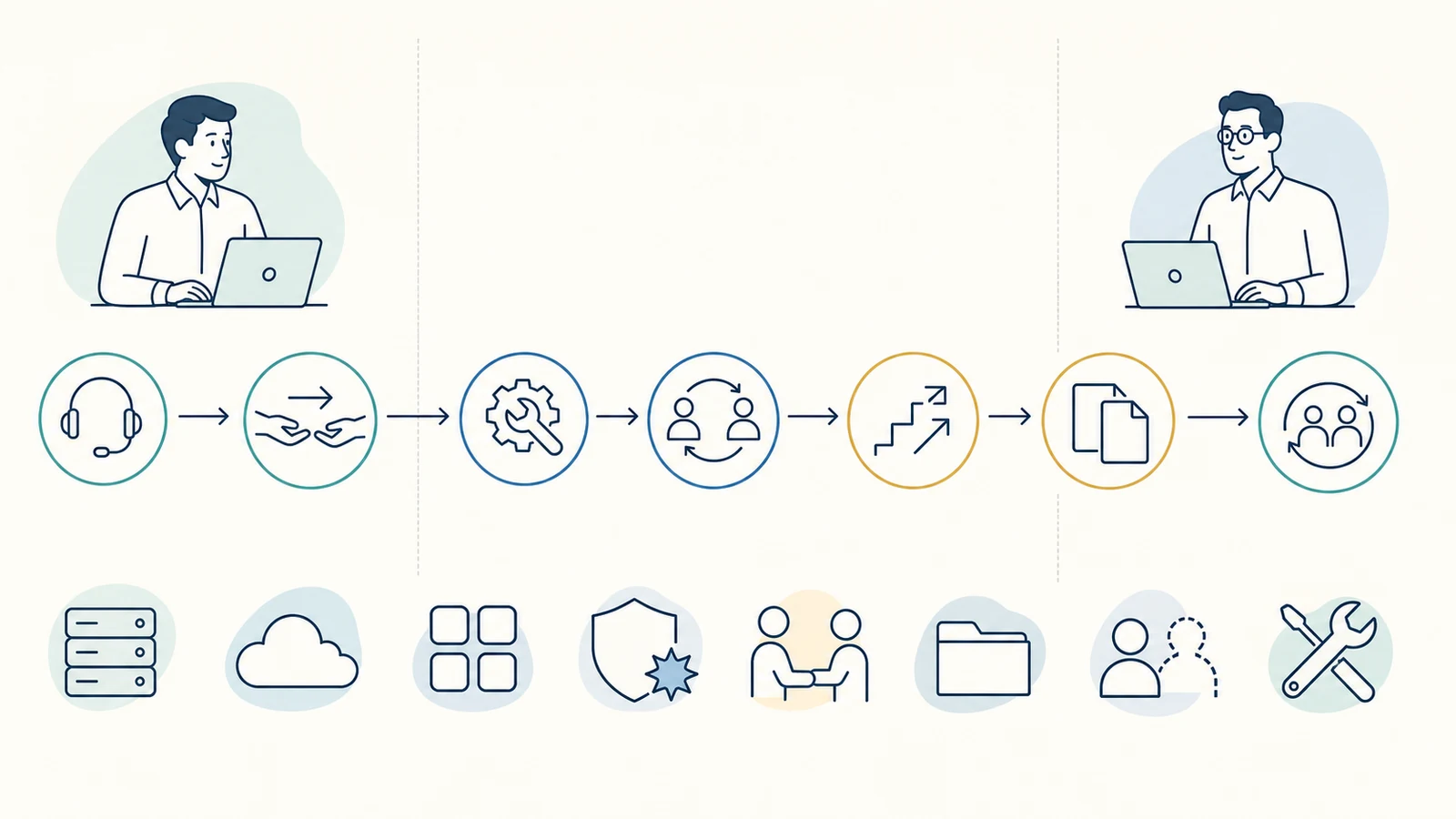
Potential scope may include help desk, infrastructure, escalation, projects, Microsoft 365, cybersecurity, selected monitoring, documentation, vendor management, planning, temporary or vacation coverage, and agreed tools. Apex delivers its work directly and coordinates with customer vendors as appropriate. Service is provided during business hours, with exact coverage, contacts, authorization, and escalation documented for each customer.

Use Co-Managed IT to Strengthen an Existing Team
Co-managed IT can fit a business that already has an IT manager, administrator, technical employee, or small internal team but needs additional depth or operating coverage. The need may be steady, such as transferring first-line user support to Apex, or occasional, such as providing an escalation path for a difficult network issue. It may also center on a defined responsibility such as Microsoft 365 administration, cybersecurity, infrastructure, vendor coordination, or maintaining documentation.
The internal team does not have to surrender the work it performs well. A technology leader may retain strategy, purchasing approval, key applications, and executive communication while asking Apex to handle help desk and infrastructure. Another customer may keep day-to-day support but use Apex for escalation, cybersecurity, projects, and vacation coverage. The appropriate model depends on internal capability, workload, risk, access, business preferences, and the systems Apex can support.
Capacity Pressure
Route agreed support or operating tasks to Apex so internal IT can focus on priorities the business has chosen to retain.
Specialist Depth
Add defined experience for infrastructure, Microsoft 365, cybersecurity, network, server, or project needs without implying an employment or staff-augmentation relationship.
Escalation Support
Give the internal team a documented path for issues that exceed its available time, access, tools, or technical depth.
Continuity
Prepare agreed temporary coverage when an internal IT contact is away, using current documentation, access, contacts, and boundaries.
Co-managed service is not an automatic transfer of every technology duty. Unsupported systems, undocumented applications, third-party limitations, missing access, or work outside the agreement may require discovery, a separate project, a vendor, or another specialist. The operating model should make those dependencies visible rather than placing them under a broad promise of “everything IT.”
Build the Relationship Around a Responsibility Matrix
A responsibility matrix turns a general intention to “work together” into an operating plan. For each important service or system, it records who performs routine work, who approves material changes, who receives alerts, who communicates with users or leadership, who contacts a vendor, and who is accountable when an issue must be escalated. The matrix is customized to what the customer is comfortable retaining and what Apex has agreed to provide.
Retained by Internal IT
The customer’s IT lead may retain areas where business context, authority, or established expertise is strongest. Examples could include technology strategy, budget approval, a line-of-business application, executive support, user authorization, policy decisions, or vendor relationships. Retained does not mean isolated: Apex can still receive the context needed to support connected systems.
Owned by Apex Within Scope
Apex-owned responsibilities are recurring tasks accepted in the managed-service agreement. They may include defined help-desk work, supported infrastructure administration, selected Microsoft 365 tasks, documentation maintenance, agreed vendor coordination, or another clearly bounded service. Ownership applies only to the listed systems, users, duties, and business-hours procedures.
Shared Responsibilities
Some work needs both teams. Internal IT may approve a change and communicate its business timing while Apex performs the technical steps. Apex may triage an issue while an internal application owner validates the workflow. Shared work needs named handoffs and decision authority, not duplicate assumptions.
External Vendor Responsibilities
Software companies, internet carriers, cloud platforms, equipment manufacturers, and other vendors remain responsible for their own products and services. Apex can coordinate with customer vendors as appropriate, but the matrix identifies who opens cases, supplies authorization, approves fees, validates results, and escalates when the vendor must act.
The matrix can cover help desk, infrastructure, incidents, changes, administrative credentials, applications, vendors, monitoring, escalation, projects, documentation, planning, and temporary coverage. It should also identify exclusions and unresolved ownership. If circumstances change, the teams update the matrix rather than relying on an old verbal understanding.
Select the Capabilities That Complement Internal IT
A co-managed plan is assembled around the customer environment; the following areas are potential scope, not a universal bundle. Inclusion depends on discovery, supportability, authorization, tools, licensing, access, and the managed-service agreement.
- Help desk: receive agreed user requests, perform supported troubleshooting, document work, and route issues according to customer-specific priority and escalation procedures.
- Infrastructure: support selected network, server, endpoint, or related systems, with physical and administrative boundaries identified. Related needs may connect with network support services or computer and server support.
- Microsoft 365: handle agreed administration, account, permission, service, or escalation tasks for supported environments. Broader dependencies can be assessed through Microsoft 365 support.
- Cybersecurity: coordinate defined safeguards, reviews, remediation, or operating tasks without implying complete protection or every security capability. Focused work may involve cybersecurity services, cybersecurity assessments, or endpoint detection and response when separately scoped.
- Monitoring: configure selected supported systems to produce agreed notices and assign who reviews, communicates, approves, and acts on them.
- Documentation and tools: maintain agreed records and use approved service, access, or management tools where they support the assigned workflow.
- Vendor management: coordinate with customer vendors where appropriate while preserving the customer’s authority, commercial relationship, and vendor-specific obligations.
- Planning and projects: contribute technical planning or complete separately scoped project and specialist work, including supported cloud migration services.
Direct Apex delivery gives the internal team a defined service partner, but connected vendors may still need to diagnose their software, repair a carrier service, provide licensing, approve changes, or supply specialist knowledge. Apex does not claim the authority to direct every vendor or make business decisions reserved for the customer.
Define Escalation Before an Issue Becomes Urgent
An escalation path should tell both teams where a request begins and what happens when the first owner cannot resolve it. A help-desk issue may move from Apex to internal IT because it concerns a retained application. An internal administrator may ask Apex to investigate a supported infrastructure problem. Either team may need a software vendor, internet carrier, cloud provider, or specialist. The path should name the contacts, required information, handoff method, communication owner, and person authorized to make a business-impacting decision.
Incident ownership also needs to be specific. The customer agreement can identify who triages a report, who assesses supported systems, who contacts affected users, who communicates with leadership, and who engages outside resources. Not every unusual condition is an incident, and no general web description can assign ownership for every scenario. Apex acts within the agreed business-hours scope and authorization; it does not promise around-the-clock staffing, a guaranteed response, or action outside agreed authority.
Use Change Control That Matches Business Impact
Shared administration creates risk when both teams can change the same system without a common record. The co-managed plan should classify routine approved work, changes requiring advance authorization, emergency decisions, and actions Apex must not take. It can identify scheduling expectations, testing, user communication, recovery considerations, validation, and documentation requirements according to the system and the potential impact.
A low-impact account update may follow a standing procedure, while a network, identity, security, server, or application change may require an internal approval and agreed window. The customer identifies authorized requesters and decision-makers. Apex confirms authority before work where the procedure requires it. No monitoring tool, vendor recommendation, or technical concern gives Apex automatic permission to isolate devices, change access, interrupt service, purchase products, or alter production systems.
Administrative credentials require the same clarity. The matrix records which accounts exist, which party controls them, how approved access is provided, how it is protected, and what happens when personnel or vendors change. Co-managed IT does not mean Apex automatically owns every administrator credential. The customer and Apex establish the access needed for assigned work, and retained credentials remain with their documented owner.
Keep Documentation, Tools, and Access Aligned With the Operating Model
Good documentation makes shared support faster and safer because it reduces dependence on memory. Depending on scope, records may cover supported systems, users, sites, vendors, applications, network details, service contacts, recurring tasks, escalation paths, administrative ownership, standard procedures, known limitations, and recent changes. Documentation is maintained at an appropriate operational level; it does not guarantee that every historical configuration or undocumented dependency will be discovered.
Tools can support ticketing, remote access, endpoint management, monitoring, documentation, or another agreed workflow. Tool choice and deployment depend on the customer environment, current platforms, licensing, security requirements, and service agreement. Using a tool does not expand service hours or authorize action beyond the responsibility matrix. The plan identifies which team works in which system, how records are exchanged, and where the authoritative ticket, asset, procedure, or alert record lives.
Access follows assigned duties. Apex needs authorized access to the systems it supports, while internal IT should retain the visibility and authority the business requires. Both sides should communicate personnel, vendor, application, and infrastructure changes that affect access. Sensitive credentials should be exchanged through an approved secure method, not a public website form.
Prepare Temporary Coverage Before the Internal Contact Is Away
Vacation or temporary coverage is more reliable when it is planned rather than activated after the primary IT contact becomes unavailable. The preparation should identify the coverage period, supported users and systems, expected request path, likely recurring tasks, current risks, vendor contacts, administrative access, approval authority, escalation contacts, and work that remains deferred until the internal lead returns.
Apex can provide agreed business-hours coverage within the co-managed relationship. The exact handoff may focus on user support, infrastructure oversight, escalations, vendors, or selected operating tasks. Temporary coverage is not an unlimited assumption of every internal duty, an employment placement, or a promise that Apex has prior knowledge of every application and historical decision. Adequate onboarding, documentation, access, and reachable customer decision-makers remain important.
Onboard Carefully, Then Review the Split as the Business Changes
- Understand the internal model. Identify the internal team, business leaders, users, locations, current workload, pain points, retained expertise, vendors, and upcoming changes.
- Inventory the supported environment. Review available records for relevant devices, networks, servers, Microsoft 365, applications, cybersecurity controls, tools, licenses, vendors, and administrative access.
- Design the responsibility matrix. Assign retained, Apex-owned, shared, vendor-owned, and excluded duties, including help desk, infrastructure, alerts, incidents, changes, credentials, applications, projects, and escalation.
- Confirm procedures and authority. Establish business-hours contact paths, authorized requesters, approval thresholds, handoffs, communications, access, documentation, vendor coordination, and temporary-coverage expectations.
- Transition agreed work. Configure approved tools, transfer current documentation, test access and routing, address known gaps, and introduce the service path to affected users and vendors.
- Review the operating model. Revisit ownership when staffing, systems, locations, risks, vendors, applications, or priorities change. Document updates rather than allowing assumptions to accumulate.
Onboarding may reveal outdated records, unsupported technology, inaccessible accounts, unclear vendor ownership, or project work needed before a recurring task can be accepted. Those findings are documented and prioritized. Remediation or specialist work can be separately scoped instead of being silently absorbed into the managed-service plan.
Separate Recurring Managed Service From Project and Specialist Work
Co-managed IT is provided through managed-service pricing and an agreement that defines the recurring scope. The agreement identifies included responsibilities, supported users and systems, business-hours contact paths, tools, customer duties, approvals, monitoring treatment, documentation, escalation, and exclusions. Pricing depends on the actual service design; this page does not publish or imply a standard price.
Projects and specialist work are separately scoped. Examples might include a migration, major infrastructure change, remediation initiative, application transition, deployment, or other work beyond recurring operations. Separate scoping gives both teams a chance to confirm requirements, dependencies, access, vendor participation, timing, testing, change authority, deliverables, and cost before work begins.
The model does not include unlimited support, universal monitoring, automatic ownership of credentials or applications, action without authorization, guaranteed response times, or 24/7 availability. It also does not make Apex the employer of customer personnel or place Apex staff under the customer as employees. The controlling obligations are the customer-specific agreement and any approved project scope.
Co-Managed IT Services FAQs
Does co-managed IT replace our internal IT team?
No, not by default. Apex works alongside internal IT. The customer chooses what it is comfortable retaining, and the managed-service agreement defines what Apex owns and what the teams share. The goal is a clear complement to internal capability, not an assumed replacement.
Which IT responsibilities can we keep internally?
The split is customer-specific. Internal IT may retain strategy, budgets, executive support, key applications, user authorization, vendors, infrastructure, or any other agreed area. Apex receives the context and access necessary for its connected responsibilities, while retained ownership stays documented.
What can Apex handle in a co-managed plan?
Potential scope may include help desk, infrastructure, escalation, projects, Microsoft 365, cybersecurity, selected monitoring, documentation, vendor management, planning, temporary or vacation coverage, and agreed tools. Only the responsibilities, systems, users, and procedures listed in the customer agreement are included.
How do Apex and internal IT avoid duplicating work?
The teams use a responsibility matrix, defined ticket and communication paths, named escalation contacts, change procedures, and agreed systems of record. Retained, Apex-owned, shared, vendor-owned, and excluded duties are documented and reviewed when the environment or staffing changes.
Does monitoring mean Apex acts on every alert?
No. Monitoring applies only to selected supported systems and configured conditions. The customer-specific plan states who receives a notice, who reviews it, which actions are authorized, and when escalation is required. An automated alert does not imply continuous human observation, immediate review, or automatic action.
Who controls administrator credentials?
Ownership and access are documented per customer. Apex receives authorized access needed for its assigned duties, but co-managed service does not automatically transfer every administrative credential to Apex. The plan records account ownership, approved access, protection, and personnel or vendor changes.
Can Apex cover vacations or a temporary absence?
Yes, agreed business-hours temporary or vacation coverage may be part of the co-managed relationship. Effective coverage requires advance preparation, current documentation, suitable access, clear supported systems and tasks, escalation contacts, and available customer decision-makers. It is not an unlimited transfer of every internal duty.
How are projects handled?
Recurring responsibilities belong in the managed-service agreement. Major changes, migrations, remediation, deployments, and other specialist work can be separately scoped with their own requirements, timing, vendor dependencies, testing, deliverables, authorization, and pricing.
Is co-managed IT support available 24/7?
No. Apex provides business-hours support. The agreement documents applicable contact paths, responsibilities, and escalation. It does not imply around-the-clock staffing, unlimited support, a guaranteed response time, or action outside the agreed scope and authorization.
Design the Support Model Around the Team You Already Have
Tell Apex about your internal IT roles, users, locations, systems, applications, vendors, current workload, coverage concerns, and upcoming projects. We can discuss a responsibility matrix that preserves the work your team wants to retain while defining where Apex can add dependable business-hours support, technical depth, escalation, and continuity.