
Ongoing technology support for Orange County businesses
Build a clearer, more manageable approach to business IT
When user requests, equipment decisions, software maintenance, vendor calls, and recurring technical problems are handled one at a time, important work can fall between the gaps. Managed IT services bring those activities into an agreed operating structure. Apex IT Solutions can serve as an outsourced IT resource or support an existing technology employee through a co-managed IT relationship. The scope may combine help desk assistance, remote and onsite work, system administration, monitoring, backup coordination, documentation, and technology planning according to the business environment.
This is not a generic bundle or a promise that every technology task is automatically covered. It is a working relationship with defined responsibilities, support procedures, priorities, and service boundaries. For an Orange County company that wants fewer surprises and clearer ownership of day-to-day IT, the first step is understanding what exists, what is creating friction, and which responsibilities should be managed on an ongoing basis.
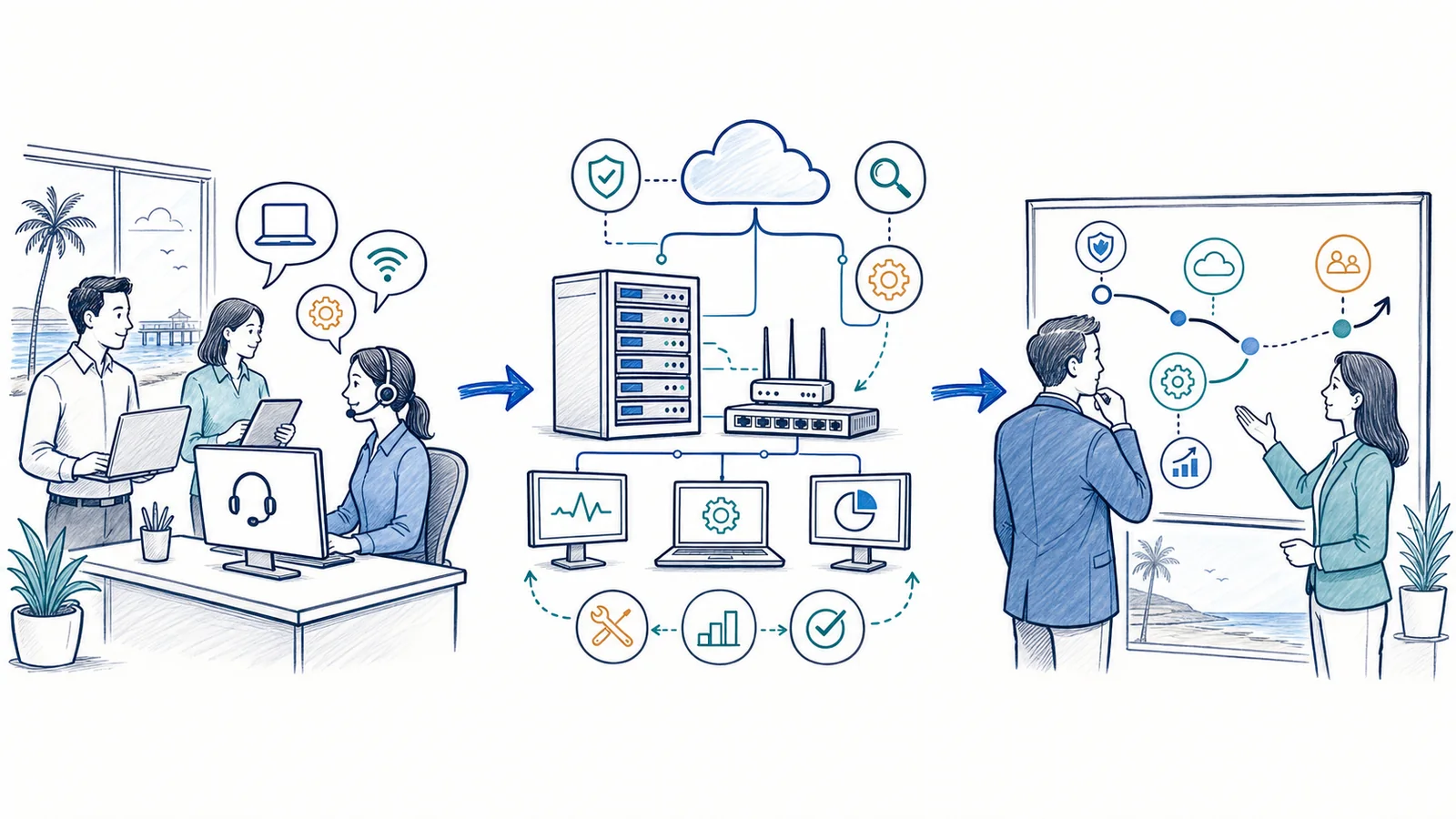
What managed IT includes—and what it does not
Managed IT is an agreed combination of recurring technology responsibilities. Instead of waiting for a device, server, or connection to fail before deciding who should respond, the business and provider establish how support requests enter the queue, which systems are covered, what routine administration is expected, and how larger changes are evaluated. The result is a repeatable operating model rather than a series of unrelated repair visits.
A managed relationship may include
- Employee help desk support for covered devices, applications, accounts, and connectivity issues.
- Remote troubleshooting and scheduled onsite work when physical access is appropriate.
- Operating-system, application, firmware, and configuration maintenance within the agreed scope.
- User setup, changes, removal, group administration, and permission coordination.
- Monitoring of selected network, server, or backup conditions, with defined alert procedures.
- Backup reviews, restore assistance, and disaster recovery planning based on the selected architecture.
- Documentation of assets, configurations, vendors, recurring procedures, and known dependencies.
- Lifecycle, procurement, project, and technology-roadmap planning.
It does not automatically mean
- Every device, application, project, location, or third-party service is included.
- Every alert receives an immediate technician response at any hour.
- All projects, hardware, software licensing, cabling, or vendor charges are part of the recurring scope.
- Monitoring prevents every failure, security event, user mistake, or service interruption.
- Backup makes every file recoverable in every circumstance or establishes the same recovery objective for every system.
- Technology consulting replaces legal, audit, insurance, or regulatory advice.
Warning signs that IT support has become too reactive
An occasional technical problem is normal. A pattern of repeated issues, uncertain ownership, and delayed maintenance often indicates that the business needs a more organized support model.
- The same problems keep returning. Staff repeatedly lose access, struggle with the same application, or work around an unreliable device without the underlying cause being addressed.
- Requests depend on one person. A manager, office administrator, or technically capable employee becomes the default contact for every password, printer, software, and vendor issue.
- Onboarding and departures are inconsistent. Accounts, permissions, devices, and access changes are handled from memory instead of a repeatable checklist.
- Maintenance is postponed. Updates, equipment reviews, backup checks, and documentation wait until a failure or audit request makes them urgent.
- No one has a reliable system inventory. The business cannot easily identify covered workstations, server roles, network equipment, warranties, software subscriptions, or responsible vendors.
- Vendor issues turn into a handoff loop. Internet, software, phone, hardware, and cloud providers each point to another party while the business coordinates the investigation.
- Growth creates inconsistent locations. New offices use different equipment, naming, access, or support procedures, making routine work harder to coordinate.
- Technology purchases are made under pressure. Equipment is replaced only after failure, without considering compatibility, lifecycle, capacity, or business priorities.
Start with the situation your business is facing
We do not have internal IT staff
An outsourced model can provide a central route for support, routine administration, maintenance coordination, and planning. Management still approves priorities and business decisions, while the provider handles defined technical responsibilities and keeps relevant work organized.
Our internal IT person needs capacity or specialized help
Co-managed IT can divide responsibilities by system, location, task, or escalation level. The internal employee may retain business-specific applications and strategic ownership while Apex assists with help desk volume, infrastructure work, monitoring, documentation, projects, or another agreed area.
We are growing, moving, or adding locations
A managed relationship can connect immediate support with planning for users, devices, connectivity, equipment standards, vendor dependencies, and rollout sequencing. The goal is to avoid treating each expansion decision as a disconnected purchase.
We are recovering from recurring issues or a major change
Begin with assessment and stabilization. Known problems, undocumented systems, backup status, account administration, and aging equipment may need attention before a steady ongoing process is realistic. Findings help separate urgent corrective work from recurring management.
Outsourced IT versus co-managed IT support
Both models create an ongoing relationship, but they assign responsibility differently. Outsourced IT is generally suited to a business that needs an external resource to coordinate most of its defined day-to-day technology work. Co-managed IT is designed for a company that already has an IT employee or team and wants added capacity, coverage for selected functions, or help with specific systems and projects.
| Decision area | Outsourced IT | Co-managed IT |
|---|---|---|
| Primary fit | No dedicated internal IT function, or limited internal technical capacity. | An established IT employee or team needs a defined partner. |
| Responsibility model | Apex coordinates the covered support and administration areas with designated business contacts. | Internal and external responsibilities are divided in a written operating model. |
| Common focus | User support, routine upkeep, vendor coordination, documentation, and planning. | Ticket overflow, infrastructure, monitoring, projects, documentation, or escalation support. |
| Internal role | Leadership sets business priorities and approves material decisions. | Internal IT retains agreed ownership and works directly with Apex on shared processes. |
A co-managed arrangement should not create two competing help desks or an ambiguous escalation chain. A responsibility matrix can identify who owns user intake, account changes, workstation administration, servers, networking, backup, vendors, purchasing, projects, and final approvals. Learn more about co-managed IT responsibilities and use cases.
Remote support and onsite support solve different problems
Remote support is often the practical first route for software errors, account access, settings, application questions, and diagnostic work that does not require physical handling. It can help gather symptoms, review the affected system, and determine whether an office visit is needed. Explore how remote business IT support fits into an ongoing support process.
Onsite service is appropriate when the work involves physical equipment, cabling, a device that cannot connect, infrastructure changes, office moves, or conditions that cannot be evaluated adequately from a remote session. Some issues need both: remote triage first, followed by a prepared onsite visit with better information about the likely cause. See onsite computer and server support for businesses.
Remote does not mean every problem can be fixed without a visit, and onsite does not mean every request should wait for travel. The service process should route work according to technical need, operational impact, authorization, and the agreed scope.
Monitoring is not the same as technician availability
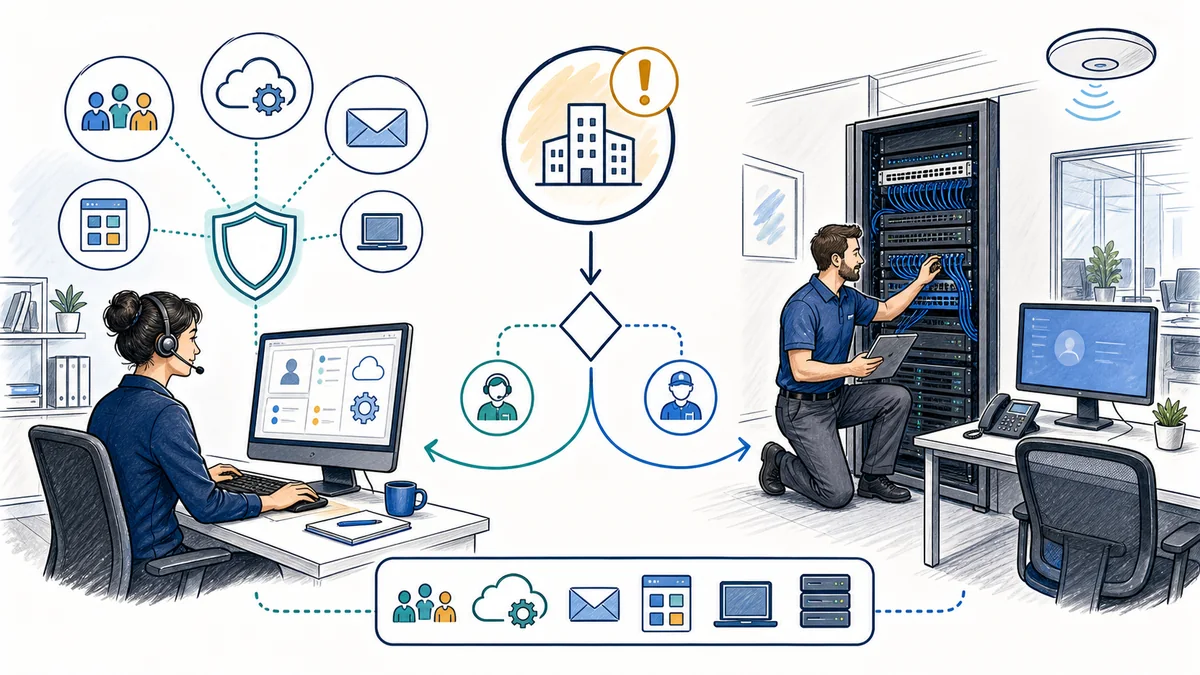
Monitoring software can check selected conditions and generate alerts according to its configuration. For example, a monitored system may report that a device is unreachable, storage is approaching a threshold, or a backup job has returned a status that needs review. That signal creates visibility; it does not by itself diagnose the cause, authorize a change, or establish when a technician will act.
Staffed support availability, alert review schedules, escalation procedures, notification contacts, and response expectations are separate service terms. They should be documented for the selected plan. An alert generated outside the applicable support window follows the agreed workflow; businesses should not interpret automated monitoring as a promise of immediate human intervention.
Managed IT service options
The right combination depends on the number of users and locations, the systems involved, internal capabilities, operational priorities, and the condition of the current environment. These approved service areas can operate together, but each remains subject to assessment and an agreed scope.
IT help desk support
A structured route for employees to request assistance with covered accounts, devices, applications, printing, and connectivity. Intake and escalation procedures help separate user questions from infrastructure or vendor issues.
Remote business IT support
Remote diagnosis and assistance for suitable software, account, configuration, and access issues, with escalation to onsite work when hands-on attention is needed.
Onsite business computer support
Hands-on troubleshooting and planned work for covered workstations, servers, network equipment, and office technology when remote service is not sufficient.
Co-managed IT services
A shared operating model for internal IT staff that needs capacity, infrastructure assistance, documentation, project support, or responsibility for selected functions.
vCIO and technology planning
Planning discussions that connect lifecycle, risk, operational priorities, projects, and budget categories. Recommendations depend on business goals and assessment findings.
IT hardware procurement
Requirements review, product selection assistance, purchasing coordination, deployment planning, and lifecycle tracking without assuming a particular vendor or discount.
Network monitoring
Configured checks and alerts for selected network conditions, accompanied by documented review and escalation procedures. Monitoring scope and support availability are separate.
Server support
Administration, maintenance, troubleshooting, configuration review, and coordination for supported business server environments within the agreed responsibility model.
Backup and disaster recovery
Backup planning, status review, restore assistance, and recovery preparation based on data priorities, dependencies, retention needs, and selected system design.
Multi-location IT support
Coordinated standards, support routing, vendor information, network dependencies, and rollout planning for companies operating across more than one business location.
Managed IT support plans
A defined combination of recurring services based on covered users, systems, locations, responsibilities, exclusions, and procedures—not a blanket inclusion of every task or expense.
A practical managed IT implementation process
-
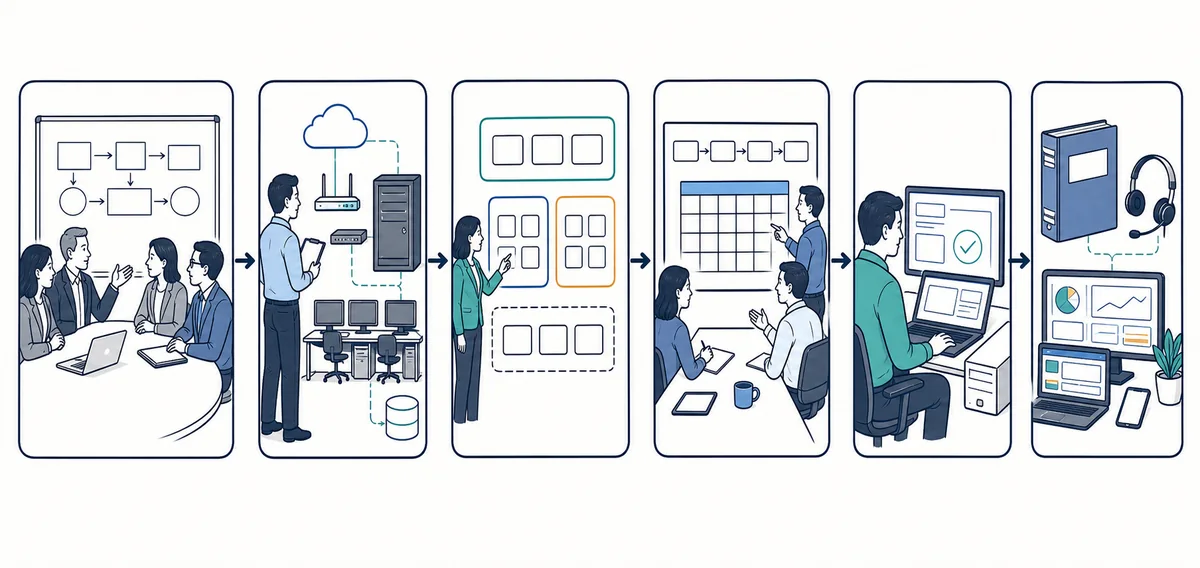
Clarify business priorities and support pain points
Discussion begins with the people affected by technology: leadership, operations contacts, office managers, and any internal IT staff. Apex identifies recurring requests, critical workflows, upcoming changes, current vendors, and the consequences of disruption. This keeps the assessment tied to business use rather than producing an inventory without context.
-
Review the current environment
The review may cover supported users, workstations, servers, network equipment, internet connections, cloud services, Microsoft 365 administration, backup arrangements, locations, and existing documentation. The exact review depends on the proposed service. Unknowns, aging components, access needs, and dependencies are recorded for follow-up.
-
Define responsibilities and service boundaries
A proposed operating model identifies covered systems and tasks, request channels, authorized contacts, remote and onsite procedures, monitoring scope, escalation paths, vendor coordination, exclusions, and work that will be treated as a separate project. Co-managed clients also establish ownership between internal staff and Apex.
-
Prioritize stabilization and transition work
Not every inherited issue should be changed at once. Items are organized by operational impact, security relevance, lifecycle, effort, and business timing. Account or documentation gaps may be addressed alongside urgent reliability problems, while larger replacements or migrations are planned separately.
-
Establish support and administration routines
Request intake, user lifecycle tasks, maintenance activities, documentation updates, alert handling, backup review, and recurring communication are put into a repeatable workflow. Where appropriate, supported tools are configured and tested before the ongoing process is treated as operational.
-
Review findings and adjust the roadmap
Managed IT is not static. Staffing, applications, offices, equipment, vendors, and priorities change. Periodic review can surface aging hardware, recurring ticket patterns, capacity questions, unresolved risks, and projects that need management approval. Any scope change should be documented rather than assumed.
What a well-defined managed relationship can improve
No provider can eliminate every interruption or predict every technology outcome. A clear management process can, however, improve how a business sees, assigns, and addresses IT work.
- Clearer ownership: employees and managers know where covered requests should go and who coordinates next steps.
- More consistent administration: repeatable onboarding, departure, maintenance, and documentation procedures reduce reliance on memory.
- Better visibility: inventories, monitoring data, support history, and review conversations can reveal recurring issues and aging components.
- More informed planning: lifecycle and roadmap discussions help leadership evaluate replacements and projects before a failure forces a rushed decision.
- Simpler vendor coordination: a defined technical contact can help organize information when an issue crosses internet, software, hardware, or cloud providers.
- Practical use of internal time: managers and specialized employees can spend less time routing routine technical work, while internal IT can focus on agreed priorities.
- More consistent multi-location operations: shared standards and documentation can make support and expansion easier to coordinate across offices.
Managed IT for different business environments
Professional offices, law firms, and accounting firms
These organizations often depend on reliable account access, document workflows, email, shared files, printers, remote access, and line-of-business applications. Managed support can coordinate employee requests, permissions, device upkeep, vendor information, and planning while recognizing that application vendors may retain responsibility for their own software.
Medical and dental practices
Practice operations can involve workstations, servers, networks, backup, Microsoft 365, and specialized practice systems. Apex can assist with supported technical safeguards, access administration, documentation, and remediation planning. Legal compliance determinations remain with the practice and its qualified legal, compliance, audit, or insurance advisers.
Machine shops and production businesses
Office systems, production-adjacent devices, shared data, vendor-managed equipment, and facility connectivity can create complex dependencies. A managed approach can document boundaries, coordinate business IT support, plan network or equipment changes, and avoid assuming that every specialized machine or control system falls within general IT scope.
Multi-location companies
Different internet providers, equipment generations, local contacts, and office procedures can make support inconsistent. Centralized documentation, request routing, location standards, and project sequencing can help leadership manage differences without pretending every site has identical requirements.
Managed IT services for Orange County businesses
Apex IT Solutions supports business environments across Orange County, combining remote assistance with onsite work when the task calls for physical access. The local service focus includes companies in Anaheim, Irvine, Santa Ana, Costa Mesa, Fullerton, Brea, and Buena Park. A company with multiple Orange County offices can discuss a coordinated model for users, systems, vendors, and location-specific needs.
Local presence is useful, but geography alone does not define the right service. The fit depends on the systems in use, office access, internal staff, support priorities, and agreed procedures. Businesses should begin with the operational problem and desired responsibility model, then determine the appropriate mix of remote service, planned visits, monitoring, administration, and projects. Review the Orange County business IT service area for additional local coverage information.
Managed IT services frequently asked questions
What is the difference between managed IT and on-demand repair?
On-demand repair starts with a specific problem and generally focuses on returning the affected system to use. Managed IT establishes recurring responsibilities and procedures before each issue occurs. It may combine support, administration, maintenance, monitoring, documentation, coordination, and planning. Separate project or repair work may still be needed when a task falls outside the managed scope.
Should we choose outsourced or co-managed IT?
Outsourced IT is usually a better starting point when the business does not have a dedicated technology function and wants an external resource to coordinate covered work. Co-managed IT fits organizations with internal IT staff that need additional capacity or ownership of selected functions. The best choice follows from a clear responsibility map, not simply company size.
Can most support be performed remotely?
Many account, software, configuration, and diagnostic tasks may be suitable for remote support. Physical equipment failures, cabling, disconnected devices, infrastructure installation, and some office changes require onsite work. Remote triage can also help prepare for a more focused visit. The service process routes each request according to symptoms, access, scope, and technical need.
Does monitoring mean a technician is always watching our systems?
No. Automated tools can run configured checks and generate alerts without a person continuously observing a screen. Technician availability, alert review schedules, escalation, notification, and response expectations are separate plan details. Those terms should be confirmed in the service agreement rather than inferred from the word “monitoring.”
What information is useful during onboarding?
Useful starting information includes employee and location lists, device and server inventories, network diagrams, internet and technology vendors, software used for important workflows, administrator access procedures, backup information, open support issues, equipment age, upcoming moves or hires, and existing internal documentation. Missing information can be identified during assessment; it does not need to be invented.
Can Apex work with our existing internet, software, and cloud vendors?
Vendor coordination can be included for supported systems. Apex may help gather technical details, communicate symptoms, track dependencies, and coordinate changes while the vendor remains responsible for its own product or service. Authorization, account ownership, vendor terms, and tasks outside the agreed scope still apply.
Is managed IT only for a particular business size?
No single headcount determines fit. A smaller office may need structured support because it has no internal IT role, while a larger organization may use co-managed help for only selected functions. User count, locations, systems, internal capability, operational impact, and desired responsibilities are more useful assessment factors.
Are hardware, licensing, and projects included in a managed plan?
They should not be assumed to be included. Hardware, third-party subscriptions, software licensing, cabling, migrations, office moves, and other projects may require separate approval or charges. The proposal and service agreement should distinguish recurring responsibilities from products, pass-through costs, and project work.
How does a business request managed IT support?
Use the contact page to describe the number of users and locations, whether internal IT staff are involved, the main systems in use, and the problems or changes driving the request. You can also call (800) 275-6513. Apex can then discuss the environment and identify the assessment steps needed to define an appropriate scope.
Define an IT support model that fits the way your business operates
Start with the current environment, recurring support problems, internal responsibilities, and upcoming changes. Apex IT Solutions can help determine whether outsourced or co-managed support—and which combination of remote, onsite, administrative, monitoring, and planning services—deserves further assessment for your Orange County business.