Category Archives: Mobile

Your Android devices can be hacked with a MMS

Own an Android phone? Be careful, Your Android devices can be hacked with a MMS.

Security researchers have found that 95% of Android devices running version 2.2 to 5.1 of operating system, which includes Lollipop and KitKat, are susceptible to the security bug, affecting more than 950 million Android smartphones and tablets.

Almost all Android smart devices available today are open to attack that could allow hackers to access the vulnerable device without the owners being aware of it, according to Joshua Drake, vice president of platform research and exploitation at security firm Zimperium.

The vulnerability actually resides in a core Android component called “Stagefright,” a multimedia playback library used by Android to process, record and play multimedia files such as PDFs.

A Text Message Received…Your Game is Over

The sad news for most of the Android users is that the fix will not help millions of Android users that owned older versions of the operating system that Google no longer supports, opening doors for hackers to perform Stagefright attack.

Drake has developed and published a scary discovery that uses a specially crafted text message using the multimedia message (MMS) format.

All a hacker needs is the phone number of the victim’s Android device. The hacker could then sends the malicious message that will secretly execute malicious code on the vulnerable device with no end user action, no indication, nothing require

Stagefright: Scary Code in the Heart of Android

The same vulnerability can also be exploited using other attack techniques, such as luring victims to malicious websites.

Drake will present his full findings, including six additional attack techniques to exploit the vulnerability, at Black Hat security conference in Las Vegas on August 5 and DEF CON 23 on August 7, where he is scheduled to deliver a talk titled, Stagefright: Scary Code in the Heart of Android.

Almost all Android devices containing Stagefright are in question. According to Drake, all versions of Android devices after and including version 2.2 of the operating system are potentially vulnerable, and it is up to each device manufacturer to patch the devices against Stagefright attack.

When will I expect a Fix?

Google has patched the code and sent it to device manufacturers, but devices require over-the-air updates from companies such as Samsung or Motorola to update their customers’ phones.

Given the shaky history of handset manufacturers and carriers rolling out security patches, it is not known how long the companies will take to update vulnerable Android devices against Stagefright attack.
virus_androidHowever, Silent Circle has patched the issue in its Blackphone, as has Mozilla, which uses Stagefright code in Firefox OS.

T-Mobile Customers can use their phone in Canada and Mexico at no extra cost

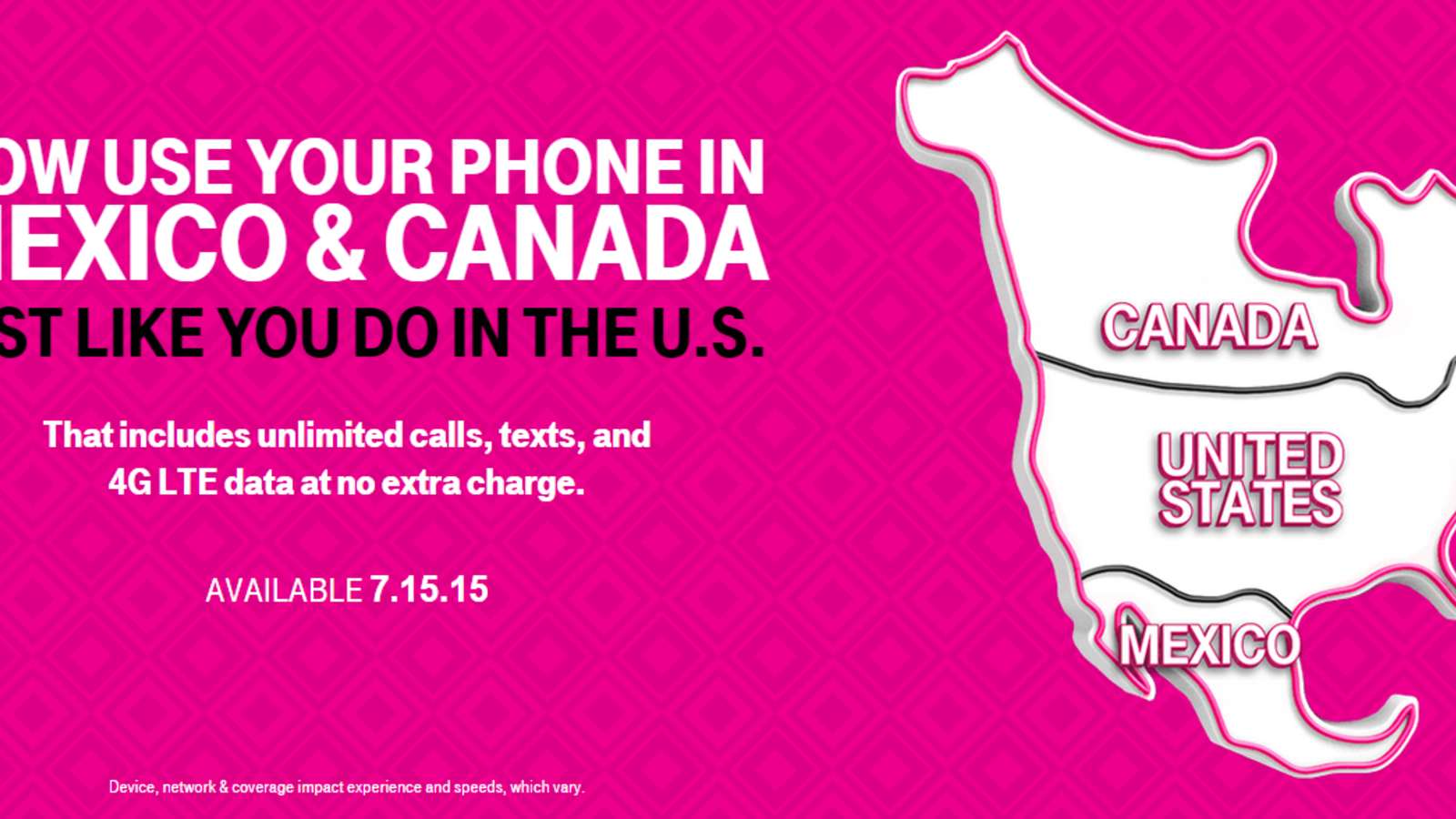
mobile-without-borders-prT-Mobile’s U.S. customers will soon be able to call and text people in Canada and Mexico and use their cell phones while traveling in those countries without incurring any additional fees.

The wireless carrier announced Thursday that all T-Mobile Simple Choice customers will be able to use their phones across North America at no added cost starting on July 15.

Called ‘Mobile without Borders,’ this first-of-its-kind move delivers calling to both land lines and mobile phones as well as 4G LTE data straight from your plan across all three countries at no additional cost. The historic upgrade makes Simple Choice the first and only wireless plan to span an entire continent.

Mobile without Borders is part of T-Mobile’s Uncarrier strategy, which was launched a few years ago in an effort to win more customers. So far, T-Mobile has attempted to challenge its rivals by doing away with two-year contracts, dropping data roaming fees, and allowing its customers to upgrade their phones for free at any time, among other promotions.

It’s clear that T-Mobile’s strategy has been working. The company said Thursday that it added 2.1 million new customers in Q2 of 2015. This marks the ninth consecutive quarter that T-Mobile has delivered over 1 million total net customer additions.

According to Mashable, T-Mobile’s “rise from last-place carrier in the U.S. to third place behind AT&T and Verizon is largely attributed to their CEO’s aggressive Uncarrier campaign.”

tmobileceojohnlegere-630x420

In a video introducing “Mobile without Borders,” T-Mobile’s CEO John Legere explained the rationale behind the new promotion. “I hate limits,” he said. “I hate most rules. I hate barriers, borders and restrictions of all kinds. That’s why I love taking on the big wireless carriers, because they’re famous for hidden rules and for finding more ways to put more barriers, borders and limits around what their customers can and can’t do.”

7 Common iOS problems and how to fix them

Battery drainproblems_with_ios

Poor battery life is a problem every user must deal with. Disabling background apps from refreshing, changing location services and removing faulty apps can greatly improve battery life.

The Background App Refresh option can be turned off by going to Settings, clicking on General and selecting Background App Refresh. You can choose to disable the feature all together, although you may be better off just turning it off for the apps that don’t need to be refreshed as frequently.

Next, head to Settings, click on Privacy and select Location Services. Scroll down and choose System Services. While some of these options are designed to improve your experience, some can actually dramatically drain your battery life. I recommend disable Location-Based Ads, Popular Near Me and the Frequent Locations feature.

You can also head to General > Usage > Battery Usage to see which apps are taking the biggest toll on your battery life.

Frozen or slow user interface

Is your iPhone or iPad running slowly or poorly? Go to Settings, select General, click on Usage, followed by Manage Storage.

Devices typically begin to slow down as their internal storage fills up. If you have a lot of unused apps or old photos, delete them or move them to the cloud. An iOS app can be deleted with a long press on the home screen.

I also recommend disabling the parallax wallpaper — it’s the feature that makes it seem like the background on the home screen is moving when you tilt the phone. To disable it, click on General in the settings menu, followed by Accessibility and turn on the Reduce Motion option.

Connectivity issues

If you are having a problem connecting to Bluetooth, Wi-Fi, or your cellular network, enable Airplane mode for 30 seconds, toggle it off and try connecting again. Sometimes simply toggling the specific connection can also solve the problem.

Still having issues? Try repairing or setting up your Bluetooth device or Wi-Fi network again. Go to Settings, click on General, select Reset, followed by Reset Network Settings.

Failed text messages

Having trouble with iMessage or test messages? Ensure you are connected to the Internet either through Wi-Fi or cellular, click the red exclamation point next to the message, and click the “try again” option.

If the problem continues, try force restarting your device by holding the Home and Power buttons.

Syncing problems

Syncing problems can be frustrating. Before we begin to troubleshoot, ensure that you are connected to the Internet via either Wi-Fi or cellular. You should then test to make sure your connection is working. Try opening the Facebook app or go to Google.com on your device’s Web browser.

If the Internet is working and you are still having problems syncing, make sure you are on the latest version of iOS. To check and see if there is a software update available, head to Settings, click on General and select Software Update.

If syncing problems continue, try removing the specific account from your device and adding it again. Many of your accounts can be accessed in the Mail, Contacts, Calendars option in the device’s settings menu.

App crashes

If there is an update available for your iPhone or iPad, accept and install it. You can check for software updates by going to Settings, clicking on General and selecting Software Update.

You should also keep your apps up-to-date in the App Store. An easier way to ensure that apps are always up to date is to turn on Automatic Updates. This can be done by going to Settings, clicking on iTunes & App Store and toggling the Updates switch to on.

If an app is unresponsive or has crashed, you should double-tap the Home button, swipe the specific app away and try reopening it.

Unresponsive screen

iphone_background

You may want to throw your phone against the wall when it begins to malfunction, but there isn’t a need to panic. Most problems are fixed with a simple restart.

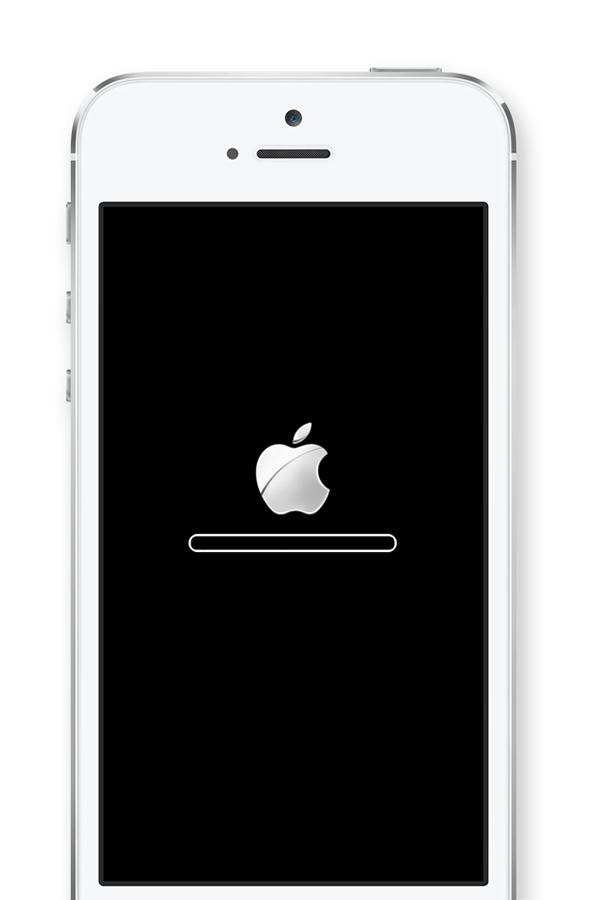
If your phone has completely locked up, press and hold the power button and Home key at the same time until you see the Apple logo. This will reboot your device.

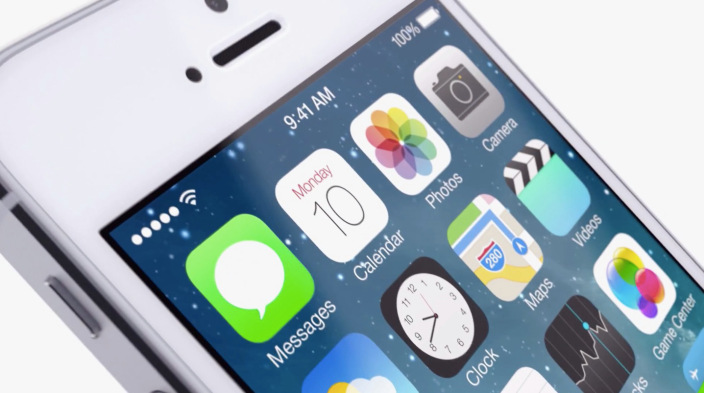
Everything you need to know about iOS 9


ios-9-download

Apple has unveiled its iOS 9 mobile platform for iPhone and iPad and while the presentation didn’t offer much in the way of surprises, it did showcase some attractive new features. Here’s all you need to know about iOS 9.

Apple is promising better performance and more efficiency from iOS 9, quoting a 50% reduction in CPU usage and faster animation than ever before. iOS 9 will also offer iPhone and iPad users at least an extra hour of battery life compared to iOS 8 and up to three extra hours with its improved low-power mode.

The new OS is estimated to be around 1.8 GB so it is unlikely to fill up your device’s storage space. If you are concerned about cloud security, your sensitive information and photos will benefit from the inclusion of the two-factor authentication for iCloud.

The digital assistant Siri is getting an upgrade, with iOS 9 introducing a redesigned interface and improved intelligence. A new feature Apple is calling Proactive will see an increase in Siri’s contextual awareness and will attempt to compete with Android’s Google Now.

Proactive will see Siri use ‘context-sensitive’ data – like your location, the time of day, and what you are currently doing on your device to anticipate what you will need or do next, and offer suggestions unprompted. An example of this would be opening your Music apps when you plug in your headphones, automatically adding invites to your calendar, and searching your email for new phone numbers you haven’t added to your Contacts. In addition, Proactive will learn your routine based on your day-to-day activities and locations, and offer tailored suggestions such as traffic reports, potential new contacts and other info. If any of this sounds oddly familiar it’s because Google has offered this features for years now.

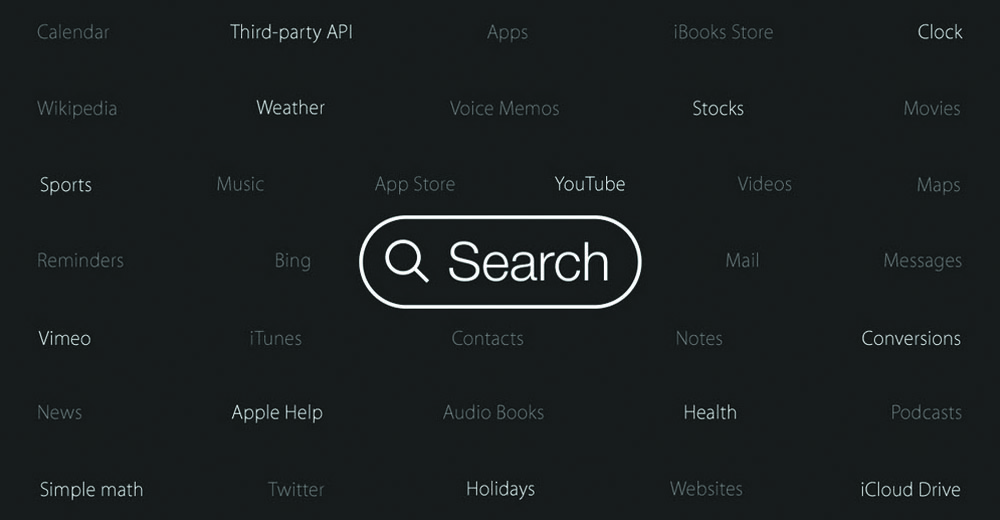
Although you’ll notice Proactive the most when using Siri, the service will also be integrated into Spotlight and throughout iOS 9. Unlike Google Now, Proactive doesn’t share your info with third parties or even link to Apple services. The feature uses data stored locally on your device, doesn’t require your Apple ID to use, and keeps all your info anonymous. The home screen search feature will have even more capabilities in iOS 9. The built-in search will now be able to pull up results from third-party apps thanks to ‘deep-linking’, so you’ll be able to search and discover app content directly from the Spotlight screen.

Again, this is something that Google has already begun integrating into Android. But a smarter built-in search means Apple users are less likely to open their Google search app or browser when looking for info at least that’s what Apple is hoping for.

Newstands is set to be killed off, and replaced with the all-new News app. News will feature daily news and magazine content in a customized, scrollable grid, with users able to select favorite publications and add bookmarks, save articles and topics, and receive personalized suggestions based on reading interests.

For publishers, News brings an all-new digital publishing format (dubbed Apple News Format), which allows for easy content creation and plenty of multimedia options, including photo galleries, video and animation, custom fonts, maps and Multi-Touch gestures. Apple has so far signed up over 20 big-name publishers including the New York Times, Time Inc., ESPN, CNN and Bloomberg.

Apple is still trying to make Maps successful, and the app will now include public transit directions for selected cities. Users will be able to view routes and maps for buses, trains, ferries and subways for major US cities including Baltimore, New York, San Francisco, Chicago and Washington DC.

Public transport info will also be available for London, Berlin and Tokyo, and for more than 300 Chinese cities including Beijing and Shenzhen. Presumably, Apple will continue to add locations in order to try and keep up with Google Maps’ integrated public transit features.

The popular Health suite of features will also be improved. iOS 9 will see the addition of new health data, such as UV exposure and the ability for women to track their menstrual cycles and reproductive health.

ios9search

If you are a Notes user, you will get to enjoy a brand-new toolbar and formatting options. You’ll also be able to add and take photos directly from the app, as well as draw basic sketches and create checklists. Users can also add contacts directly from Safari, Maps and other apps straight to the Notes screen.
iPad owners will benefit from a bunch of new multitasking features, including a split-screen mode and picture-in-picture video viewing. You can also run two apps side-by-side at once, and the keyboard will also receive much-needed updates and shortcuts.

iOS bug is causing text messages to crash your iPhone

iphone An unusual bug in Apple’s iOS can crash and reboot your iPhone if you receive a certain text message. The bug works as follows: Someone texts you a message with a specific string of Arabic characters. If your iPhone is locked, and you receive a notification of the new text, iMessage crashes and your iPhone proceeds to reboot.

iOS bugs are nothing new. Since its release last September, iOS 8 has been plagued by glitches that have forced Apple to continually issue updates to resolve certain issues. This latest bug is much more random and rare than others, so it’s not something that would affect a wide audience. Thankfully it’s one that users can resolve themselves without waiting for Apple to issue a fix.

What is the cause behind this newly discovered bug? It’s not the Arabic characters in and of itself but the way iOS tries to handle the full text, as described by AppleInsider. The Unicode characters that attempt to render and display the string take up too many resources when your phone is locked and the notification of the message appears.

The people at AppleInsider sent the same text string during a normal iMessage conversation, and the iPhone did not crash or reboot. That test suggests the glitch lies more within iOS’s notifications process and not within the iMessage app.

Several iOS users have chimed in on social media sites to report the problem but it’s not one likely to affect most people. First you would need to be texted that specific string of characters while your iPhone is locked. That means you are not going to receive it accidentally or rather from someone who knows your mobile number and is purposely trying to crash your iPhone for some reason. The text itself also has to come from another iPhone.

What if you do run into this particular bug? There are a few ways around it.

You can always turn off notifications for text messages, but that’s hardly an ideal solution. Instead, you can simply trigger another text message. You can ask the person who sent you the original message to send a new one, assuming that person didn’t send it maliciously. Otherwise, you can send yourself a text message easily enough by telling Siri to do it or using an iOS app that lets you share content via iMessage. The new text message essentially cancels out the old one on the notifications screen.


iphone_background

Apple apparently is aware of the problem. A Twitter user who claimed to have chatted with Apple support said that Apple senior engineers know about the bug. If so, then Apple is likely to have a resolution available in the next update to iOS. Developers are currently beta testing iOS 8.4, so Apple may have time to squeeze in a fix before it rolls that latest update.

Google wants to be your phone carrier

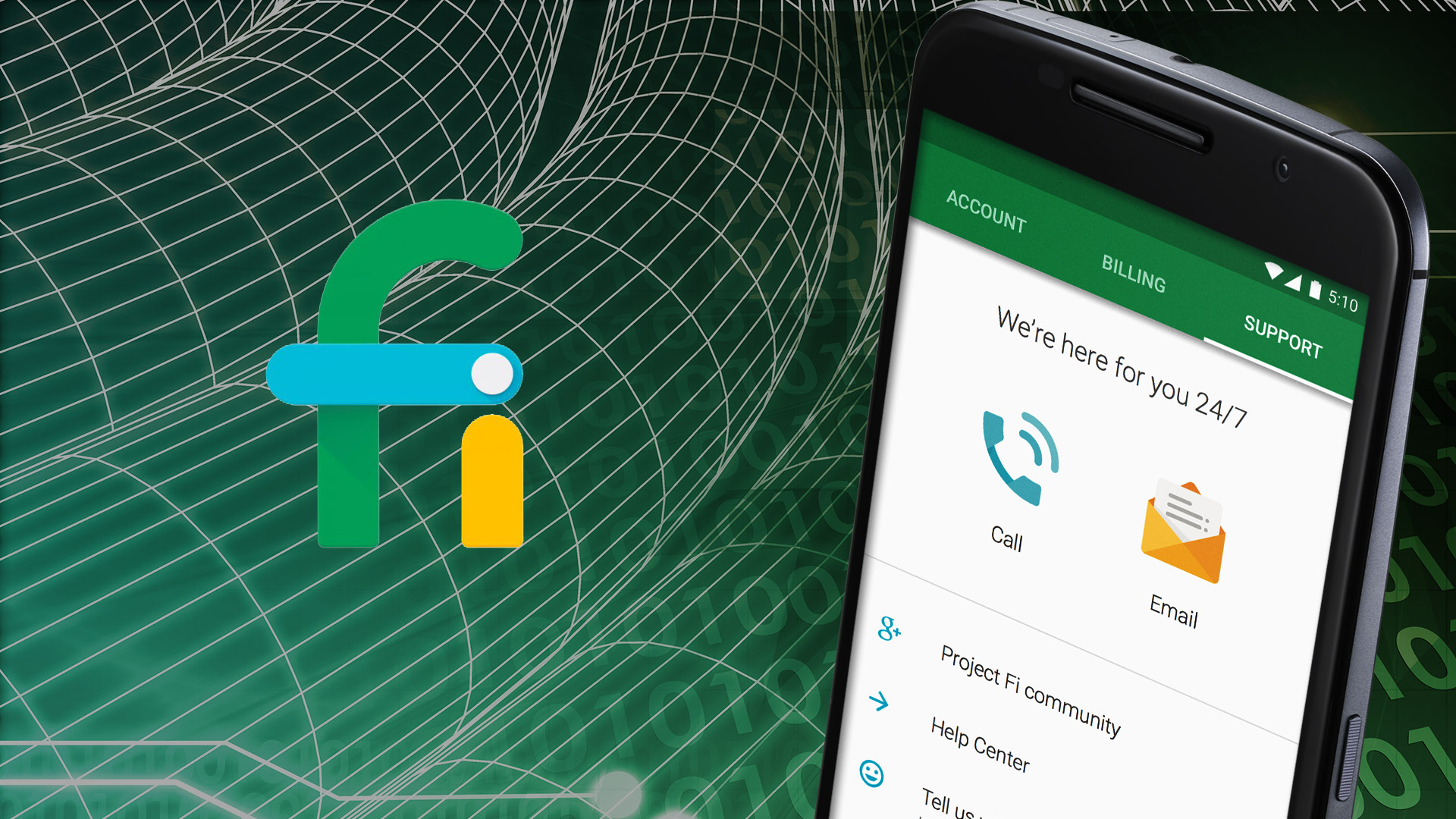
fi_logo Google announced on April 22nd of this year a new program called Fi. Fi combines the wireless networks of Google carrier partners Sprint and T-Mobile with more than 1 million free, open Wi-Fi hotspots Google has verified as fast and reliable.

Rumors that Google intended to enter the mobile virtual network operator field have been circulating since early this year. Users’ devices will move automatically to the fastest connection 4G LTE being the standard in the United States, accessing 3G or 2G if only those speeds are available. The program will work in more than 120 countries. Users can request an invitation to join the program. They can expect a response within 30 days.


Plan Benefits

The $20-a-month Fi Basics plan gives users unlimited domestic talk and text in the U.S., unlimited international texts, Wi-Fi tethering capabilities, and access to international calls at Google’s rates.

Users also will have to pay a $10 a month per GB of data, whether used within the U.S. or abroad.

The cost of the unused portion of the monthly data plan will be taken off the following month’s bill. Excess data use will be charged at $10 per GB. Download speeds outside the U.S. will be 3G. In my opinion, the pricing system is groundbreaking and could resonate with consumers specifically small businesses.


Where the Pain Begins

Fi is a no-contract program, but unlike prepaid plans, users will have to pay taxes which can amount to 20 percent of the bill.

4G Fi coverage is best on the East Coast and in the southeastern U.S. It’s spotty on the West Coast. Large parts of the rest of the U.S. are restricted to 3G or 2G networks, the Google Fi coverage map shows.

At present, Fi works only with Google’s Nexus 6, which will set users back $650 or more, plus applicable taxes. Those who already have this phone will get a free SIM card if they’re accepted into the program.

Emptying Consumers’ Wallets

Consumers with a wireless plan will have to pay termination fees set in their contract, which might be expensive. The average 4G smartphone user consumes nearly 2 GB of cellular data monthly, and that’s likely to double by 2018. So, while on the surface the Fi pricing may appear attractive, heavy data users may not save as much on their monthly bills as they anticipate. The average U.S. smartphone user downloads about three times more data over Wi-Fi than over the cellular network, so some of the perceived advantages of the Wi-Fi offload may be exaggerated.

The Impact on Carriers

The Fi program’s pricing scheme might spur Tier One carriers to follow suit. Meanwhile, T-Mobile and Sprint might be forced to build out their 4G LTE networks, which will be expensive but by cutting a deal with Google, they are looking for a short-term play for perhaps long-term gain and that remains to be seen. Still, Fi could open up service to many more devices. Sprint had a deal some time ago with WiMax. Data share plans add more monthly fees per device on top of the data bucket needed, so it gets to be too expensive. Fi will help put competitive pressure on Verizon and AT&T, which might lose subscribers to their program.

google_fi

Could Cortana be the personal assistant we’ve be waiting for?

microsoft_cortanaMicrosoft later this year will offer its Cortana personal assistant as a standalone app for iOS and Android devices, Reuters reported in March. The Cortana personal assistant was inspired by the AI character Cortana in the Halo video game series.

Microsoft is working on a version of Cortana that will incorporate artificial intelligence advances developed in a research project named “Einstein,” according to Reuters.

Google makes money not off Android but on the ad revenue connected mostly to search, and Cortana is essentially a smart search program. So, if Microsoft can get Android to use Microsoft’s Bing search, it could take another good chunk of Android’s revenue. Microsoft currently gets a large amount of their licensing revenue from Android over IP rights.

Microsoft has been working on the engine behind Cortana for decades, and it is arguably better than Siri or Google Now simply because it’s far more mature and comprehensive. Siri and Google Now are ingenious speech-to-text search engine interfaces, but neither of them is particularly smart. Cortana was designed out of the digital assistant work that goes back to the early 90’s and possibly has far more potential. A lot of this “potential” hasn’t been released yet. The biggest issue Microsoft is going to have is marketing. Cortana will need to be properly marketed if it is going to succeed on iOS and Android platforms.

Given that iOS and Android both have voice search already, it seems like a natural move for Microsoft to make. Remember that Microsoft gave free access to Office apps on iOS and Android last year. I believe that was partly due to escaping bets against the Windows OS failing to gain further traction with the mobile market. A big part of growing Microsoft is for it to remove themselves from depending on their OS. It looks like Microsoft is removing this aspect so that they can be a key mobile player no matter what the platform.

For Microsoft, mobility goes beyond devices to include productivity experiences and Microsoft wants to put multiple applications on every home screen. Productivity experiences will go beyond individual applications to deliver vast intelligence that spans applications. Microsoft has long been working to get shared code running in their applications across platforms, even outside of Windows. Realistically, we are looking at Microsoft platforms, Apple platforms (iOS and OS X), Android including some Amazon devices and some applications in major Web browsers.

Although Apple and Google also are competing for dominance in the personal assistant arena, Google likely will allow users to install the Cortana app on their devices. Microsoft is not afraid of a little litigation, and blocking their app would raise questions about antitrust and unfair competition, industry specialist say. Microsoft might siphon off some ad revenue connected to search and get people to consider it as an alternative in the mobile world if people were to opt for Cortana on iOS or Android.

cortana_microsoftWith that being said Windows users who like Cortana could also find it easier to move to iOS and Android, as more and more key Microsoft apps run on them.
Spring Cleaning for your smartphone?

samsung_spring_cleaningSpring cleaning is for more than just your home. Even mobile devices can benefit from an annual cleanup. In this article I will talk about how clean out those “cobwebs” in your phone increasing productivity, security, and time management.

It is extremely important to make updates and upgrades to your mobile devices. When it comes down to it if you are behind on your operating system in your phone you are missing out on a lot of security opportunities and enhancements especially if you are an iOS user. iOS typically releases an update every few months which are small and have smaller features. Without downloading these upgrades and updates you really lose a lot of the functionality on the device as they continue to upgrade and release new features. With Android phones if they were purchased more than two years ago they may have a difficult time being able to run the latest Android version. Samsung and some other third party smartphone may not even support the latest Android operating system. These are great things to think about and insure you are taking care of at least periodically and spring is the perfect time to do that.

In today’s market were apps and information can be downloaded in the click of a button and easily left in the “back of the closet” it is important to use this time of year to delete unwanted apps and clear junk data from your devices. Insuring the only things you have on your device are apps and information that you access on a daily basis can dramatically improve the performance on your phone. Each of these apps especially with Android can or could be running in the background which will take up CPU, memory and storage space on both Android and iOS. This can also drain your battery faster and leave you with a “brick” instead of a useful device. Here are some questions you should ask about the unwanted apps on your mobile devices:

  • Are they constantly communicating to the outside world?
  • Are they asking for updates?
  • Are they running advertisements?
  • Are they excessively using up my data?
  • What documents have people taken onto their device with the app? What exposure do they open up for the company?

It is a good idea for anyone who uses there phone business and pleasure to organize it. For many business people the whole point of their phone is so they can use them for everything in their life. A great way to separate work from pleasure is to secure and isolate your corporate data from your personal apps and information. For example if you are a user of Dropbox, you do not want your personal account taking your corporate information and moving it over to Dropbox. You do not want your corporate emails accidentally sent through your personal Gmail or other personal email account.

It is important to use the very best apps to increase productivity.  Apps are increasingly becoming sources of corporate security weaknesses due to poor data storage practices, malware, unauthorized access, lack of encryption, and data leaks from syncing. For corporations it is important to use Mobile Application Management system. With a Mobile Application Management system you can receive protection for your corporate apps. You reduce the risk of sensitive data leakage, you’re provided with on-device access control and compliance, you can perform selective wipe on apps, provided with administrative controls and graphical reports. If this is not a viable option for you, here are some tips you should you when downloading apps for business use:

  • Avoid questionable apps
  • Research, research, research
  • Make sure the App offers user support

Keeping mobile operating systems and apps up to date is easy enough for even non-technical consumer users. It just has to be made a habit, much in the way spring cleaning is a habit in many homes. Now use this time to go clean up some mobile devices.

iPhone 6 Rumored to Feature 4.7-inch Screen

Apple-iPhone-5S-2

iPhone 6 rumors have hinted Apple is preparing to introduce a larger screen to it’s upcoming release.  Reports out of Taiwan have now suggested the Cupertino-based company has opted for a 4.7-inch panel.


It has been suggested that the iPhone 6 will upgrade to a 4.7 inch screen, this increase would still make Apple’s phone smaller than the continually growing Android phones.  According to the latest rumors, the imminent HTC One 2 will host a new 5-inch panel while the Samsung Galaxy S5 and Xperia Z2 are expected to offer up to 5.25-inch displays.


The iPhone 6 is expected to be released in Q3 of 2014.  The complete article is available  from Trusted Reviews at http://www.trustedreviews.com/news/iphone-6-rumoured-to-feature-4-7-inch-screen

Locate lost Android phone or tablet & wipe all data – Android Device Manager

How to locate your lost or stolen android device & wipe it remotely.

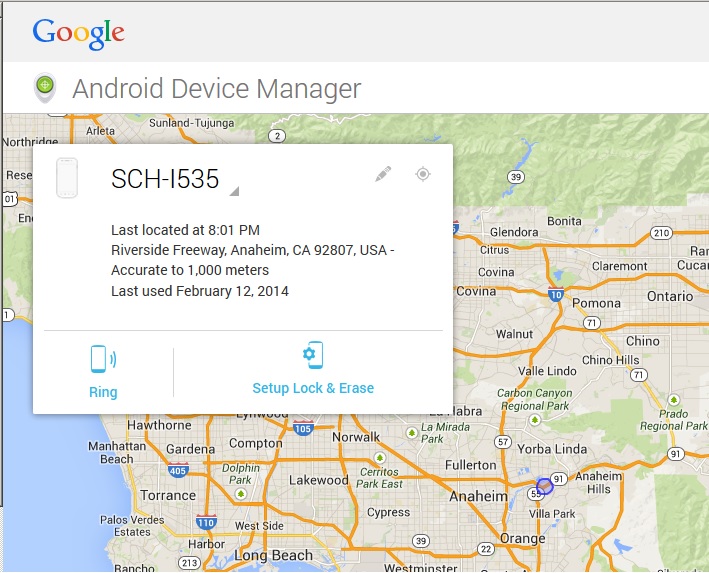
Are you worried about losing your phone or tablet.  What if someone steels it.  What about all of the files that are stored on it. All of us use the phone for more than just making phone calls and texting friends. The phone is an extension of our office.  We store important documents, emails, contact & confidential information. Recently Google created the service called “Android Device Manager”. You can install it as an app on your android device, or access it from your pc here: https://www.google.com/android/devicemanager

To use the device manager you’ll need to log in using the Google account that’s associated with your device.  You don’t even have to install any software on your phone or tablet.  Select the device you’d like to locate and click the locator icon.  Click on “ring” to have your phone ring at full sound level for 5 minutes.

web browser view android device manager map from PC

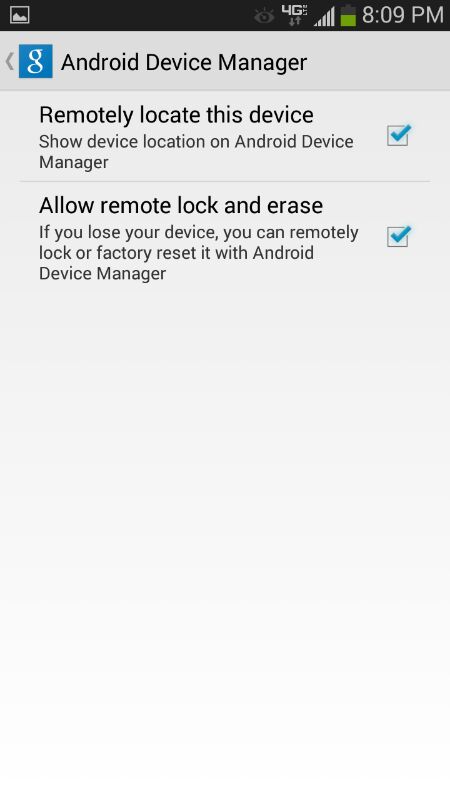
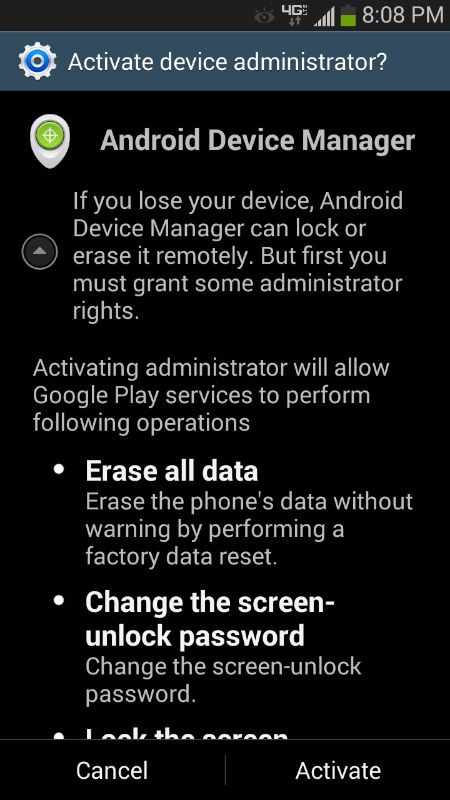
Setting up lock & erase requires that you setup your phone before you lose it. So you should do at at soon as possible.  Clicking on “setup lock & erase” will send a message to you phone that will enable the features.  First you’ll need to select the service that you wish to enable, then activate.

android device manager permissions locate lock erase  android device manager activate


I’ve tested the ring feature and for the most part it works within a few seconds and the phone rings as promised.  There is no phone call actually being made, the phone is just told to start ringing. Hitting any button will silence the ringing.  The lock/password reset feature works as advertised.  I was able to successfully set the password through the web interface, and the new password took affect almost immediately.

Everything I’ve done through web interface on the PC can also be done using the Android Device manager app that can be installed from the google play store.  This is a great feature for locating your lost deviced on the go, or locating your kids.