Category Archives: New Tech

Project Loon: The future of Worldwide internet coverage

Sri Lanka is well on its way to having improved Internet coverage.

Google’s high-altitude Project Loon balloons will soon blanket the island nation with affordable, high-speed Internet. Government officials and Google executives inked a deal to get the connected balloons flying over the Indian Ocean in the next few months.

A specific timeline has not been revealed, but Muhunthan Canagey, head of local authority at the Information and Communication Technology Agency, stated that Google is expected to complete the setup by March.

Local Internet service providers, he said, will get a speed and quality boost once the project is active. Operational costs are also expected to decrease.

Google announced Project Loon in the summer of 2013, confirming plans to provide Internet access to underserved areas via the high-flying balloons. The effort started with a pilot program in Canterbury, New Zealand, with 30 balloons in the air and 50 testers on the ground.

By November 2014, the project had logged around 3 million kilometers of flight, and expanded to include 20 balloon launches per day. Just shy of its two-year anniversary, Google announced that Project Loon was almost ready for lift-off around the world—first stop, Sri Lanka.

In a recent speech, Foreign Minister Mangala Samaraweera noted that “from this event onwards advertisements or headlines saying (Sri Lankan cities) Matara covered or Jaffna covered will become part of history.”

Samaraweera said he is “proud to declare that we are at the cusp of reclaiming our heritage of being connected to each other and connected to the world.”

“In a few months we will truly be able to say: Sri Lanka. Covered,” he said, as reported by the country’s official government news site.

google_project_loonProject Loon is just one way Google is looking to expand Internet coverage around the globe. Last year, it bought satellite maker Skybox for $500 million to help improve its maps, but also Internet access and disaster relief. Earlier in the year, Google also bought Titan Aerospace, a company that makes solar-powered, near-orbital drones that can fly around for about five years nonstop.
Google is taking it to the Streets

google_sidewalkIn June of 2015 Google announced the creation of a new company that will develop technology to improve city life for residents, businesses and governments.

Google has teamed up with Dan Doctoroff former Bloomberg CEO and ex-deputy mayor of economic development and rebuilding for the City of New York to advance the effort. Doctoroff will be CEO of Sidewalk Labs, which will be based in New York.

Doctoroff will contribute his experience in building and managing cities, and Google will provide funding and support.

Sidewalk Labs aims to tackle the biggest challenges cities face, said Google CEO Larry Page, including making transportation more efficient, lowering the cost of living, reducing energy usage, and helping governments operate more efficiently.

Responses to Sidewalk Labs

Comments on local blogs range from ecstatic praise to request for jobs to criticism to the extreme.

Some are: “can you ask them to develop very little self-driving robots to remove dogs’ excrements and other trash from the streets” and  “When you say everyone I hope that’s not just about solving first world problems of six figure salary techies. I want to hear more ideas about how to help the homeless and by help, I don’t mean just move them out of sight.”

There are document that point to the Cities Alliances Guide to City development Strategies, which includes recommendations on the following topics:

  • Livelihood, such as job creation, business development, and sources of household income
  • Environmental sustainability and energy efficiency of the city and the quality of its service delivery
  • Spatial form and its infrastructure
  • Financial resources
  • Governance

Life as Google Might See It

According to personnel, Sidewalk Labs possibly will create things that are highly and much more completely instrumented then tie that instrumentation to automated city management systems, services and planners. The benefit for Google is that the resulting information would be invaluable to people that want to sell you stuff.

If they get to critical mass, it would be nearly impossible to displace Google which would, for all practical purposes, be abstracting the government and directing it. With Nest, Google has our homes; with self-driving cars, our transportation; and now with this, they’ll get pretty much everything else.

Questions about Sidewalk Labs’ Vision

Apps in and of themselves don’t make a city more efficient; they can serve only as an overlay to infrastructure, and much of the infrastructure in most established cities in the United States is crumbling, according to the American Society of Civil Engineers’ 2013 report card for America’s infrastructure. We’ll need to invest US$3.6 trillion in infrastructure projects by 2020 to remedy this problem, it says.

Creeping Into a Crowded Market

Lots of companies, including IBM, have been involved in smart cities projects for years, and their efforts are more extensive than Sidewalk Labs’ initial aims.

A lot of cities are doing proposals for smart lighting but the problem is that they require a full IP network for the next 10 to 20 years.

Officials want to automate their cities and link all the databases together so they can plan out traffic patterns, revenue models, where they should put parking spaces, etc. One city is that is doing this is San Jose, which has begun piloting an Internet of Things project.

Google, Apple, Microsoft and other companies are motivated to get into the smart cities market, because they’ll have the databases and consumer information, and we will get locked in to them.

Sliden’Joys seeks to give you more portable screens

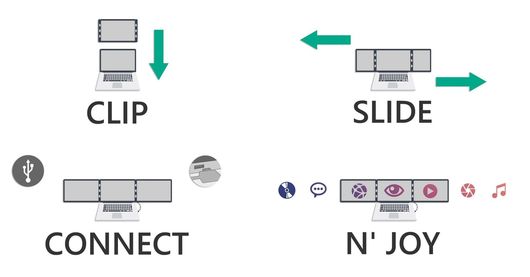
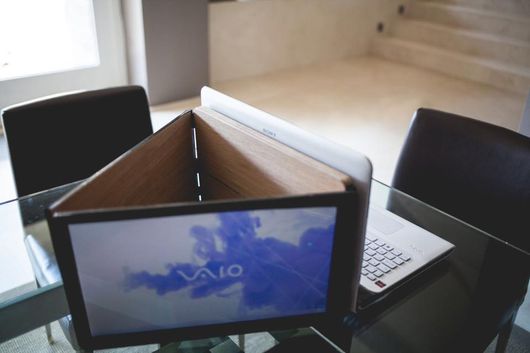
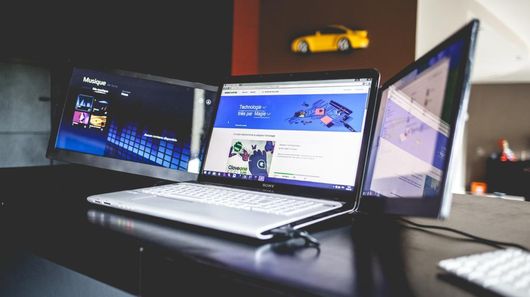
slidenjoy_extra_laptop_screens3We have seen a number of efforts to give mobile workers extra screen real estate over the years, from laptops with double displays to tablet-like external panels. But such examples can add significant substance and weight to a laptop bag. A Belgian startup is seeking funding through Kickstarter with Sliden’Joy, a device that can add one or two 13, 15 or 17-in full HD, thin and lightweight screens to your laptop even when you’re on the go.

The displays, which work for both Mac and Windows OS, can rotate freely by up to 180 degrees thanks to aluminum hinges, doubling or tripling the virtual real estate for work, business meetings, media editing or more immersive gaming.

Users can set up the Sliden’Joy by magnetically attaching it to the back of their laptop screen, sliding out the extra monitor(s) and connecting the device to their laptop via either a single USB 3.0 or two USB 2.0 ports.

Startup co-founder Charlee Jeunehomme says that, while the company’s prototype is fully functioning, hinges and other components are still in the works  which is why the pictures of the device currently feature 3D-printed (rather than aluminum) hinges and other temporary components.

slidenjoy_extra_laptop_screens

The final weight and thickness will depend on the production components and the finishing chosen, but Jeunehomme says that the prototype is just about 0.65 inches thick for the two extra screens version, and could get even thinner in the production version.

A Sliden’Joy Kickstarter campaign is set to start on July 6th 2015. The device will initially be made available in three sizes of 13, 15 and 17 diagonal inches, with more planned to follow. Jeunehomme says that backers can expect pledge levels to be the same for every size and start at $221 for the one extra screen version and $332 for the two extra screens version. A choice of finishes including wood, carbon, leather and alcantara will also be offered, though some finishes could have additional costs.


slidenjoy_extra_laptop_screens_2

If everything goes to plan, the startup will begin delivering the product to backers in 2016 time. The founders told us they are confident that they will be able to deliver by Christmas.

Windows 10 is now free for everyone

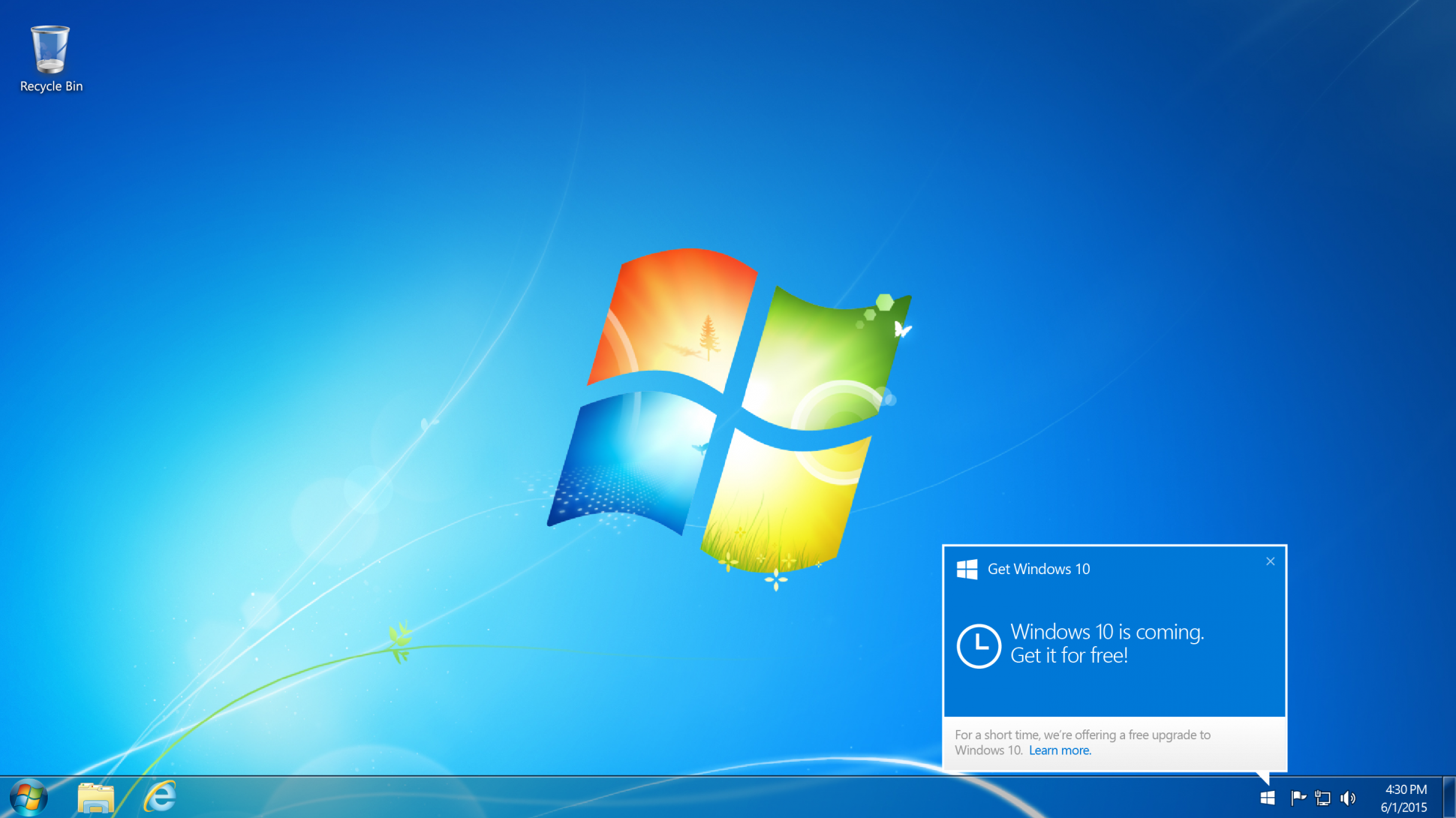
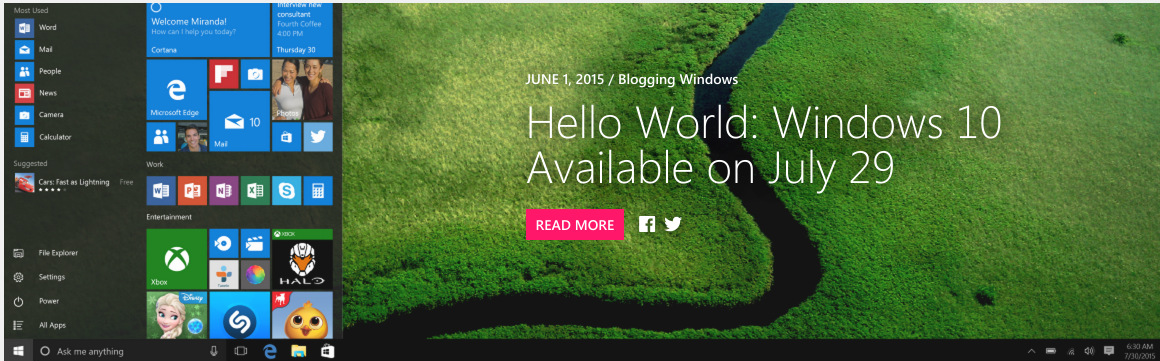
Windows_10_freeOver the weekend Microsoft delivered a bombshell. Windows 10 is now free for anyone who wants it. In short, anyone who installs the latest Windows 10 beta will be upgraded automatically for free to the full Windows 10 Home retail version when it is released on July 29th. This is regardless of whether the previous version of Windows you were running was eligible for the free upgrade or not.

To be more specific Windows XP, Windows Vista, excluded Windows 7 and Windows 8 users and even fake copies of the install Windows 10 beta build 10130 (available from the Windows Insider website) will get a full copy of Windows 10 for free and with no future costs during the lifetime of the platform. So why would Microsoft suddenly make this decision? In my opinion it’s for these reasons:

Reason #1: Perfect PR

Truthfully I believe the move is a marketing win for Microsoft at the perfect moment. Offering more users your latest software for free will only be greeted positively and it reinforces the image of a ‘New Microsoft’ under Satya Nadella that is more progressive and open to the wishes of all customers.

The humiliation surrounding Microsoft after it horrible Windows 8 operating system may well be washed away in an instant.

Reason #2: Establish the Platform

Microsoft needs all the good will it can get at the moment because, basically, Windows 10 is Microsoft’s most important software release in about a decade. If you doubt that just ask yourself why Microsoft is calling it ‘Windows 10’ in the first place?

What makes it so crucial is Windows 10 truly marries both desktop and mobile, and a massive take-up of Windows 10 on PC is crucial if Microsoft is to stand any chance of regaining a foothold in the smartphone and tablet markets. After the relative failure of Windows 8, Windows 10 is all about increasing market share across every possible hardware device and that is more important than profit margins right now to a company with deep cash reserves.

Reason #3: Minimal Cost

For those who do doubt Microsoft’s decision from a financial perspective, I would contend the cost of encompassing Windows 10 to XP and Vista users will be minimal. After all these ageing machines will still need to meet Windows 10’s minimum specification requirements, which will rule out many however see Microsoft retain the moral high ground because the free offer was still there. Of course legitimizing Windows for millions of pirates (illegal downloaders) around the world could be seen as significantly greater lost revenue. But let’s be honest, this revenue was already lost by definition because these customers are pirates. On the other hand giving pirates legitimate copies could well re-monetize this lost group with sales of other apps and services by capitalizing on their goodwill in being made legitimate, so there’s nothing to lose.

Reason #4: A Final Mass Beta Test

By creating the caveat that previously excluded users must install the latest Windows 10 beta to get Windows 10 free, Microsoft will now gain millions of additional testers prior to launch. This should give the company masses of extra data and the potential to fix any outstanding bugs all these new PCs reveal.

Having seen both Vista and Windows 8 buried by buggy launches (despite the fact both were actually strong platforms after several updates) shows how crucial a positive, bug-free launch is. Windows 10 now looks certain to have that.

Reason #5: Security

Extra beta testers not only means a less buggy launch, but the benefit of getting millions more on Windows 10 should also mean users have a safer and more secure platform. This will go a long way to countering Windows’ reputation for viruses and malware.

Even more essential, Microsoft no longer protects Windows XP from new threats and Windows Vista will be cut off in 2017. By contrast Windows 10 should be supported for at least a decade after launch.


Despite all this, I’m sure many will still complain and there is some substance to the main complaints.

For starters the obligation to install beta software on your main computer to qualify for the free upgrade will be a risk many dislike. On top of this Windows 10 launches in just over a month so there isn’t a great deal of time for users to take advantage of the offer. There is also a lack of clarity about several points, including:

  • Can users install the beta after the Windows 10 official release and still qualify?
  • Why make beta installation a step at all?
  • Why only quietly announce this major move within a low profile blog post that millions will miss?
  • Why announce it so late?

Windows_10There will also be many who wonder if this is all part of some master plan by Microsoft to get users onto subscription payments. Personally I don’t believe this will apply to Windows 10, but Microsoft has said its successor (just named ‘Windows’) is going to use a subscription model and there will be suspicions that getting customers on Windows 10 will in some way make it easier to then force them onto ‘Windows’.

Google reveals Android M at Google I/O 2015

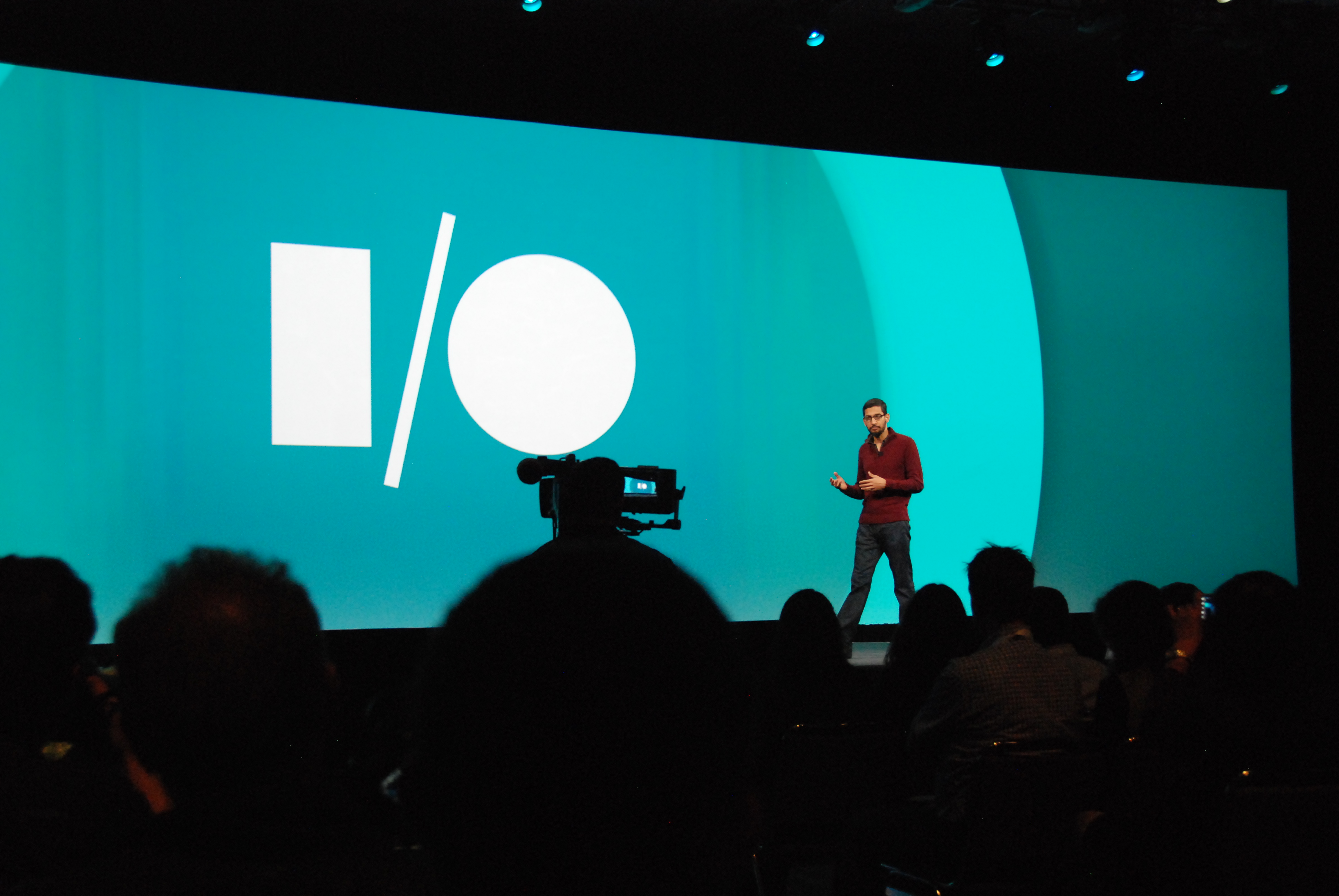
Google_IOGoogle revealed Android M at its I/O developer conference last week, a powerful step forward for the world’s most popular mobile operating system. Google made a conscious effort to improve the platform’s performance and stability, but was sure to include a few great features.

Many of the features are small enough that Google didn’t highlight them on stage. Some of the less-sexy additions include: easy word selection and floating clipboard toolbar, simplified volume controls, undo/redo keyboard shortcuts, improved trusted face reliability, unified Google/device settings, Wi-Fi power improvements, and stylus support.

Google Now On Tap is by far the most impressive addition to Android M. It’s all about context and situational awareness. Google says the intent behind Now On Tap is to make it easier for Android users to get assistance when and where they need it.

“If your friend texts you about dinner at a new restaurant,” explains Google, “without leaving the app, you can ask Google Now for help. Using just that context, Google can find menus, reviews, help you book a table, navigate there, and deep link you into relevant apps.” Users need only long-press the home button and Google will automatically do everything else. The possibilities here are powerful.

Android Pay will compete directly with Apple Pay and Samsung Pay. Android pay largely replaces Google Wallet. In fact, it’s an entirely new product built on the fragments of Softcard. In the US, Android Pay will be supported by AT&T, T-Mobile, and Verizon Wireless. Device owners will be able to make tap-and-go payments at about 700,000 retailers around the country when it launches. With Google’s support, mobile payment may get the shot in the arm it really needs for widespread adoption.

More importantly, Android Pay and everything else on Android M smartphones, can be secured with fingerprint authentication. Until now, only select manufacturers offered application program interfaces (API) for developers to access their hardware’s fingerprint readers. Now, Android supports fingerprint authentication system-wide for unlocking the device, approved purchases, and securing files or folders. The latest software development kit (SDK) from Google already includes the new fingerprint API. This will have great implications for business users.

It may not seem all that important, but Android M’s new power management features are something to get excited about. To start, a new feature called Doze can double standby battery life. Doze uses internal sensors to decide when the device hasn’t been moved in a while. It then aggressively shuts down notifications and other power-sapping activities until the device is picked up or moved. This means if you forget to plug your device in overnight, it won’t be dead in the morning. Also, Android M adds support for USB Type C, which has a reversible plug and reversible power flow. In other words, this means you will be able to use an Android M smartphone to charge an accessory such as a Bluetooth headset.

Android

App Links is the last of the new features that will improve the day-to-day experience on Android devices. As Android functions today, users often encounter popup dialog boxes when clicking links. For example, let’s say someone is scanning through Twitter and encounters a link to an Instagram photo. Clicking the link opens a dialog asking the user to choose which app to use to open the link (in this case, Chrome or Instagram). With App Links in Android M, applications will be able to verify such links automatically. This means clicking an Instagram link in Twitter will open the photo in Instagram, no questions asked.

Los Angeles hottest startups that you want to watch

In today’s ever changing word new companies can “pop up” and change the way we do simple tasks in business extremely fast. The key to constantly be on the lookout for the latest and greatest startups. In this article I’m going to talk about some of Los Angeles hottest startups that you may want to watch.

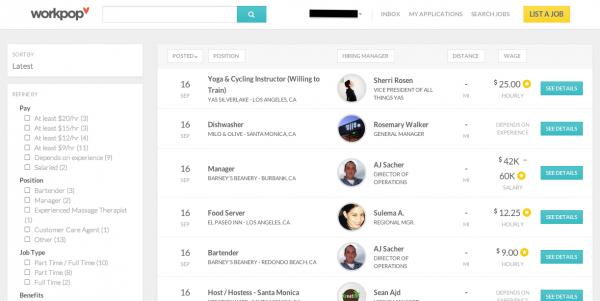
workpopLaunching first in Los Angeles, Workpop hopes to target the 76 million hourly workers in the U.S., most of whom don’t have detailed resumes or work histories online. For them, the platform is designed to simplify the process of creating an application by importing education and work info from Facebook and LinkedIn, setting up a profile and recording a video introduction to help employers screen them. They can even provide hourly availability if they have child care needs or work another job.

On the hiring side, Workpop provides tools to enable businesses to easily create job listings by filling out requirements, job descriptions, and information about the workplace. Since many of these jobs have a high turnover rate, businesses can reuse listings after they’re taken down if a similar job becomes vacant again.

The platform is designed to improve the process for both sides. Businesses can see how many applicants they’ve received for each jo  b, as well as where those applicants are in the process of hiring. The platform is also designed to help with onboarding if a hire is made, and if not, recruiters can give honest feedback to applicants.

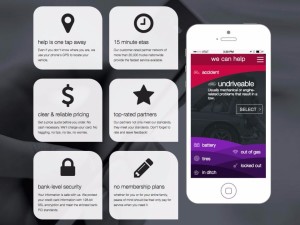
honkHONK is an on-demand mobile app for tow, tire change, jump start, fuel and lock out services from more than 20,000 tow trucks nationwide 24 hours a day, 7 days a week. HONK’s faster ETAs and “Guaranteed Never to Exceed” prices, which start at just $49 without membership fees or limitations, offer motorists an alternative to outdated membership-based motor clubs. The HONK app is free to use and available on iOS, Android, or the web. HONK was founded in 2013 and is headquartered in Santa Monica, California.
HONK connects drivers in need with the right level of roadside assistance at the best price, which helps keep service costs down. The app helps drivers get fast, reliable service for automotive issues like 365 emergency response, car accident response, dead batteries, flat tires, flatbed tow, and vehicle lock-outs.

When you drive, you know that things can go wrong at any time. It’s smart to have a plan in place for accessing help with major and minor auto problems. Up till now the existing model for getting help does not work very well for drivers some drivers. The current system is arguably slow, has not adapted to new technology, and makes drivers wait a long time for needed assistance. With HONK’s pay-on-demand model, you only pay for the services you use when you use them. This app has the potential to put their competition in a challenging spot.

acornsInvesting is complicated. Acorns is not. The app from California-based father-son team Walter and Jeff Cruttenden aims to take the anxiety, deliberation, and intimidation out of investing by boiling it down to a matter of cents. The company, which just released its app on Android in addition to the existing iPhone version (available in the US only), was founded in 2012 and has raised $9 million in three rounds of funding.

Here’s how Acorns works: You connect as many debit or credit cards as you’d like along with a checking account, and the app rounds every purchase made on those cards up to the next dollar, investing the difference in low-cost exchange traded funds. For example, if you spend $10.49 on lunch, that remaining 51 cents is invested. It doesn’t sound like much, but Acorns says that its current users invest $30 to $180 a month in “round ups” alone. Acorns Users can invest their round-ups manually or automatically.

You can also choose to invest larger sums of money directly from your checking account, or set up automatic deposits on a regular basis. No matter how much a user invests, they can use the app to estimate how much their money will grow in future years. This app looks to appeal to the millennial generation, an age group that is mostly untouched in the investing area which could should to be very profitable.

Smartglasses could revolutionize to the workplace

SmartGlassesSmartglasses aren’t just for the tech nerds. There are many business scenarios that will benefit from smartglasses. The use of smartglasses has the potential to improve worker efficiency in vertical fields such as manufacturing, field service, retail and healthcare and more. Smartglasses, such as Google Glass, are causing companies to take a fresh look at the impact wearable electronics will have on the workplace. In this article I am going to discuss the use of smartglasses in the workplace.

When you use a smartphone, you’re constantly switching between looking down at your display and up again into your environment. That can be very disruptive. Smartglasses with augmented reality (AR) and head-mounted cameras can increase the efficiency of technicians, engineers and other workers in field service, maintenance, healthcare and manufacturing roles. Studies have shown in the next three to five years, the industry that is likely to experience the greatest benefit from smartglasses is field service, potentially increasing profits by up to $1 billion annually. The greatest savings in field service will come from diagnosing and fixing problems more quickly and without needing to bring additional experts to remote sites. Smartglasses still remain an emerging technology in the enterprise and less than one percent of companies in the U.S. The introduction of lower-priced consumer versions of smartglasses will further help with the introduction of smartglasses in companies. According to recent studies in 10 years half the companies that would benefit from using smartglasses will give them to at least some of their employees who could make use of them.

Adoption of smartglasses will be slow because the benefits they provide depend heavily on the apps and services targeted at smartglasses. However, during the next five years, the ecosystems will evolve to include more apps that do specific tasks with smartglasses, which may cause IT organizations to provide them for a wider range of employees.

Smartglasses are expected to have the most impact on heavy industry, such as manufacturing, and oil and gas, because the AR glasses enable on-the-job training of workers in how to fix equipment and perform manufacturing tasks. The impact is likely to be medium for mixed industries, such as retail, consumer packaged goods and healthcare, where the benefits may mostly be looking for information via a visual search.

The weightless industries, such as insurance, media and banking will likely experience a low impact from smartglasses. However, there are still potentially beneficial uses for smartglasses. Insurance agents, for example, may use smartglasses to video property that has been damaged and then check on the replacement value of items they have identified using a visual search. Financial institutions and the media will use smartglasses to deliver alerts via subscription services for smartglasses to professionals who need up-to-the-minute information.

SmartGlasses2

Experts expect that some of the basic functions of smartglasses to help bring added efficiency to companies. How-to instructions and illustrations on the smartglass displays enable workers to perform tasks even if they do not remember all the procedures. The virtual assistant on the smartglasses could serve as an interactive, hands-free “how-to” manual. As a result, workers may successfully complete tasks they have little experience doing. Workers with mild memory issues or cognitive impairment may find smartglasses useful tools for remembering how to complete tasks.

Video collaboration with experts in remote locations will result in faster repairs and will save the expense of flying an expert to the site to help. Employees at remote sites can communicate and share video of what they see with experienced workers to get advice on how to diagnose and fix problems. In this way, companies can improve the cost-effectiveness of their field service and remote operations by employing a larger percentage of less-experienced workers to experienced ones or specialists, in result saving labor costs.

Companies are already asking their IT organizations to make recommendations about whether smartglasses should be used in the workplace based on benefits and risks perspective, as well as policy and implementation. Though IT organization could possibly provide smartglasses to employees in the future for job tasks, the biggest impact may come from employees who wear their personal smartglasses at work. Overall, if a company were to wait to release smartglass into the workplace today they may not regret it but as shown they might be missing out on the latest way to save money.

USB Type C: One port to control them all


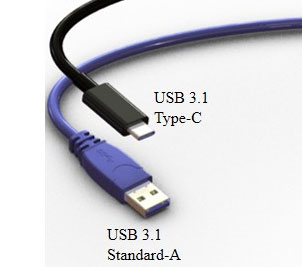
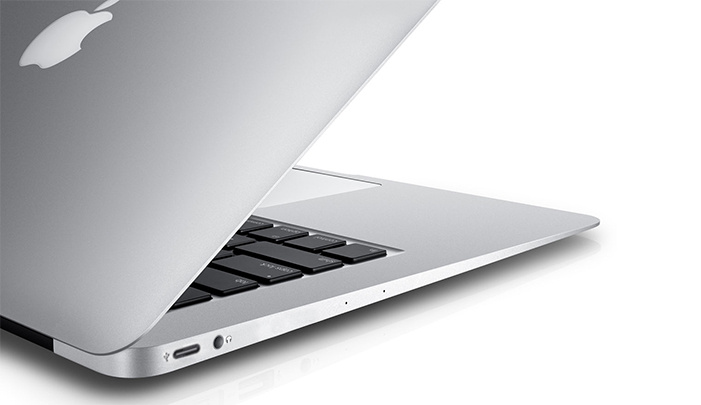
apple-macbook-air-type-cApple unveiled their new MacBook and with it is ushering in a whole new technology which will potentially affect all computer users. It’s called USB type C. With that here are the four things every user needs to know about USB type C.

First, it’s a USB specifically USB 3.1. One of the many benefits of USB 3.1 is that is offers enough power to charge your laptop as well as any other devices that relies on power from USB with a USB adapter. No more going out a buying five different cords to charge five different devices. No more cord clutter. USB 3.1 is a one stop shop.

Second, UBS 3.1 offers a huge increase in data transfer speeds. The speeds are expected to double the current standard on most devices. This means you can backup and restore your files faster than ever before. No more sitting around waiting for large files to transfer.

Third, USB type C is reversible. With Type C both ends of the cable are the same allowing for reversible plug orientation so you never need to worry about plugging it in upside down again.

Lastly, USB type C is going to be everywhere not just on Mac’s. USB IF has more than 757 partners according to their website. Major companies like Acer, Dell, Samsung, Asus, and Motorola just to name a few. With that being said we can expect this standard to come to many different devices like smartphones, tables, laptops, desktops, and other devices or peripherals.

usb_type_c_closeup_2

If you look around your office chances are you will find many devices equipped with USB cables. The USB connectors are most likely type A or type B. These connectors are mostly large, bulky, and in some cases fragile. USB type A is the original design for the USB standard with a flat and rectangular shape. On a standard computer you see this connector for desktop keyboards, laptops, media players and others. Type B is the on the other in of the standard. You typically see this cable on peripheral devices such as a printer, cellphone, or external hard drive.  USB type A and B have been by three major things. Type A and B have been limited by their transfer speeds and power delivery.