Category Archives: Blog

Extending your phone, tablet, or laptop battery life while on the move

everpurseMaking sure you have enough power for your gadgets when you are on the move is a constant headache. As the number of devices we all carry has expanded, so has our consumption of power. Batteries are no longer the only way to carry the power you need to keep your devices working all day every day.

When working on the move the importance of a reliable and plentiful supply of power is even more important. However, keeping phones, tablets and your notebook PC charged and working is only the tip of the iceberg. Today it’s possible to create a mobile office that doesn’t need a mains power socket to deliver truly off-grid working.

Battery packs

Basically, when creating portable power sources you have two choices: you can carry battery packs, or generate the power you need, when you need it. The number of portable battery packs is bewildering. These packs need to be small and compact, yet offer enough juice to make carrying them justified. Not all battery packs are made equal, which is where a bit of battery education can come in handy when choosing the right one for your needs.

All batteries have a mAh (milliamp hours) rating, which indicates how much power the battery can deliver for an hour. For instance, a 1000mAh rated battery can deliver that level of power for one hour of use. The practical upshot is that the higher the mAh number, the longer the battery will last. To work out how long a battery lasts for you simply divide the device’s power usage by the mAh rating of the battery pack, and that figure is how many hours of power it can give you.

In addition you will also see battery packs and chargers rated at 1A or 2A – this shows their capacity in Amps. Most smartphones charge at 1A, with tablets using 2A. If you are going to charge these devices with a third-party charger, it’s worth checking the rating to ensure you get the same charging performance as you have experienced with their dedicated chargers.

The selection of battery packs is wide-ranging indeed. However, not all battery packs are the same, so it’s important to match your needs to the right battery. When choosing the right battery pack, ask yourself these questions:


  • Which devices do you need to power?
  • How long will you be away from mains power?
  • What kind of recharging connector do they use?
  • Are the weight and dimensions of the battery pack important?
  • How much power do you need to carry?

At the heavy-duty end of the battery pack market is the EC Technology 2nd Gen Deluxe 22400mAh, and it offers masses of battery power, but it’s heavy. Or the Zendure A8 Pro offers 24000mAh in a 4cm enclosure which ways much less.

At the other end of the spectrum is the Onaji Pawa Card that measures a slim 92 x 58 x 4.9mm and weighs just 32 grams with a 500mAh battery. The Olixar enCharge boasts a slightly chunkier 2000mAh battery at 58 grams – and the Veho Pebble Smartstick offers 3000mAh charging in a pack weighing 80 grams.

Battery packs are also being built into all manner of objects. Some of the most useful for business users and individuals that want something a bit different are bags. Phorce is a great example – the Pro version offers 26000mAh battery capacity with all the connectivity you’ll ever need. However, the bag is costly at a $700. The Everpurse uses wireless charging to recharge a built-in battery.

Of course making sure you have enough power for your phone, laptop or tablet is your priority, but there are a number of peripherals that can also be powered without access to a mains supply.

When you need to print on the move Canon offers the Pixma iP100, a compact inkjet printer that runs completely off battery power. The HP Officejet H470b is a compact printer that can run from mains, battery or USB.

Scanning on the move is also now possible with a number of battery operated units available including the Doxie that have built-in memory and Wi-Fi allowing connection to any device. VuPoint Solutions also have a range of ‘wand’ scanners if you want a unit that is ultraportable.

Make your own power

Charging a battery pack is a road warrior’s first instinct, but what if you could generate your own power and really go off-grid? Renewable power in our context means solar.

Today there are a number of products that can offer a level of power security if you will be away from mains power for lengthy periods of time. Or if you want to do your bit to protect the environment, solar charging is the way to go.

There are also a number of solar charging cases for your phone. Good examples include Juse, WakaWaka, and XD Design has a number of models to choose from including a compact unit that sticks to a window.

Folding solar panels have also been available for some years. SunJack is a good example, as is Powermonkey from Powertraveller. But if you want to get serious about generating your own power, the Expedition from Powertraveller is the ultimate in self-generating power sources, but it’ll cost you about $700.

When you need to carry a load of stuff and keep it all charged, the TyIt Energi backpack is ideal. Voltaic Systems have also been supplying backpacks with built-in solar panels for years.

In addition to the usual suspects, there are also a number of more exotic ways to generate power when on the move – the hydrogen fuel cell has been promised as a power source pretty much since the arrival of portable devices. But today this promise has been largely realized. The myFC is an ultraportable fuel cell that is designed to be as convenient as your smartphone. The MiniPak is also a handy unit. All you do to generate power is insert a Hydrostik hydrogen cartridge into the main unit to charge using USB.

portable_battery_powerWhat is clear is that our appetite for power shows no signs of fading. There are, however, several technologies that together can deliver all the power you need when on the move. Whether it’s to stay connected with friends or family, or to work in remote locations, portable power is readily available. And with new battery technologies just around the corner, the days of running out of power at the most inopportune moment will become a thing of the past.


How the EU legislation will impact data processing in the cloud

EU_flagLast week, the European Union agreed on proposed Data Protection Regulations that potentially impact all organizations that either use or process the personal data of EU citizens. There will now be further discussions before these become law, but for the first time these will be regulations, rather than policy; which mean that different EU member states will have little room for interpretation in how they are applied.

This has implications for IT service providers, SaaS providers or cloud providers, and for their customers. Under the current policy, third-party organizations who store data on behalf of others, have limited responsibilities as “processors” rather than “controllers” of data. But under the new proposals, individuals will be able to seek legal compensation against any organization they believe has misused their data and against any third-party that processed that data. In addition the EU may be able to fine those who breach the regulations, with a maximum possible fine of two percent of their global turnover.

In practice this will mean that the safeguarding of personal data will become even more important; and that organizations will have cover their diligence into investigation of the controls and processes deployed by any third party they trust to process data on their behalf. Businesses must now implement “privacy by design”; how this will work in practice is still being debated, but with increasing amounts of sensitive data being available online, companies will be expected to be more aware of and better able to implement privacy into their IT platforms and into any outsource relationships.

Larger processors of data will need to appoint a Data Protection Officer and they will need to evidence transparent processes that deal with:

  • Controls to mitigate risks
  • Data security breach and communication around such incidents
  • Impact and risk assessment around the use of personal data
  • Staff training and awareness
  • The deletion of personal data or “Right to be Forgotten”

data_protection

In turn this means that businesses engaging with service providers should determine that these

Appropriate tools to ensure the physical and sound security of their data; ranging from secure data centers with appropriate access controls, through to consistent controls like firewalls, web application firewalls, intrusion detection or file integrity monitoringpartners have:

  • Processes that control access to and management of data; for example secured logical access to networks or devices, or best practices around server image hardening and patching
  • Processes and tools that facilitate audit and investigation; for example the review and storage of device logging data; transparent monitoring and reporting; or the willingness to allow a 3rd party audit of systems and processes
  • Processes and tools for the identification and erasure of records, including secure destruction of storage and backup media
  • A demonstrable commitment to staff training and culture of data security.

How to respond to nasty emails

bad_boss We’ve all been on the receiving end of a nasty email, as well as its secretive, vaguely insulting cousins. You know the messages I’m referring to. They don’t need exclamation points or all caps to be full with anger and dripping with sarcasm.

Dressing someone down via email is tempting because it’s easy, you have plenty of time to vision up daggers that strike straight to the heart, and you lack the inhibition that’s present when the recipient is staring you in the face. This type of email is known in cyberspace as “flaming,” and all such messages have a single thing in common, a complete and utter lack of emotional intelligence.

A recent survey (sponsored by communications device manufacturer Plantronics) found that 83% of today’s workforce considers email to be more critical to their success than any other form of communication.

Email has been around in the world long enough that you’d think that we’d all be pros at using it to communicate effectively. But we are all human and if you think about it we haven’t mastered face-to-face communication either.

The bottom line is that we can all use a little help. The five strategies that follow are some methods for keeping your emotions within reason, so that you don’t hit send while your emails, tweets, comments, and virtual chime-ins are still flaming.

1. Follow Honest Abe’s First Rule of Netiquette

Lincoln in his younger years, had a bad habit of applying his legendary wit when writing insulting letters to, and about, his political rivals. But after one predominantly contemptuous letter led a rival to challenge Lincoln to a duel, Lincoln learned a valuable lesson, words impact the receiver in ways that the sender can’t completely comprehend.

By the time he died, Lincoln had amassed stacks of flaming letters that verbally shredded his rivals and subordinates for their bone-headed mistakes. However, Lincoln never sent them. He vented his frustration on paper, and then stuffed that sheet away in a drawer. The following day, the full intensity of his emotions having subsided, Lincoln wrote and sent a much more pleasant and appeasing letter.

We can all benefit from learning to do the same with email. Your emotions are a valid representation of how you feel no matter how intense but that does not mean that acting on them in the moment serves you well. Go ahead and vent—tap out your anger and frustration on the keyboard. Save the draft and come back to it later when you’ve cooled down. By then you’ll be rational enough to edit the message and pare down the parts that burn, or even better rewrite the kind of message that you want to be remembered by. Just remember leave the “To” part blank.

2. Know the Limits of Virtual Humor

Some people show their disapproval with words typed in ALL CAPS and a barrage of exclamation points. Others, though, express dissatisfaction more subtly with sarcasm and satire. The latter is no less of a breakdown in the core emotional intelligence skill of self-management, and it can be even more dangerous because it’s harder to detect when you’re doing it. The sender can always convince him or herself that the spite was just a little joke.

3. Remember That People Online Are Still People

While captivated by the warm glow of a computer monitor, it’s sometimes difficult to remember that there is a living, breathing human who will end up reading your message. Studies have shown that people who are communicating online experience a “disinhibition effect.” Without the real time feedback between sender and receiver that takes place in normal face-to-face and telecommunication, we simply just don’t worry as much about offending people online.

We don’t have to experience the discomfort of watching someone else grow confused, unhappy, or angry because of something that we said. When these natural consequences are delayed, we tend to spill onto the screen whatever happens to be on our mind.

4. Know How The Internet Feels 😉 🙁 😮

Emoticons have a mixed reputation in the business world. Some people and even organizations believe that smiley faces, winks and other symbols of digital emotion are unprofessional, undignified, and have no place outside of a high school hallway.

When used properly, however, a Dutch research team has shown that emoticons can effectively enhance the desired tone of a message. The team led by Daantje Derks at the Open University of the Netherlands concluded that “to a large extent, emoticons serve the same functions as actual nonverbal behavior.” Seeing that nonverbal behavior accounts for between 70 and 90% of a message when communicating face to face, it might be time to ditch the stigma attached to emoticons in the business setting.

For those leery of dropping a smiley face into your next email, I’m not suggesting that you smile, wink, and frown your way through every email you write. Just don’t be afraid to peck out a quick 🙂 the next time you want to be assured that the recipient is aware of your tongue in cheek.

5. Know When Online Chats Need To Become Offline Discussions

Managing online relationships will always be a somewhat difficult task for people built to communicate in person. However, managing critical email conversations is even more difficult for those programmed to communicate via email. Significant, prolonged, and heated email exchanges are almost always better taken offline and finished in person.


nasty_email

With so much communication taking place via email these days, it can be hard to initiate a face-to-face conversation when you feel that an online interaction is becoming too heated or simply too difficult to continue online. Online technologies have become extremely useful for increasing the speed and efficiency of communication, but they have a long way to go before they become the primary source for creating and maintaining quality human relationships.

Security Tips & Advice on Safe Internet Browsing Habits

private_browsing If there is one item that pretty much everyone is familiar with on the Internet, it is the very thing we use to browse it, the Web Browser. Whether you use Firefox, Chrome, Safari, on a Desktop or Mobile device, this article concerns you. How you use a Web Browser has implications about your security position and any information that you handle.

1. Do not trust your browser.

It’s simple really, there are just as many ways to compromise a browser and its host operating system as there are to skin the mythical cat. Software exploits for all major browsers are being developed and sold on the black market and also officially by well-known businesses. This means that even if you update regularly and follow good security practices, you are still at risk of getting your browser and its host machine compromised. Once that happens, all bets are off. Therefore it makes even more sense to develop good habits when it comes to using your web browser.

2. Never store passwords in your browser Password Manager.

Yes, storing them, stops you from having to remember them. Well, that’s lovely, guess who else doesn’t have to remember them either? Mr./Ms. Random J Hacker. All he/she has to do is compromise your browser to get your login credentials to your Bank, Insurance Company or Company VPN. There is an option in your settings which can stop the browser from ever asking you to save them. Where should you store them? Use an encrypted off-line password-manager and keep its database on an encrypted USB stick/drive.

3. Learn how to enable and disable particular browser extensions or plug-ins.

Malicious browser extensions bring about security risks as they often lead to system infection. There are more bugs and exploits for browser extensions and plug-ins than you can conceive. There are many cases where these extensions are needed and cases where they’re not needed. Learn to recognize the difference.

4. Frequently clear your browser cache, saved passwords, cookies, history and form data

Your browser will store data while you are using it. What websites you’ve browsed, any cookies from sites you have visited, forms that you have filled and passwords that you have saved (see number 2), the content of visited websites, such as pictures, videos, scripts and text content etc. All of that data can be used to do bad things. Your browser will work fine without that data. If you’re afraid of losing a page you’ve visited just bookmark it.

5. Do not carelessly give your data and information to a web site.

In the course of browsing the Internet, many times will you be asked for various bits of information. It could be something as simple as a user name and a password but could go as far as requesting your full name, address, phone number, email, names of siblings and so on. Just because a web site is asking for that information does not mean they actually NEED IT. Ask yourself whether that Vintage Cars forum really needs to know where you live. If you do not intend to buy something or do not intend to do any business transactions with a website, refrain from providing such information.

6. Install HTTPS Anywhere

When data is transmitted to and from a website, it can be done in a secure way or an insecure way. The secure way will use HTTPS, the insecure one will use HTTP. When data is transmitted with HTTP, a hacker could intercept your traffic and read it or modify it at will, while you’re browsing. If HTTPS is used instead, intercepted traffic is encrypted and cannot be read. That’s a gross over-simplification but will suffice in this context. Not all websites support HTTPS but by using the browser extension HTTPSAnywhere you’ll automatically force any website that you visit (that supports HTTPS) to use HTTPS by default. Remember always check with your IT department before installing anything to your machine.


web_address_internet_browsingSome simple habits will make your browsing experience and information safer. It is easier to avoid bad habits than to break them. Now is the time to give up these bad security habits. Use technology tools available to move your organizations security habits in the right direction. Practicing these habits does not guarantee that your browser won’t be compromised but at least you won’t be the “low hanging fruit.”

Windows 10 is now free for everyone

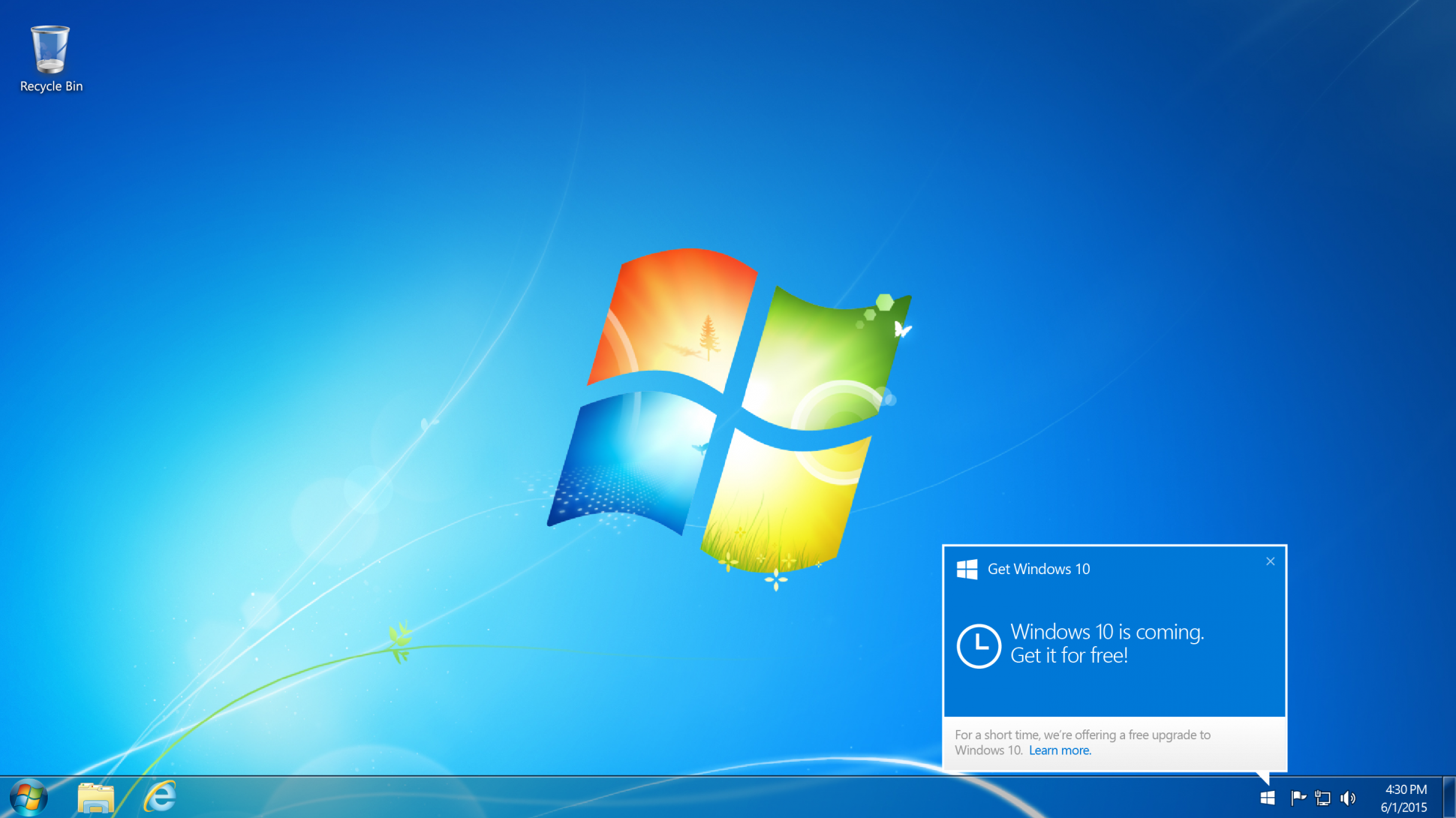
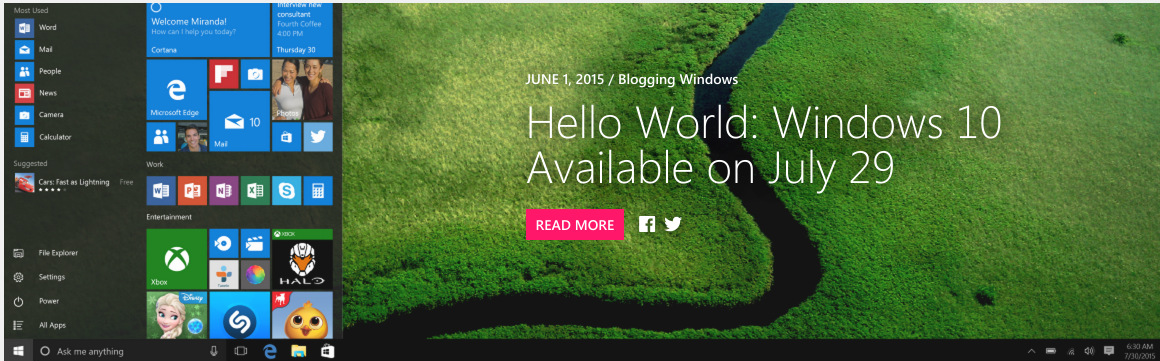
Windows_10_freeOver the weekend Microsoft delivered a bombshell. Windows 10 is now free for anyone who wants it. In short, anyone who installs the latest Windows 10 beta will be upgraded automatically for free to the full Windows 10 Home retail version when it is released on July 29th. This is regardless of whether the previous version of Windows you were running was eligible for the free upgrade or not.

To be more specific Windows XP, Windows Vista, excluded Windows 7 and Windows 8 users and even fake copies of the install Windows 10 beta build 10130 (available from the Windows Insider website) will get a full copy of Windows 10 for free and with no future costs during the lifetime of the platform. So why would Microsoft suddenly make this decision? In my opinion it’s for these reasons:

Reason #1: Perfect PR

Truthfully I believe the move is a marketing win for Microsoft at the perfect moment. Offering more users your latest software for free will only be greeted positively and it reinforces the image of a ‘New Microsoft’ under Satya Nadella that is more progressive and open to the wishes of all customers.

The humiliation surrounding Microsoft after it horrible Windows 8 operating system may well be washed away in an instant.

Reason #2: Establish the Platform

Microsoft needs all the good will it can get at the moment because, basically, Windows 10 is Microsoft’s most important software release in about a decade. If you doubt that just ask yourself why Microsoft is calling it ‘Windows 10’ in the first place?

What makes it so crucial is Windows 10 truly marries both desktop and mobile, and a massive take-up of Windows 10 on PC is crucial if Microsoft is to stand any chance of regaining a foothold in the smartphone and tablet markets. After the relative failure of Windows 8, Windows 10 is all about increasing market share across every possible hardware device and that is more important than profit margins right now to a company with deep cash reserves.

Reason #3: Minimal Cost

For those who do doubt Microsoft’s decision from a financial perspective, I would contend the cost of encompassing Windows 10 to XP and Vista users will be minimal. After all these ageing machines will still need to meet Windows 10’s minimum specification requirements, which will rule out many however see Microsoft retain the moral high ground because the free offer was still there. Of course legitimizing Windows for millions of pirates (illegal downloaders) around the world could be seen as significantly greater lost revenue. But let’s be honest, this revenue was already lost by definition because these customers are pirates. On the other hand giving pirates legitimate copies could well re-monetize this lost group with sales of other apps and services by capitalizing on their goodwill in being made legitimate, so there’s nothing to lose.

Reason #4: A Final Mass Beta Test

By creating the caveat that previously excluded users must install the latest Windows 10 beta to get Windows 10 free, Microsoft will now gain millions of additional testers prior to launch. This should give the company masses of extra data and the potential to fix any outstanding bugs all these new PCs reveal.

Having seen both Vista and Windows 8 buried by buggy launches (despite the fact both were actually strong platforms after several updates) shows how crucial a positive, bug-free launch is. Windows 10 now looks certain to have that.

Reason #5: Security

Extra beta testers not only means a less buggy launch, but the benefit of getting millions more on Windows 10 should also mean users have a safer and more secure platform. This will go a long way to countering Windows’ reputation for viruses and malware.

Even more essential, Microsoft no longer protects Windows XP from new threats and Windows Vista will be cut off in 2017. By contrast Windows 10 should be supported for at least a decade after launch.


Despite all this, I’m sure many will still complain and there is some substance to the main complaints.

For starters the obligation to install beta software on your main computer to qualify for the free upgrade will be a risk many dislike. On top of this Windows 10 launches in just over a month so there isn’t a great deal of time for users to take advantage of the offer. There is also a lack of clarity about several points, including:

  • Can users install the beta after the Windows 10 official release and still qualify?
  • Why make beta installation a step at all?
  • Why only quietly announce this major move within a low profile blog post that millions will miss?
  • Why announce it so late?

Windows_10There will also be many who wonder if this is all part of some master plan by Microsoft to get users onto subscription payments. Personally I don’t believe this will apply to Windows 10, but Microsoft has said its successor (just named ‘Windows’) is going to use a subscription model and there will be suspicions that getting customers on Windows 10 will in some way make it easier to then force them onto ‘Windows’.

What’s the perk to owning a iPhone… Apps!

apple One of the best things about owning an iPhone is that you get a lot of the newest apps first before they arrive on Android. It may not be fair, but it’s a great perk for iPhone users. That means there’s always something new to try. You can enjoy exclusive apps from Instagram, cutting-edge photography apps, and even an app that will tell you the exact minute it’s going to start raining.

Manual ($1.99) lets you open up the hood of your iPhone’s camera, giving you full independent control of advanced settings like shutter, ISO, white balance, focus, and exposure compensation.

You don’t have to pay any commission fees when you use Robinhood (Free), a stylish new trading app that’s backed by Marc Andreessen and Snoop Dogg. You can access market data and quotes in real-time, and Robinhood makes it easy to stay on top of your portfolio with its Apple Watch app and iPhone widget that you can check from your lock screen.

Fresh Air (Free) is a stunning new weather app that emphasizes visuals with its minimalist weather graph. You can scroll forward in time to see how the weather will be in the future, and it also connects to your calendar app to give you forecasts on upcoming appointments.

Vesper ($9.99) is a note-taking app that takes a lot of the hassle out of organizing your thoughts. You can easily tag each entry so you can search for a specific thought by keyword later, and all your notes will be synced to your Vesper account, free of charge.

Until recently, to create smooth time-lapse videos, you needed expensive tripods and stabilization gear. Luckily, Hyperlapse (Free) from Instagram uses its image-stabilization techniques to smooth out shaky footage, and the results are impressive. It’s great for capturing sports moments, car rides, weather, crowds, and journeys on foot.

Product Hunt (Free) has evolved to become Silicon Valley’s go-to list of rising startups and apps, and there’s now a games category as well. The app allows you to follow startup founders, view curated collections, post new products on the fly, and download apps directly while browsing.

Litely (Free) is a powerful photo app for adding subtle filters to your photos, giving them a film-like tone. You can tap the screen with two fingers to see what your photo looked like before adding any presets, and the app’s non-destructive editing features means you never have to worry about losing your original.

Dark Sky ($3.99) does one thing very well: It tells you exactly when inclement weather, like rain or snow, is going to happen. The app is beautifully designed and features a precipitation timeline that lets you know minute-by-minute predictions for when you can expect rain.

Timeful (Free) is an intelligent calendar app mixed with a to-do list. The app’s algorithm learns how you get stuff done and smartly suggests ways to build new habits and get things taken care of, all on your own terms. Google recently acquired Timeful to incorporate its technology into new products, but you’ll still be able to continue using the app.

Clear ($4.99) is one of the simplest ways to keep track of what you need to do. You can easily drag and re-order your to-dos, and adding a new item is as easy as pulling down your list and typing it in. When you’re done with a task, just swipe right.

Pedometer++ (Free) is perfect for viewing your daily activity and fitness goals with a quick glance. There’s two quick ways to check your daily progress: You can swipe down and see the Pedometer++ widget in your iPhone’s Notification Center, or you can check the tiny red badge on the app icon, which displays your current steps.

Reddit, the so-called “front page of the internet,” is an ever-changing ecosystem of interesting articles, pictures, and discussions, but it’s notoriously messy to browse on your smartphone. Alien Blue (Free) fixes that, wrapping Reddit’s content into an eye-catching design that brings to focus the essentials information like photos, post titles, and comments.

Storehouse (Free) makes it easy to snap pictures and format them into a beautiful and smart layout that lets you tell a story. The Storehouse Newsfeed also features great curated content, and it’s a great place to discover picture-based narratives from talented photographers.

apple_storeMoleskine’s new calendar app, Timepage ($4.99), is both beautiful and simple to use. The app organizes your appointments in list — there’s no month view — and it also incorporates weather forecasts and lets you quickly hail an Uber right from within the app.

How-To Wipe your Devices

You should always wipe your drives, devices, and anything that potentially contained sensitive files before getting rid of it. Whether you are disposing of it, selling it, or giving it away. Securely erase your data first. This is necessary because it is possible to recover deleted files from many types of drives. The data is not always deleted from the drive.

USB Drives, External Hard Drives, and SD Cards

This is necessary for USB drives and external hard drives. Yes, even though your USB drive contains solid-state flash memory and even though your external hard drive might contain a proper solid-state drive — you need to worry about this. TRIM (a command that immediately clears old sectors on your drive) isn’t supported via the USB interface, which means someone could potentially recover sensitive files from an old USB drive after you get rid of it.

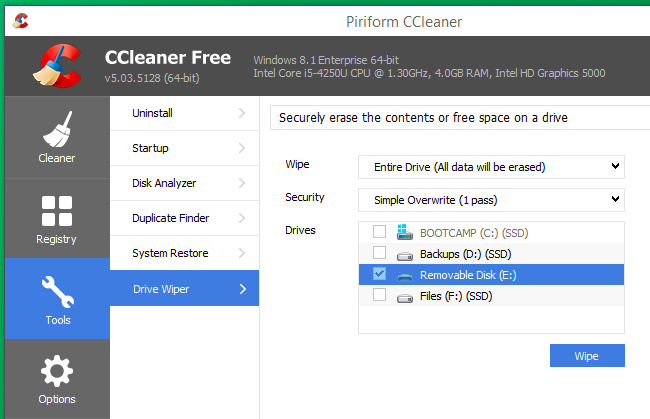
CCleaner driver wiperTo wipe an external drive on Windows, you can use one of many drive-wiping tools. CCleaner is a predominantly the easy one to use and you just need the free version. Insert the USB drive or plug in the external hard drive, open CCleaner, and use the Tools > Drive Wiper feature.

Bear in mind that this will reduce your drive’s lifespan, especially for cheap flash drives. But, if you are about to dispose of the drive this is fine.

On a Mac, open the Disk Utility application, select the drive in the list, and click the Erase heading. Click Security Options and tell it to erase the drive once, and then erase it.

On a laptop or desktop, your internal hard drives only need to be wiped if they’re mechanical hard drives or hybrid hard drives (most of your drives fall under this category). When you delete a file on a solid-state drive, the file is automatically wiped from the drive due to TRIM — this helps keep your SSD speedy.

On Windows 8 and 8.1, you can simply choose the “Reset your PC” feature and tell Windows to securely erase the drive. Choose the “Fully clean the drive” option to ensure none of your files can be recovered later.

Smartphones and Tablets

Apple’s iPhones and iPads use encryption, which means you can just reset them with the “Erase All Content and Settings” option and your personal data will be inaccessible. Any fragments of data are stored on the device in encrypted form, and no one can access them.

On Android smartphones and tablets, encryption has historically not been enabled by default. That means simply performing a factory reset will not help and sensitive personal data may be left on the phone’s internal storage.

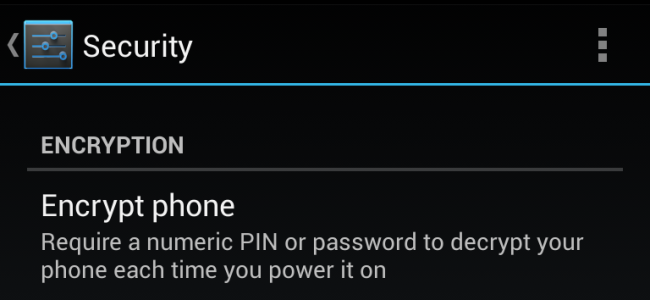
android_enable_encryptionTo securely wipe an Android phone or tablet, first go into its settings and encrypt the storage. You can then erase the device and restore it to factory settings. Because the data stored on the device was encrypted before you performed the factory reset, the data stored on the device will be scrambled and incomprehensible. If you have external memory, you can either remove the personal data or card itself. If you want to wipe it you can always plug in your phone to a computer and clean it using one of the above computer methods.

If you have a CD or DVD you want to remove sensitive files from, you can erase it if it’s rewriteable. Otherwise, be sure to physically destroy the CDs or DVDs before disposing of them. This could mean grabbing a pair of scissors and cutting them into one or more parts.

Everything you need to know about iOS 9


ios-9-download

Apple has unveiled its iOS 9 mobile platform for iPhone and iPad and while the presentation didn’t offer much in the way of surprises, it did showcase some attractive new features. Here’s all you need to know about iOS 9.

Apple is promising better performance and more efficiency from iOS 9, quoting a 50% reduction in CPU usage and faster animation than ever before. iOS 9 will also offer iPhone and iPad users at least an extra hour of battery life compared to iOS 8 and up to three extra hours with its improved low-power mode.

The new OS is estimated to be around 1.8 GB so it is unlikely to fill up your device’s storage space. If you are concerned about cloud security, your sensitive information and photos will benefit from the inclusion of the two-factor authentication for iCloud.

The digital assistant Siri is getting an upgrade, with iOS 9 introducing a redesigned interface and improved intelligence. A new feature Apple is calling Proactive will see an increase in Siri’s contextual awareness and will attempt to compete with Android’s Google Now.

Proactive will see Siri use ‘context-sensitive’ data – like your location, the time of day, and what you are currently doing on your device to anticipate what you will need or do next, and offer suggestions unprompted. An example of this would be opening your Music apps when you plug in your headphones, automatically adding invites to your calendar, and searching your email for new phone numbers you haven’t added to your Contacts. In addition, Proactive will learn your routine based on your day-to-day activities and locations, and offer tailored suggestions such as traffic reports, potential new contacts and other info. If any of this sounds oddly familiar it’s because Google has offered this features for years now.

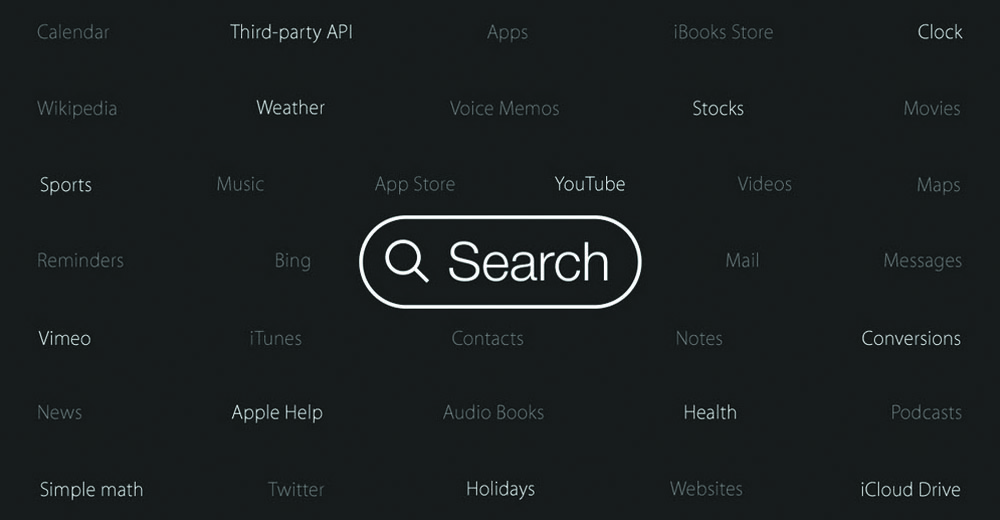
Although you’ll notice Proactive the most when using Siri, the service will also be integrated into Spotlight and throughout iOS 9. Unlike Google Now, Proactive doesn’t share your info with third parties or even link to Apple services. The feature uses data stored locally on your device, doesn’t require your Apple ID to use, and keeps all your info anonymous. The home screen search feature will have even more capabilities in iOS 9. The built-in search will now be able to pull up results from third-party apps thanks to ‘deep-linking’, so you’ll be able to search and discover app content directly from the Spotlight screen.

Again, this is something that Google has already begun integrating into Android. But a smarter built-in search means Apple users are less likely to open their Google search app or browser when looking for info at least that’s what Apple is hoping for.

Newstands is set to be killed off, and replaced with the all-new News app. News will feature daily news and magazine content in a customized, scrollable grid, with users able to select favorite publications and add bookmarks, save articles and topics, and receive personalized suggestions based on reading interests.

For publishers, News brings an all-new digital publishing format (dubbed Apple News Format), which allows for easy content creation and plenty of multimedia options, including photo galleries, video and animation, custom fonts, maps and Multi-Touch gestures. Apple has so far signed up over 20 big-name publishers including the New York Times, Time Inc., ESPN, CNN and Bloomberg.

Apple is still trying to make Maps successful, and the app will now include public transit directions for selected cities. Users will be able to view routes and maps for buses, trains, ferries and subways for major US cities including Baltimore, New York, San Francisco, Chicago and Washington DC.

Public transport info will also be available for London, Berlin and Tokyo, and for more than 300 Chinese cities including Beijing and Shenzhen. Presumably, Apple will continue to add locations in order to try and keep up with Google Maps’ integrated public transit features.

The popular Health suite of features will also be improved. iOS 9 will see the addition of new health data, such as UV exposure and the ability for women to track their menstrual cycles and reproductive health.

ios9search

If you are a Notes user, you will get to enjoy a brand-new toolbar and formatting options. You’ll also be able to add and take photos directly from the app, as well as draw basic sketches and create checklists. Users can also add contacts directly from Safari, Maps and other apps straight to the Notes screen.
iPad owners will benefit from a bunch of new multitasking features, including a split-screen mode and picture-in-picture video viewing. You can also run two apps side-by-side at once, and the keyboard will also receive much-needed updates and shortcuts.

8 Motivational tips for entrepreneurs

3620643190_15926cdf52_oBeing an entrepreneur means that you will often blaze you own trail. No career guides, counselor or maps will guide you from one step to the next. You have to make it up as you go. Here are some tips to keep you entrepreneurs motivated.

 1. Keep the big vision in sight.

A big vision will take you far. When things go wrong on the path to your success, and they will, keeping the big vision in mind will enable you to steer your way back to a successful course. It may not always be the course you imagined, but your big vision becomes your north star, which in turn helps you navigate and orient yourself through the darkness. Your vision is your base, compass and cosmic beacon, lighting the way forward.

2. Fuel your vision with perseverance.

What should go hand-in-hand with a big vision is the perseverance you’ll need to keep moving forward. If you’re a Game of Thrones watcher, there was a great line in a recent episode when Stannis Baratheon was being advised about the lack of wisdom in starting a battle in the snow. He responded: “We march to victory or we march to defeat, but we go forward, only forward.”

Sometimes, when things get challenging on your path as an entrepreneur, you have to commit yourself to moving forward, regardless of the anxiety and fear surrounding the next steps. When you fuel your big vision with determination and the spirit of “only forward,” in time you will meet your success.

3. Make a plan, but be flexible.

You need a few sets of plans, even if each is only a few pages. A business plan, with a complementary marketing outline, are important blueprints for success. They help you map out the major landmarks of the road ahead, state your success and break the journey into important milestones you can track your progress against.

Most people don’t like giant, robust plans nobody will access, but I am a believer in a more modest go-to plan that can act as your basic instruction manual and hold you accountable to specific numbers. The reason most people don’t support highly detailed plans is that they believe you need the flexibility to alter the course as necessary. Sometimes, large changes in a plan will be unavoidable.

4. Embrace your expertise.

If you are already naturally good at something, or have a skillset, embrace it. Don’t try to be all things for all aspects of your business. Hire out or sign contracts with agencies for the things you can’t do, and focus on your strengths as quickly and often as possible. Don’t be a jack-of-all-trades and a master of none. For all those computer problems remember Apex IT Solutions is here for you ready to provide you with fast, reliable services at affordable rates. We offer computer repair & support, IT consulting, server support, cabling services, and much more.

5. Don’t reinvent the wheel.

What is already working in other people’s business models, in your industry, in software applications and other business operations that you can emulate instead of re-create? Don’t waste your time trying to set up systems when you can simply purchase and install one, saving precious time and spending little money. Sometimes the best decision is to take on the expense of some good systems so you don’t have to waste time and make mistakes building your own.

6. Don’t burn out.

This isn’t a piece of advice. Your health is literally the most important thing in your life. When your body gives out, you’re done. Your heart doesn’t care how good a business you have; your circulatory system isn’t all that impressed with your money or accomplishments. Try to eat really good food, get good sleep and take as much time as you can to enjoy the small things in life. You will burn out if you sacrifice your physical and mental health on the “altar” of your business. So, take care of yourself.

7. Leverage everything.

Learning life hacks may seem cliché, but they can teach you an important mini-lesson in leverage. When you use leverage to your advantage in every aspect of your life, you go further, faster. Leverage outsourced help to streamline tasks and gain traffic time for important phone calls. Leverage down time waiting anywhere (the doctor’s office, your child’s school, your auto shop, an airport) to get stuff done.

sunlight

8. Keep your sense of humor.


If you can’t laugh at yourself, you’re missing out. I too am guilty of not doing this enough however laughing is a good cure to diffuse stress. So put some joy into life and get some perspective on the fact that this is only life after all you don’t have to take it so seriously.

So, try to laugh more and stress a little less. It strengthens your emotional and mental well-being, keeps other people from getting under your skin and keeps you cool and collected, plus it makes you a lot more fun to be around.

Dell’s Premium Support promises to find issues before they happen

Dell_LogoImagine a world where a new hard drive shows up in the mail to replace the one in your laptop before the old one does. That is exactly what Dell’s new Premium Support service promises to do, and it’ll even remind you to back up your data too.

Premium Support requires an additional purchase on top of the standard Dell warranty you get on every system. In return, you get an expanded support service that covers PCs and tablets from Dell’s Inspiron, XPS, Alienware, Venue and Chromebook lines. The increased coverage offers three main improvements: support for both hardware and software issues, next business day in-home service, and proactive SupportAssist software technology which finds potential issues before they become real problems. Prices start at $39 per year for Inspiron systems and go up to $69 for Alienware gaming machines, while XPS owners get a year of Premium Support included with a new purchase.

SupportAssist comes from Dell’s enterprise business; along with Premium Support, it’s now making its debut for home users, a first for consumers anywhere. Users can opt-in to the technology by downloading the software from Dell. After installation, SupportAssist monitors your computer in the background, and sends data to one of Dell’s command centers for analysis. This lets Dell monitor stats such as storage read/write speeds, so the PC maker knows when your HDD is about to fail, or CPU/motherboard temps in the event of a faulty fan.

If there is an issue, a support agent can call you up or email or text if you prefer, alert you to the problem and offer a choice of fixes, from sending you a replacement part in the mail to scheduling a repairmen to stop by your house. Better yet, with Premium Support, agents will always be located in your region, so communication should be crisp and speedy.

Dell claims that because SupportAssist is able to supply support agents with important info before you call, Premium Support users spend 90 percent less time on the phone, and run though 69 percent fewer steps during the support process versus top-tier support plans from rivals including Apple, Lenovo and HP.

The combination of hardware and software help also means that support agents can do more than just fix issues with bad drivers; they also can troubleshoot problems with your Wi-Fi, help set up a printer, or assist you in upgrading to Windows 10 when the operating system update arrives later this year.

If you worry about prospective “Nigerian princes” impersonating Dell support agents, Dell already has the pertinent information about you and your system from the time you sign up for Premium Support. As a result, real agents don’t need to ask you for sensitive financial or personal data. Dell also says that SupportAssist has a small impact on performance, so there is no need to worry about slowing down your system to get better care.

Premium Support is available for eligible new and used systems, regardless if you bought them directly from Dell or through a third-party retailer like Amazon or Best Buy. You can sign up now by phone or at Dell’s website.