Category Archives: Software

Windows 10 is here! but are you ready to upgrade

windows_10_logoWait, doesn’t it always make sense to download something for free? Microsoft released its brand-new operating system this week, and you can get it at no cost, but make sure you know exactly what you are getting into before you upgrade.

The first thing you should do before making the upgrade is to look closely at the gear you have attached to your computer. I mean closely. You might already know that Microsoft has put great effort into making sure just about every printer and scanner in the known universe will work with the new OS, but what if you own one from an unknown universe? Also, if you have really odd peripherals say, a 3D printer or maybe a drone that needs constant driver updates, think twice about jumping on the download so quickly. Check with the peripheral maker first.

Second, ask yourself some tough questions about why you are updating. Are you an early adopter? It’s definitely less risky than being one of the first people to drive an autonomous car or use a new VR headset when there are so few VR apps. You can expect Chrome to run smoothly (I’m using Google Docs on Chrome running on Windows 10 right now). But any new OS will have some issues. Maybe they are security-related. Maybe your accounting app will crash. Be ready to spend time tinkering and have a good backup plan (and a good backup). At least do the upgrade during a time when you don’t have a load of projects due.

I do most of my work in the cloud these days, and I always have a few computers floating around. It’s an incredibly low-risk upgrade for me. If one of them crashed, I’d grab another, I tend to live on the edge when it comes to computing, but then again, I don’t have to do the payroll for hundreds of employees or develop a marketing brochure using Photoshop by 6 o’clock tonight.

If you get past those hurdles, it’s time for you to think about why the upgrade makes sense. It’s a smarter interface. The Start menu is now located back where it belongs, on the left-corner of the screen instead of taking over your entire screen with tile apps. That means it is easier to use. Before, you had to know where to find simple features like how to turn the computer off. Microsoft has mostly addressed the usability hitches in Windows 8 with this release and it’s getting great reviews.

It’s faster, easier and smarter. It’s also not going to change your world in a million ways. Windows 10 has not made much of a difference in how I work, the apps I use, or the fact that I tend to do most of my work in a browser these days. But there are still some question about whether it will run reliably, and there’s no way to know unless you try it with your apps on your computer for a few days or weeks. It’s pretty tough to go back to a previous OS. Anything new in technology should be assessed for the value it provides to you, not just because it is new, available, free or good.

So in conclusion I am not necessarily saying to skip this release at all. After complaining about Windows 8 over and over again, I will say that Windows 10 is a big step forward in making the OS more user-friendly. I’m happy with the update so far and haven’t have any problems. Your mileage (and tolerance level) may vary. As with any new OS, just be careful before you take that leap of faith.
Windows XP: Should you move should you stay? Or is this the wrong question?

windows_xp_time The office world is changing. Web-based applications and mobile apps are becoming more widespread and the way applications are obtained and delivered is becoming more standards-based to meet today’s multi-platform requirements. While this works well for the future, there will always be a requirement to access legacy applications, which adds countless complex processes for any business as it moves to the next Windows OS migration.

More than a year after Microsoft shipped its final update for Windows XP and just ahead of Microsoft’s removal of extended support for anti-malware on July 14th 2015, a considerable number of large organizations still haven’t made the move from this legacy OS. Although the number of Windows 8/8.1 PCs accessing the internet exceeded the number running Windows XP for the first time, Windows XP is still alive and kicking.

Many refer to the headache of migrating business-critical proprietary applications, but time is running out fast. End-of-life custom support agreements can cost millions and XP organizations are far more vulnerable to malware and other malicious attacks. The latest statements from Microsoft about Windows present organizations still on XP with a migration conundrum, move to Windows 7, 8.1 or 10?

There is no right or wrong answer. In fact, I would argue that it isn’t even the right question. A better question is this: what’s the best way to manage application migration from one Microsoft OS to another?

Managing a migration from XP to another Windows OS is not a minor tasks. But the operating system switch is the (somewhat) easy part. The complexity of the applications today, compared to the last major migration activity around 10 years ago, makes managing the migration of thousands of applications time-consuming and expensive. Without the right approach, employee productivity can be seriously impacted and migration costs can spiral out of control.

Which OS?

Let’s deal with the OS question first.

From a longevity perspective, Windows 10 is the clear leader. However for organizations in highly regulated industries such as financial services, moving to Windows 10 before Q3 2015 would be a big leap of faith.

Microsoft’s updated Windows 8.1 might be a good option for businesses requiring mobile/touchscreen capabilities for some employees – for example, engineers out in the field. However, from an IT perspective it is difficult to adjust the way that the interface works to ensure the OS always launches and remains in classic mode. Windows 10 is superior in key areas for enterprises (security, management and user experience). A move to Windows 8.1 requires considerable investment in staff training.

If your business wants to avoid retraining overhead and resulting loss in productivity, Windows 7 remains a smart option. Although it is now five years old and mainstream support ended in January 2015, it is a proven solution with a current market share of almost 60 percent. Also, a move to Windows 10 further down the line should be much less of a disruption than the move from XP to Windows 7.

Some organizations might want to look at a hybrid OS strategy: Windows 7 for office-based staff, and Windows 8.1 for field-based staff, like salespeople and utilities engineers who need to update centralized databases in real time. This approach adds a layer of complexity relating to the connectivity and applications required, but this could make up for it by improved productivity.

Application migration planning

Once an OS has been selected, that’s when the hard work begins. The main challenges for the IT team stem from the need to migrate infrastructure and applications in a short timescale, while continuing to support business services and adhering to the service level agreement.

Few applications have ever been deployed out of the box without a degree of customization, adding an extra layer of complexity to any application migration project. It’s no trivial task figuring out how the application has been customized and why.

Once you know what you are dealing with, it’s easier to set about simplifying your environment by justifying your applications: removing duplicates, non-strategic applications, and applications with functionality now incorporated into other applications. Some of the applications within customer profiles can simply be removed. A common discussion point often is adding important features within corresponding products: for example, the ability to create PDF files from within the latest version of Microsoft Office removes the need for a separate PDF creator in many cases.

Like essay writing in school, the key to a successful migration really is in the planning. Once the groundwork has been prepared, the process of packaging, remediating and virtualizing applications can take place using industry-standard toolsets. An audit of which applications live where, helps organizations to easily manage their software lifecycle going forward as well. By implementing a methodical, proven approach known to deliver the best possible outcomes, organizations can minimize risk and avoid the dual presence of project over-run and cost escalation.

If these hurdles seem too high, there is another way to deliver business services. I’m talking of course about moving to the cloud.

The rapidly changing applications landscape provides your business with an ideal opportunity to remove themselves from years of technical complexity and increasing datacenter infrastructure, maintenance and refresh costs.

A strategy focusing on rapidly changing business needs could be the facilitator for moving to cloud services. There is now a growing appetite to migrate even core business services to a more dynamic and fluid method.

Services, infrastructure and even applications can now be “hired” by the minute, or the transaction, and the SaaS provisioning of software like Office 365 and Salesforce.com has prompted a significant shift in the procurement and management of business applications.

Of course this is a significant simplification of the problems at hand. Legacy systems still need to be maintained and accessed, and the cost of business change should not be underestimated. The future is not going away, and it is definitely cloud shaped.

xp_end_of_the_road

If this article interest you, we provide comprehensive IT Solutions that allow our clients answers and peace of mind for any and all computer related issues. We look forward to serving you.

Microsoft Office apps finally free for Android

Don’t own an iPhone or Windows Phone, but rely on Microsoft’s Office for writing, building presentations and crunching numbers? No problem.

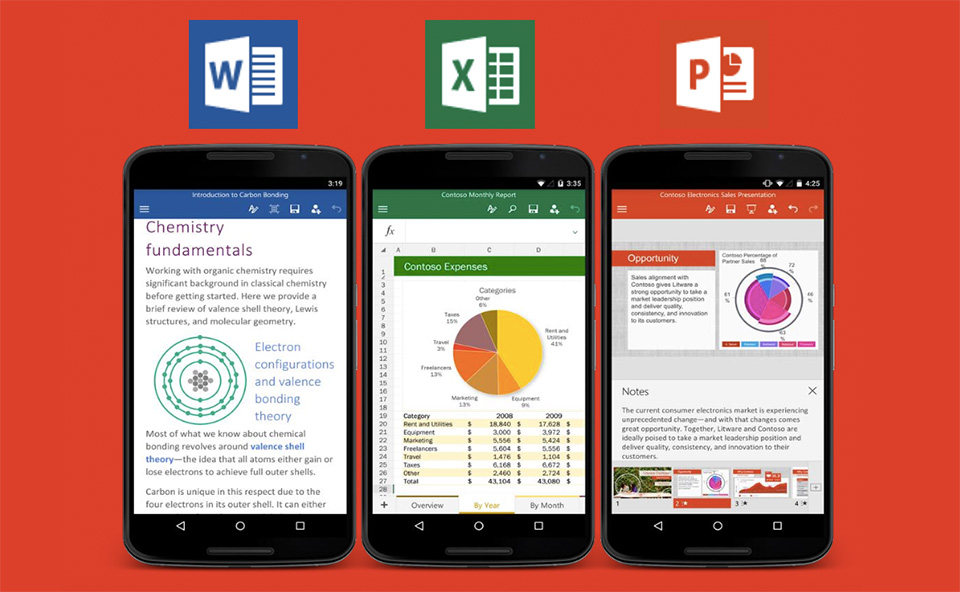
Microsoft’s esteemed suite of applications, including Word, PowerPoint and Excel, has finally made its way onto smartphones powered by Google’s Android mobile operating system.

Best of all, the apps, like their counterparts on Android tablets and devices running Apple’s iOS operating system, are free to download.

Microsoft first made its Office suite available for Android tablets in February 2015 and announced a preview of the smartphone versions in May. The apps look and work much like the software designed for Apple’s iPads and iPhones, meaning you can edit Word documents and wirelessly run PowerPoint presentations from your phone. Unlocking more mobile features and using the software’s desktop versions requires an annual subscription to Office 365.

The world’s largest software maker hopes people will pay the fee for Office 365 so they can use the cloud versions of Outlook, Word and PowerPoint on their Macs or PCs. That’s become especially attractive as employees shift activities between their corporate and personal devices.

The goal of these apps is to make sure that as people think about working, creating and doing, they think of Office as the default according to Microsoft’s project manager. This is the culmination of a nearly 18-month journey since Microsoft first offered Office for iPad transforming Office from a software suite into a platform that would work across devices.

The Microsoft team want corporate customers to stop thinking of Office and Windows software as products they buy with onetime licenses. The company is following the lead of others in the industry, such as Adobe Systems, Oracle and Salesforce.com, which are pushing customers to pay annual subscriptions for applications, storage and other services in the cloud.

Microsoft’s cloud business currently accounts for $6.3 billion a year, or about 5 percent of total revenue. They hope the business will deliver about $20 billion in sales by 2018.

office_android

The mobile versions of Office for both iOS and Android have been downloaded more than 100 million times since June of 2013. To up that number, the company is partnering with more than 30 device makers, including Samsung, Dell and LG to preinstall Office and its Skype video-calling software on Android devices.

What’s the perk to owning a iPhone… Apps!

apple One of the best things about owning an iPhone is that you get a lot of the newest apps first before they arrive on Android. It may not be fair, but it’s a great perk for iPhone users. That means there’s always something new to try. You can enjoy exclusive apps from Instagram, cutting-edge photography apps, and even an app that will tell you the exact minute it’s going to start raining.

Manual ($1.99) lets you open up the hood of your iPhone’s camera, giving you full independent control of advanced settings like shutter, ISO, white balance, focus, and exposure compensation.

You don’t have to pay any commission fees when you use Robinhood (Free), a stylish new trading app that’s backed by Marc Andreessen and Snoop Dogg. You can access market data and quotes in real-time, and Robinhood makes it easy to stay on top of your portfolio with its Apple Watch app and iPhone widget that you can check from your lock screen.

Fresh Air (Free) is a stunning new weather app that emphasizes visuals with its minimalist weather graph. You can scroll forward in time to see how the weather will be in the future, and it also connects to your calendar app to give you forecasts on upcoming appointments.

Vesper ($9.99) is a note-taking app that takes a lot of the hassle out of organizing your thoughts. You can easily tag each entry so you can search for a specific thought by keyword later, and all your notes will be synced to your Vesper account, free of charge.

Until recently, to create smooth time-lapse videos, you needed expensive tripods and stabilization gear. Luckily, Hyperlapse (Free) from Instagram uses its image-stabilization techniques to smooth out shaky footage, and the results are impressive. It’s great for capturing sports moments, car rides, weather, crowds, and journeys on foot.

Product Hunt (Free) has evolved to become Silicon Valley’s go-to list of rising startups and apps, and there’s now a games category as well. The app allows you to follow startup founders, view curated collections, post new products on the fly, and download apps directly while browsing.

Litely (Free) is a powerful photo app for adding subtle filters to your photos, giving them a film-like tone. You can tap the screen with two fingers to see what your photo looked like before adding any presets, and the app’s non-destructive editing features means you never have to worry about losing your original.

Dark Sky ($3.99) does one thing very well: It tells you exactly when inclement weather, like rain or snow, is going to happen. The app is beautifully designed and features a precipitation timeline that lets you know minute-by-minute predictions for when you can expect rain.

Timeful (Free) is an intelligent calendar app mixed with a to-do list. The app’s algorithm learns how you get stuff done and smartly suggests ways to build new habits and get things taken care of, all on your own terms. Google recently acquired Timeful to incorporate its technology into new products, but you’ll still be able to continue using the app.

Clear ($4.99) is one of the simplest ways to keep track of what you need to do. You can easily drag and re-order your to-dos, and adding a new item is as easy as pulling down your list and typing it in. When you’re done with a task, just swipe right.

Pedometer++ (Free) is perfect for viewing your daily activity and fitness goals with a quick glance. There’s two quick ways to check your daily progress: You can swipe down and see the Pedometer++ widget in your iPhone’s Notification Center, or you can check the tiny red badge on the app icon, which displays your current steps.

Reddit, the so-called “front page of the internet,” is an ever-changing ecosystem of interesting articles, pictures, and discussions, but it’s notoriously messy to browse on your smartphone. Alien Blue (Free) fixes that, wrapping Reddit’s content into an eye-catching design that brings to focus the essentials information like photos, post titles, and comments.

Storehouse (Free) makes it easy to snap pictures and format them into a beautiful and smart layout that lets you tell a story. The Storehouse Newsfeed also features great curated content, and it’s a great place to discover picture-based narratives from talented photographers.

apple_storeMoleskine’s new calendar app, Timepage ($4.99), is both beautiful and simple to use. The app organizes your appointments in list — there’s no month view — and it also incorporates weather forecasts and lets you quickly hail an Uber right from within the app.

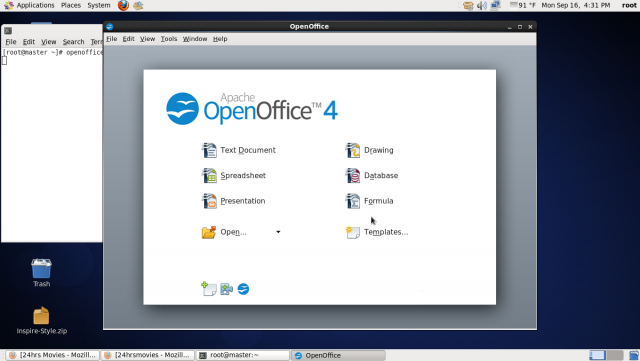
Is OpenOffice heading towards extinction?

ApacheIf you work in computing and are even loosely familiar with the open source software movement, chances are you’ve heard of OpenOffice at some point. For a decade, the OpenOffice Foundation provided the world with a free alternative to Microsoft’s ubiquitous Office suite, and if its programs weren’t always as polished or quick to launch as Microsoft’s, the price tag made up for it. The document suite’s long term future, however, may be in doubt as evidenced by its small developer base and weak release schedule.


Apache OpenOffice’s (that is the current name of the software suite) distresses go back to 2010, when the company Sun was acquired by the database company Oracle. In the wake of that acquisition, a majority of OpenOffice’s developers jumped ship and went on to create a new fork of the old OpenOffice codebase, dubbed LibreOffice.

In June 2011, Oracle handed over the trademarks to OpenOffice over to Apache, which re-launched the product as Apache OpenOffice, or AOO. Since then, LibreOffice and Apache OpenOffice have both competed for market share and users, but it seems as though the bulk of the work is happening on the LibreOffice side of the equation. A recent code analysis demonstrated that there are more than 250 active developers working on LibreOffice from a small group of companies, while OpenOffice has just 16 developers listed and 60% of them work at a single company — IBM.

A recent report prepared on the state of Apache OpenOffice shows that the organization is having a very difficult time. While mailing list activity remains robust, there are few mentors for would-be developers and there is currently no release manager.

Between the lack of code commits and the challenges facing the AOO developers, it is possible that we are seeing one organization withering on the vine while another has largely superseded it. Brand recognition for AOO remains strong and the number of downloads, while off sharply from its onetime peak, and is still significant.

The bigger question is whether the software community needs two open-source divisions of the same source code. From all appearances, it doesn’t. Writing for Datamation, author Bryce Byfield criticizes AOO as being out-of-touch and sounding arrogant when it talks about the need to collaborate with other groups, as though it hasn’t been largely supplanted in the market. I can’t speak his statement, but a lack of developers or product versions when you’re chief competitor is cranking them out is not a great PR tactic.

I’ve used both before, but I prefer the Office Suite to either. That doesn’t mean I’m rooting for either project to fail — in fact, I am very glad that end-users can choose to use an office suite they didn’t have to pay for, particularly with Microsoft moving towards subscription services. I personally don’t believe anyone should ever have to pay Microsoft for a monthly fee to use an Office suite. This might mean I that I need to move to an OSS product at some point in the future.OpenOffice4

Fake Anti-Virus software: It’s time to fight back!

scareware


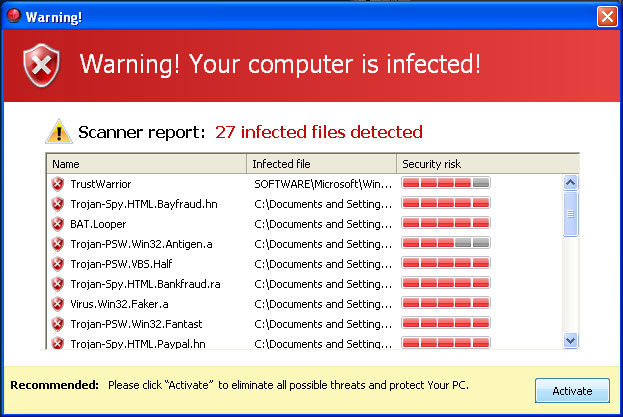
For many people, computer viruses inspire just as much fear as real world infectious diseases. A computer virus pokes holes in electronic security defenses and pries open the virtual padlock you have around your personal data. Fake anti-virus software sometimes known as scareware, alert you to nonexistent viruses on your computer and prompt you to download malicious software that masquerades as the real deal. Fake anti-virus software presents itself as a serious risk. Here are some steps you can take to remove counterfeit software if you accidentally fall victim to the scam.

If you have the time searching for solutions online could be the best way to find an answer. The internet offers all kinds of tutorials and how-to advice for computer security issues, including fake anti-virus removal. Type the name of the fraudulent software program into a search engine to find out whether other people have faced the same problem before. If so, this information might offer useful solutions for removal. You should however pay careful attention to the spelling of the name. Scam artists often mimic the major brand names of legitimate anti-virus software programs by replacing letters to trick their targets. During your computer search, place quotes around the name of the fraudulent program to receive targeted results.

Everyone likes free. Find a free fix. Although free anti-virus programs are not as sophisticated as their premium counterparts, these programs have become increasingly more efficient over the last decade. In fact, major organizations like PC World Magazine comparatively attributes the 2011 drop in fake anti-virus software alerts to the convenience of free protection programs. Each year, anti-virus companies add new features to increase the strength of anti-virus freeware. If you can’t find a reliable source of information to remove fake anti-virus software from your computer, download and install a free anti-virus program. Run a full scan on your computer to decide whether the free software will remove the threat.

In some cases free anti-virus software lack the power to remove fake programs. To avoid the hassle and headache you should just buy a paid program and run another scan. Not only can this type of software remove the current problem, but paid software in most cases protect against future threats. Paid anti-virus software, such as Bitdefender Antivirus Plus and Kaspersky Anti-Virus, scans your computer for the latest threats and are rated for business use. These anti-virus programs strip the fake anti-virus program from your computer so you no longer have to worry about compromised data, financial loss or data theft.

Lastly once you remove fake anti-virus software from your computer, it is best to learn to recognize the signs for future reference. Fake software programs often use threatening language to increase the sense of urgency for you to make decision. You might see pop-ups in your internet browser that claim you have a virus or that your computer is infected. DO NOT rely on or reply to the pop-up windows or other unfamiliar alerts. Instead, run your anti-virus software to figure out whether a real threat exists or not. If you don’t have anti-virus software installed, open a fresh window in your browser and directly type in the name of a site you trust to download the software yourself. Visiting a site directly is much safer than clicking on a link that might take you to a fake imitation.

Fake anti-virus software works so well because the creators capitalize on their victims’ embedded fears. However, if you protect yourself by installing safe software and keeping your existing anti-virus software up-to-date, viruses and other malicious programs will become less fearsome letting you fight back against the dreaded scareware.

virus_protection