Facebook cares about your Privacy

Facebook_like_thumbThe social network is rolling out a security for users to use the encryption standard OpenPGP to protect e-mail notifications sent by the company, and to share their public encryption keys with their friends or with the public. The feature is being rolled out to users starting June 1st 2015.

PGP, short for “Pretty Good Privacy,” is a way of scrambling emails or other chunks of text in such a way that, in theory, only the intended recipient can read. To use PGP, you create a pair of keys essentially long stings of letters and numbers used to encrypt and decrypt a message. One is a public key that you can share with everyone, and a private key that you keep a closely guarded secret. People can then use the public key to create a message that can only be deciphered using your private key. That way, even if someone is able to intercept your email, they can’t read the encrypted messages.

Incorporating PGP into Facebook could help protect activists who use the service for political organizing, though it won’t protect all Facebook communications.

Facebook can use PGP to encrypt emails it sends you, such as new message notifications from other users or password reset requests. But messages sent from you to other Facebook users through Facebook itself will remain unencrypted. That means that if someone gains access to your Facebook account or Facebook is forced to hand your account over to law enforcement those messages will be readable. Still, if someone only has access to your email account, and not to your private encryption key or Facebook account, they won’t be able to reset your password or read private notifications sent to you from Facebook.

This is the latest attempt by Facebook to tighten up its security and privacy credentials. Earlier this year Facebook announced that it will help fund the development of GnuPGP, an open source implementation of the OpenPGP standard. The company began encrypting all of its web traffic in 2013, making it harder for crooks and spies to eavesdrop on communications, and last year it added support for the concealment tool Tor. Moreover, WhatsApp, the messaging company Facebook acquired last year, incorporated an encryption system from Open Whisper Systems into the Android version of its app last year.

Meanwhile, Google and Yahoo have been developing a PGP based encryption system for web mail called End-to-End which could help bring PGP to a much wider audience.

Despite its limitations, privacy advocates are welcoming the new Facebook feature as an important step towards improving security online.

1000px-Facebook_LogoThere are things that Facebook does that we don’t want. The advertising business requires that they collect more data than we want. However, their security team wants to work with the privacy community and there they can make a real difference. Although it’s tempting to say that people with serious security concerns simply shouldn’t use Facebook has a billion and a half users and they’re not going away. Facebook, even if it’s not going to be an organization platform, will always be an outreach platform. It will be a place where people go to do political work, and letting people secure the accounts they use to do that political work is really important. The most important thing for now may be getting more people to use PGP and improving the ecosystem of tools that support the standard. In my opinion Facebook is acting as a trend leader to drag other big platforms into this world. When you think about it if only a thousandth of a percent of Facebook’s users end up using this feature that’s still 15,000 people. By adopting these tools, Facebook is making it harder to for criminals to steal your credentials or read your messages and that’s a good thing because that improves the overall security of Facebook. These tools actually build a better internet for everyone.


Google reveals Android M at Google I/O 2015

Google_IOGoogle revealed Android M at its I/O developer conference last week, a powerful step forward for the world’s most popular mobile operating system. Google made a conscious effort to improve the platform’s performance and stability, but was sure to include a few great features.

Many of the features are small enough that Google didn’t highlight them on stage. Some of the less-sexy additions include: easy word selection and floating clipboard toolbar, simplified volume controls, undo/redo keyboard shortcuts, improved trusted face reliability, unified Google/device settings, Wi-Fi power improvements, and stylus support.

Google Now On Tap is by far the most impressive addition to Android M. It’s all about context and situational awareness. Google says the intent behind Now On Tap is to make it easier for Android users to get assistance when and where they need it.

“If your friend texts you about dinner at a new restaurant,” explains Google, “without leaving the app, you can ask Google Now for help. Using just that context, Google can find menus, reviews, help you book a table, navigate there, and deep link you into relevant apps.” Users need only long-press the home button and Google will automatically do everything else. The possibilities here are powerful.

Android Pay will compete directly with Apple Pay and Samsung Pay. Android pay largely replaces Google Wallet. In fact, it’s an entirely new product built on the fragments of Softcard. In the US, Android Pay will be supported by AT&T, T-Mobile, and Verizon Wireless. Device owners will be able to make tap-and-go payments at about 700,000 retailers around the country when it launches. With Google’s support, mobile payment may get the shot in the arm it really needs for widespread adoption.

More importantly, Android Pay and everything else on Android M smartphones, can be secured with fingerprint authentication. Until now, only select manufacturers offered application program interfaces (API) for developers to access their hardware’s fingerprint readers. Now, Android supports fingerprint authentication system-wide for unlocking the device, approved purchases, and securing files or folders. The latest software development kit (SDK) from Google already includes the new fingerprint API. This will have great implications for business users.

It may not seem all that important, but Android M’s new power management features are something to get excited about. To start, a new feature called Doze can double standby battery life. Doze uses internal sensors to decide when the device hasn’t been moved in a while. It then aggressively shuts down notifications and other power-sapping activities until the device is picked up or moved. This means if you forget to plug your device in overnight, it won’t be dead in the morning. Also, Android M adds support for USB Type C, which has a reversible plug and reversible power flow. In other words, this means you will be able to use an Android M smartphone to charge an accessory such as a Bluetooth headset.

Android

App Links is the last of the new features that will improve the day-to-day experience on Android devices. As Android functions today, users often encounter popup dialog boxes when clicking links. For example, let’s say someone is scanning through Twitter and encounters a link to an Instagram photo. Clicking the link opens a dialog asking the user to choose which app to use to open the link (in this case, Chrome or Instagram). With App Links in Android M, applications will be able to verify such links automatically. This means clicking an Instagram link in Twitter will open the photo in Instagram, no questions asked.

How-To troubleshoot browser issues – Part 2

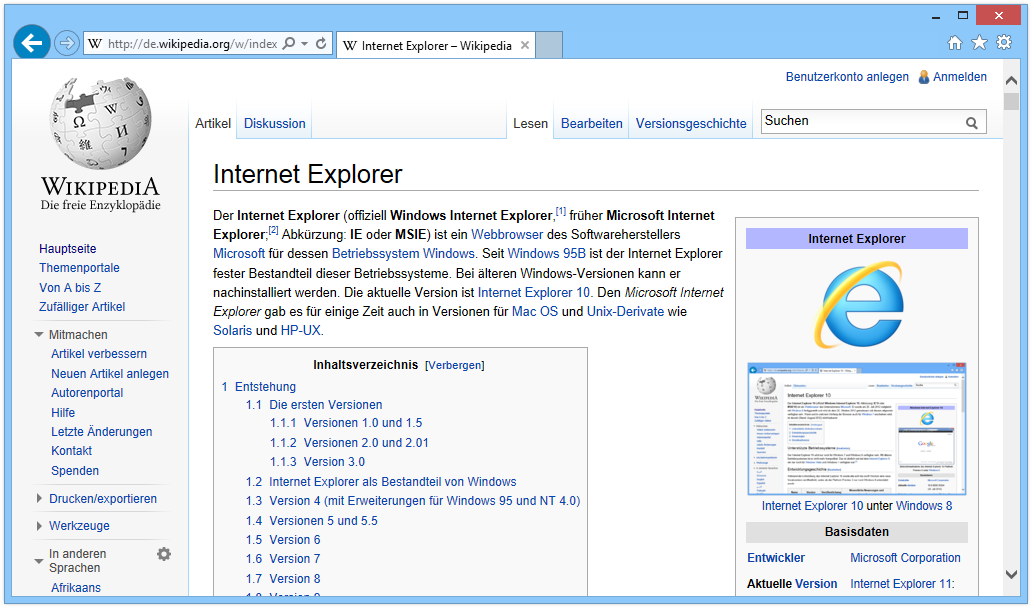
Internet_Explorer_11_unter_Windows_8.1Have you ever had problems with not being able to access a website, load information, or view documents through your browser?  Any problem that hinders your ability to get work done can be a pain. In the second part of this two part article I am going to explain how to harden your security setting in Internet Explorer.

In the past Microsoft has talked about the vulnerabilities in different versions of Internet Explorer (IE). However it is easy to protect IE from these types of actions. IE can be a very secure browser if you make it that way. Let’s discuss how you would go about doing that.

First you need to determine which version of IE you are running. To do that open your IE browser. Click on the either the Help icon on the top of your browser or look for the gear in the upper right hand corner of your browser and click it. Scroll down to the About Internet Explorer tab and click it. This will display what version of IE you are running. For this how-to I will be using IE 11 which is the latest version released to date. On the latest version there will be a box that says Install new versions automatically. On older version this was not there and caused a lot of problems for users who did not have their own IT department. A lot of users would be running older versions of IE which had a lot of security holes in them. If you keep this box checked you get the latest versions out. This is not a new feature. Other browsers like Google Chrome and Mozilla Firefox have had the same feature for years.

Now I’m go discuss how to harden your security settings. To access this, click on the gear in the upper right hand corner and click it. Scroll down to Internet Options and click it. If you were able to read the first article you know that this is the “under the hood” settings for IE.  This is where all of the changes will be made to IE.

Now that you are in Internet Options click on the Advanced tab which is the last tab on the right. Scroll down to the Security section which will have a padlock next to it. Next you need to scroll down to a box labeled Enable Enhanced Protected Mode. Enhanced Protected Mode allows you to use your browser without allowing any other sites to request access to your computer, download anything without your permission, or anything else with malicious code.

The next box you are going to want to check is Enable SmartScreen Filter. SmartScreen Filter is a feature that helps detect phishing websites. It can also help protect you from downloading or installing malware and other malicious software. AS you browse the web it analyses webpages and determines if they have any characteristics that might be suspicious. If it finds suspicious webpages it will display a message giving you an opportunity to provide feedback and advising you to proceed with caution.

The last thing I am going to discuss is the Security tab under Internet Options. This tab is the second tab from the left. Within this tab you will see a section that says Security level for this zone and underneath it has a sliding bar. This bar allows you to set the security level you want to operate on. For most of us Medium-high is sufficient. However if you want to change this setting. Scroll the bar up and it will change to High. Under the High setting, any website that requires you to run script this setting is going to protect you from and prompt you to see if you want to use the site. This will give you the highest level of internet security through your browser. If you change this setting it is also recommended that you change it under the Local intranet setting which is listed above under the Security tab. You should know that if you make this change and you want to go to a banking website or any ecommerce website they are most likely going to fail because you have restricted the access so much that the site isn’t able to use its security setting you verify you. If you want to keep these setting High but allow access to specific websites you can click on the Trusted sites icon and add those sites to the list. Click the Sites tab and under Add this website to the zone, type in the URL.

When making the decision to raise your security setting to High it is best to consult with your IT department first. Could you be raising the security too high and limit your ability to access sites that you use on a daily basis slowing down work production.

iOS bug is causing text messages to crash your iPhone

iphone An unusual bug in Apple’s iOS can crash and reboot your iPhone if you receive a certain text message. The bug works as follows: Someone texts you a message with a specific string of Arabic characters. If your iPhone is locked, and you receive a notification of the new text, iMessage crashes and your iPhone proceeds to reboot.

iOS bugs are nothing new. Since its release last September, iOS 8 has been plagued by glitches that have forced Apple to continually issue updates to resolve certain issues. This latest bug is much more random and rare than others, so it’s not something that would affect a wide audience. Thankfully it’s one that users can resolve themselves without waiting for Apple to issue a fix.

What is the cause behind this newly discovered bug? It’s not the Arabic characters in and of itself but the way iOS tries to handle the full text, as described by AppleInsider. The Unicode characters that attempt to render and display the string take up too many resources when your phone is locked and the notification of the message appears.

The people at AppleInsider sent the same text string during a normal iMessage conversation, and the iPhone did not crash or reboot. That test suggests the glitch lies more within iOS’s notifications process and not within the iMessage app.

Several iOS users have chimed in on social media sites to report the problem but it’s not one likely to affect most people. First you would need to be texted that specific string of characters while your iPhone is locked. That means you are not going to receive it accidentally or rather from someone who knows your mobile number and is purposely trying to crash your iPhone for some reason. The text itself also has to come from another iPhone.

What if you do run into this particular bug? There are a few ways around it.

You can always turn off notifications for text messages, but that’s hardly an ideal solution. Instead, you can simply trigger another text message. You can ask the person who sent you the original message to send a new one, assuming that person didn’t send it maliciously. Otherwise, you can send yourself a text message easily enough by telling Siri to do it or using an iOS app that lets you share content via iMessage. The new text message essentially cancels out the old one on the notifications screen.


iphone_background

Apple apparently is aware of the problem. A Twitter user who claimed to have chatted with Apple support said that Apple senior engineers know about the bug. If so, then Apple is likely to have a resolution available in the next update to iOS. Developers are currently beta testing iOS 8.4, so Apple may have time to squeeze in a fix before it rolls that latest update.

Lots of Gadgets, Lots of Aches

avoidable_everyday_pain_sources Look around today they are everywhere: stooped shoulders, angled necks and wrists, hands twisted like claws. As people harness their bodies to use more electronic devices in more places, they may unknowingly be putting themselves at a greater risk of injury.

Some might say things were easier 20 years ago when employees worked mainly on desktop computers that could be adjusted for maximum comfort. Now people have added laptops, smartphones and tablets to their arsenals, and they are using or perhaps misusing them at work, at home and in trains, planes, hotels and cafes.

Visit any airport terminal in the U.S and you can see people using their laptops in awkward and distorted positions. Too much of this activity is bound to take a physical toll on the body. By positioning themselves improperly, people are at greater risk of eye stain, tendinitis and carpal tunnel syndrome, to name just a few. Repetitive actions that lead to overuse of muscles and tendons can inflame them, causing pain in the hands, shoulders, neck and back.

Laptops are adding to these problems because they do not meet any of the ergonomic requirements for a computer system. The keyboard and the screen are connected, so if you place the keyboard at the ideal position for typing, the screen won’t be at the best distance for viewing. Docking stations that provide an extra keyboard or monitor can help solve this problem. Another lurking danger is touch screens. Keys that move up and down provide more of a cushion for the fingers, whereas the drumming of fingers against screens is harsher and can lead to soreness. For that reason, a tablet should not be used heavily for typing.

Think of our poor thumbs, which have been pressed into a level of service they were never meant to provide. Thumbs are more vulnerable than fingers because they have two bones instead of three. If you want to get injured, do a lot of texting and that includes the chance that you will collide with something while walking or driving. Texting has led to an increase in a condition known as De Quervain’s tenosynovitis, where the tendons become so inflamed that it becomes painful to move your thumb, affecting your ability to hold things. These days, you can be texting your boss one minute and a friend the next and this greater mixing of work and personal life studies say it is placing more stress on the body. It can also make it harder to pinpoint what is causing a new physical problem.

Adding a device or routine can tip the scales toward an injury studies show. In this study it gave the example of a client who recently began typing on a propped-up tablet computer at home. That placed extra strain on her wrists so that typing at work, never a problem before, suddenly became painful.

To trace a pain’s origins, you may need to become a detective in your own life. As you seek to reduce or prevent pain, look for any repetitive and sustained activity in all the devices you use.

Don’t reduce psychological factors. Mental stress can cause you to tense your muscles, aggravating any existing physical stress. If you can, consult an ergonomics expert at your company to arrange the best possible setup for your devices at both work and home, along with a discussion of best practices. Notify your employer or consult a doctor if you experience pain or vision problems. A common health issue is vision impairment stemming from a monitor being placed at the wrong distance from the eyes. People often find problems like tendinitis because they aren’t supporting their arms when they use a mouse, causing a tighter grip and increasing muscle tension.

If you are hunched over while working, something is wrong. Look for the things that are pulling you forward and fix them. Sit back in your chair, support your feet if needed and make sure your arms are relaxed as you type. Check that the screen is close enough so that you can see clearly without strain, enlarging the type size if necessary. Be aware of these factors and try to approximate them as much as possible when you aren’t at your primary workstation.

neck_pain

As you work match the technology to the task you want to perform. If what you’re doing is a lot of typing, you need a keyboard. Don’t try to type ‘War and Peace’ with your thumbs. The simplest and most well-worn piece of advice is one that people too often forget to follow: take a break. Separating yourself from your machines gives your muscles, and your mind, a rest that they richly deserve.

Memorial Day: Remember the meaning

100531-D-9880W-192 Today is Memorial Day 2015. In cemeteries across the U.S flags flutter, flowers are placed on the graves of the dead, and bugles sound the notes of Taps. The crowds paying tribute, however, have grown sparse.

Memorial Day began as a way to honor Civil War dead, the commemoration was long called Decoration Day from the practice of decorating graves. The observance was held on May 30 no matter the day of the week. Since 1971, Memorial Day has been observed on the last Monday in May as the end of a federally mandated three-day weekend. Now firmly ingrained as the traditional start of the summer season, the solemn reasons behind the day have faded despite the continuing sacrifices of so many.

Seventy years ago, it was very different. Memorial Day 1945 marked an uneasy time of mixed emotions. There was celebration, remembrance, and fear. World War II in Europe was over by three weeks and no more battle casualties would join the rows of crosses planted from North Africa to the beaches of Normandy and across France into Germany but the war in the Pacific still continued. Many Americans who fought in Europe feared they would be going to the other side of the globe to continue the fight against Japan rather than back to the States for a victorious homecoming.

In the far Pacific, forces led by Admiral Chester W. Nimitz battled to wrap up the invasion of Okinawa, a long and bloody struggle that cost the lives of more than 12,000 American soldiers, sailors, and marines, including U.S. Tenth Army commander Simon Bolivar Buckner. In the southwest Pacific, having fulfilled his promise to return to the Philippines, General Douglas MacArthur sought to complete his occupation of the islands and plan the final assault against Japan.

In the Pacific that year, Memorial Day observances were particularly solemn. Fresh graves were decorated in cemeteries with names largely unknown a year earlier: Saipan, Peleliu, Leyte, Iwo Jima, and Okinawa. The question that could not yet be answered was how many more graves and cemeteries would be required to end the war. On Saipan, a special service was held for crews of B-29 bombers lost in the air war against Japan’s home islands. Their final resting places were unknown.

In the United States, Eleanor Roosevelt intended to pay a quiet visit to her husband Franklin’s fresh grave at Hyde Park, but found instead an overflowing crowd of well-wishers. Among the tributes to the fallen leader was a wreath sent by the current president, Harry Truman. It was laid on Roosevelt’s grave to honor the man who had led America longer than any other president and died within sight of victory.

Truman also sent a message to a “Salute to the GI’s of the United Nations” rally in Madison Square Garden. The new president emphasized the four essential human freedoms long articulated by Roosevelt: freedom of speech, freedom of religion, freedom from want, and freedom from fear. The American Secretary of State and the Soviet Ambassador to the United States were in attendance. Each praised American-Soviet cooperation in the war and expressed hopes for a long-lasting peace.

In Chicago, an estimated 750,000 citizens turned out to cheer General Mark W. Clark, a veteran of the long, frustrating Italian campaign. Clark had made a surprise flight from Paris to Chicago to lead a parade down State Street to observances at Grant Park. Clark expected to receive orders momentarily to report to the Pacific.

On the West Coast, ports and shipyards continued to fill supply lines with men and materiel in anticipation of bitter and costly invasions to come. Yet, there was also the anticipation of hordes of returning servicemen. Newspapers warned veterans to be wary of scams that purported to offer college benefits.

In the tiny hamlet of Airmount west of New York City, Jesse Tompkins was one of the few Civil War veterans still living. Two weeks shy of 98, he spent the day at his home reading newspapers and listening to the radio. Quoted as saying he had seen enough parades, Tompkins would not live to see Japan’s surrender. Mercifully for all, it came later that summer.

On that Memorial Day seventy years ago—a day one newspaper called “a day of dedication”—there was indeed hope that battlefields would become relics of the past. Such has not been the case. No one foresaw then the places American soldiers, sailors, marines, and airmen, as well as coast guard personnel, firefighters, and law enforcement officers, would be required to make a stand. To the World War II names would be added Chosin Reservoir in Korea, Khe Sanh and Pleiku in Vietnam, Kirkuk in Iraq, the Korangal Valley of Afghanistan, the World Trade Center, and a thousand others at home and around the world.

On this Memorial Day, I honor the sacrifices of prior generations. I honor the sacrifices of the men and women who have served or continue to serve our country. I pledge never to forget the true meaning of Memorial Day. I would not have the privilege of celebrating this day and honoring so many memories without the sacrifices of those who gave everything.memorial_day

Google wants to be your phone carrier

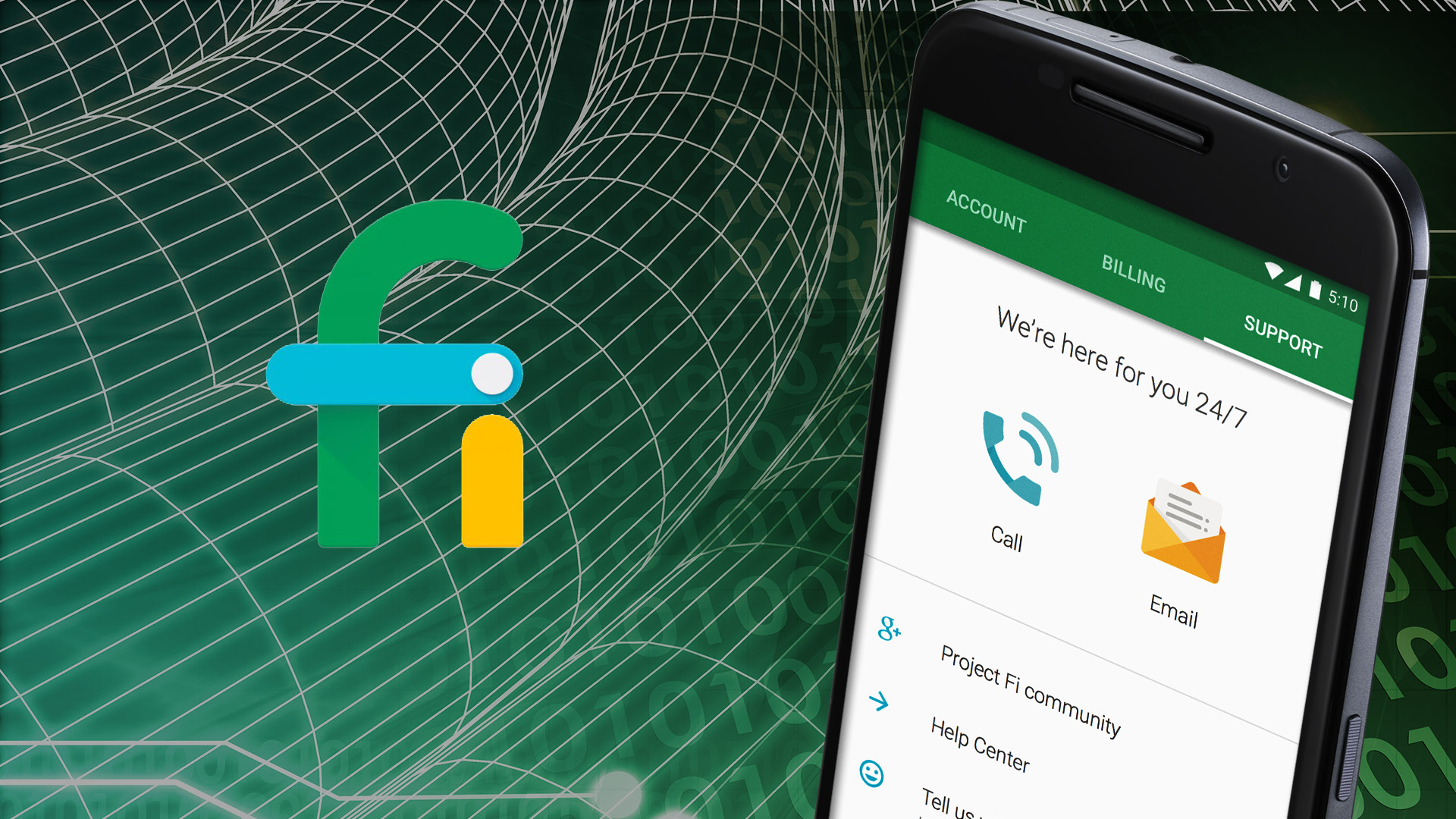
fi_logo Google announced on April 22nd of this year a new program called Fi. Fi combines the wireless networks of Google carrier partners Sprint and T-Mobile with more than 1 million free, open Wi-Fi hotspots Google has verified as fast and reliable.

Rumors that Google intended to enter the mobile virtual network operator field have been circulating since early this year. Users’ devices will move automatically to the fastest connection 4G LTE being the standard in the United States, accessing 3G or 2G if only those speeds are available. The program will work in more than 120 countries. Users can request an invitation to join the program. They can expect a response within 30 days.


Plan Benefits

The $20-a-month Fi Basics plan gives users unlimited domestic talk and text in the U.S., unlimited international texts, Wi-Fi tethering capabilities, and access to international calls at Google’s rates.

Users also will have to pay a $10 a month per GB of data, whether used within the U.S. or abroad.

The cost of the unused portion of the monthly data plan will be taken off the following month’s bill. Excess data use will be charged at $10 per GB. Download speeds outside the U.S. will be 3G. In my opinion, the pricing system is groundbreaking and could resonate with consumers specifically small businesses.


Where the Pain Begins

Fi is a no-contract program, but unlike prepaid plans, users will have to pay taxes which can amount to 20 percent of the bill.

4G Fi coverage is best on the East Coast and in the southeastern U.S. It’s spotty on the West Coast. Large parts of the rest of the U.S. are restricted to 3G or 2G networks, the Google Fi coverage map shows.

At present, Fi works only with Google’s Nexus 6, which will set users back $650 or more, plus applicable taxes. Those who already have this phone will get a free SIM card if they’re accepted into the program.

Emptying Consumers’ Wallets

Consumers with a wireless plan will have to pay termination fees set in their contract, which might be expensive. The average 4G smartphone user consumes nearly 2 GB of cellular data monthly, and that’s likely to double by 2018. So, while on the surface the Fi pricing may appear attractive, heavy data users may not save as much on their monthly bills as they anticipate. The average U.S. smartphone user downloads about three times more data over Wi-Fi than over the cellular network, so some of the perceived advantages of the Wi-Fi offload may be exaggerated.

The Impact on Carriers

The Fi program’s pricing scheme might spur Tier One carriers to follow suit. Meanwhile, T-Mobile and Sprint might be forced to build out their 4G LTE networks, which will be expensive but by cutting a deal with Google, they are looking for a short-term play for perhaps long-term gain and that remains to be seen. Still, Fi could open up service to many more devices. Sprint had a deal some time ago with WiMax. Data share plans add more monthly fees per device on top of the data bucket needed, so it gets to be too expensive. Fi will help put competitive pressure on Verizon and AT&T, which might lose subscribers to their program.

google_fi

What you should know about Cloud Computing

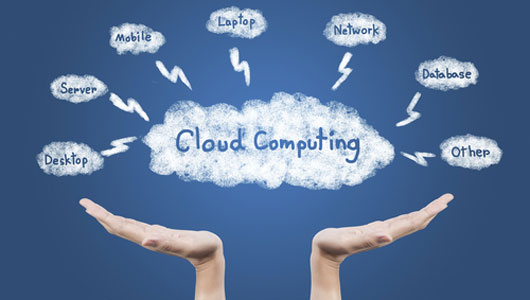
cloud_computing Over the past five years cloud computing has been rapidly picking up steam. Cloud computing is kind of a big deal (like, change the face of IT big), in this article I am going to provide a brief cloud computing introduction. Here are some key points you need to know about cloud computing to help your organization reap its benefits and get you back into the 21st century.

1. There are two versions of cloud to know about

There are several varieties of cloud computing services. Depending on your company’s IT needs, you might be able to use a cloud service instead of investing in new IT hardware. Two of the more popular versions of cloud offerings are Software-as-a-Service (SaaS) and Infrastructure-as-a-Service (IaaS). With SaaS, the cloud service provider hosts your enterprise applications and associated data on its servers and storage systems. Users gain access to SaaS applications using a Web browser. And your company would typically pay a fee per user per month. With IaaS, the provider or Apex IT Solutions in this case, offers virtual machines, physical servers, storage, switching, and connectivity resources to run your enterprise applications on a pay-as-you-go basis. You are responsible for installing and maintaining the operating system and application or virtual machine; the provider is responsible for managing the infrastructure hardware that the applications or virtual machines run on.

2. Cloud Computing Services offer greater flexibility in delivering IT services

Business today is very dynamic. Cloud services let companies quickly ramp capacity up and down to match business needs.

In comparison to legacy hosting services, which often locked companies into contracts for multiple months or years, today’s cloud computing services are offered by the month or based on the consumption of resources. This is a perfect match for some industries, such as retail and financial services, which are subject to boom times and quiet times in their normal business cycles. Maybe you have a new application and are unsure of the speed of growth. A cloud computing service lets you expand and contract IT resources in sync with those cycles.

Need more capacity to handle late summer back to school sales or to support a web site for a trendy service? You can throttle up capacity for several months to support the peak period and then scale back when activities return to normal. Similarly, you can match capacity to demands as business units grow and contract over time. This helps align IT spending with actual needs.

3. Cloud computing gives you the ability to refresh an aging infrastructure without incurring future altering costs. 

This is critical especially for companies that are trying to accommodate new technologies. For instance, many companies today are virtualizing their mission-critical applications. To do so, they need the virtual machines associated with those applications to run on powerful and resilient servers. Cloud computing gives companies a way to do this without having to buy new servers.

5. Cloud frees up staff for other projects. 

IT staff members spend most of their time keeping the proverbial “lights on.” A good portion of an IT staff’s time is dedicated to managing, maintaining, and troubleshooting equipment. Cloud computing providers often offer infrastructure as well as management services, allowing companies to offload those tasks to the provider, thus freeing up IT staff to work on other projects that are more critical to the success of a business in turn saving you money.

As you can see, cloud computing can be many things to different companies. The great thing about cloud computing is that the services can help companies be more responsive to market conditions, all while controlling  IT costs.cloud_computing2


Three things most successful companies do correct

business_success What do most successful businesses have in common? Using available resources to effectively execute business strategies, maintaining a strong focus on the customer and structuring the organization in order to support company objectives are the three basic building blocks that high-performing organizations, regardless of industry or geography, have in common. That finding comes from new research by The Conference Board, an independent business membership and research association.

To better understand what traits link the best businesses, researchers identified 56 companies that rank highly in leadership, financial performance and people management. Those companies include FedEx, Coca-Cola, Target and American Express. The study’s authors then surveyed 76 executives at 27 of those companies to learn how their businesses are run.

Amy Lui Abel, managing director of human capital research at The Conference Board and a co-author of the study, said that when looking from the outside, it may seem as if these companies don’t share much in common. “However, our survey of executives at those four high-performing organizations, and 23 others, revealed a layer of meaningful commonality underlying their success,” Abel said in a statement. “While the DNA of every high-performance culture is unique, they rest on a common catalog of ‘genetic’ elements that proactive leaders will identify, adapt and incorporate into their own company’s identity.”

Based on their surveys, researchers uncovered three common “DNA elements” and the strategies involved in each:

Use resources effectively and efficiently to execute business strategies

  • Create a culture of rigor and standards for financial stability
  • Require process around fiscal management, oversight and decision making
  • Execute strategies in an operationally efficient manner
  • Align organizational structure to support business strategy
  • Create and maintain a culture of accountability

Strong customer focus

  • Delivery high-quality products and services
  • Create a strong customer-centric culture
  • Focus the organization’s process and products on customer needs

Organizational capability to support critical business objectives

  • Attract and retain talent through strong brand reputation
  • Provide learning and development opportunities to all employees
  • Require supervisors to set clear goals and manage performance
  • Raise employee engagement to drive productivity
  • Develop a global mindset among leaders
  • Align rewards and recognition to support business strategy
  • Help managers create effective teams

“In today’s globalized, competitive environment, a huge array of measures — from market capitalization to employee-engagement scores — is available to evaluate a company’s success,” said Rebecca Ray, executive vice president of knowledge organization for The Conference Board and a co-author of the report. “But such numbers alone reveal little about how an organization succeeds, or fails, in adapting to change, developing new capabilities and executing its long-term strategy.”Business_Success2 

Cyber extortion is on the rise

cyber_theftIn 1824, the Duke of Wellington received a letter from a publisher threatening to publish a memoir by his former mistress. The publisher offered to keep the Duke out of the book if he received a sum of money. The Duke reportedly sent the letter back with “Publish and be damned” scrawled on the back.

Fast forward hundreds of years later, extortion not only exists but is thriving. In fact, it has bled over to the digital world.

Over the last couple of years, cyber extortions have revolved around the most valuable aspect of the digital age – data. The first case of cyber extortion, as reported by Thomas Whiteside in his book Computer Capers, occurred in 1971 when two reels of magnetic tape belonging to a branch of the Bank of America were stolen at Los Angeles International Airport. The thieves demanded money for their return, but the ransom was not paid because tape backup was available but things have escalated since.


Cyber extortions have taken on multiple forms, all focused on data – encrypting data and holding it hostage, stealing data and threatening exposure, and denying access to data:


  • Ransomware – As the name suggests, ransomware is a type of malware propagated via the traditional means – phishing emails, website drivebys, malvertising. Once the victim’s device is infected, the ransomware begins to encrypt private files the data, before popping up a message demanding a ransom in exchange for the encryption key. A devastating case of ransomware was Cryptolocker where the attackers demanded payment of $300 in Bitcoins within three days to not only decrypt the files, but to prevent them from being destroyed forever.


  • Denial-of-service attacks – A denial-of-service attack is when an organization’s website or online business is flooded by so much traffic that legitimate users are denied access. In an extortion situation, the cyber extortionists demand money to stop the DDoS. These attacks can be difficult to stop and impacts financial revenue. Many tech startups are reportedly targets because many do not have the infrastructure to defend against them. Meetup, Basecamp, Bit.ly, Shutterstock and MailChimp have all been targeted.


  • Holding sensitive data hostage – Stealing data and threatening exposure is nothing new. In 2007, Nokia paid millions of euros to ensure that an encryption key for their Symbian OS would not be released to the public. In June 2014, a cyber-extortionist group called Rex Mundi claimed it had customer records for 650,000 European Domino’s Pizza customers. Rex Mundi threatened to release those records if the company didn’t pay a ransom of about $41,000. In January 2015, the same group demanded a ransom from a bank in exchange for nothing releasing 30,000 emails with sensitive data if the bank didn’t pay a ransom. Neither victim paid.


  • Holding AWS accounts hostage – In June of last year, an attacker took over Code Spaces’ AWS administrative panel, and offered to return controls for a price. When the company refused, the attacker began to delete data, backups and configurations, putting Code Spaces out of business. The same pattern of attack occurred with Websolr and Bonsai, two search application infrastructure services provided by One More Cloud LLC, but they managed to recover.


One of the reasons these attacks have grown exponentially is because of the availability of digital currency. Instead of having to deal with physical cash and paper trails, extortionists now benefit from anonymized digital transactions with Bitcoin. Anyone can set up a Bitcoin wallet address without any financial oversight, which means any cyber extortionist can carry out an attack and extract payment.


Is there anything that can be done to prevent cyber extortion? Quite simply, identify and categorize your data. Spend your efforts protecting the most critical data. The easiest way to do this is by moving your data to the cloud. Why? Because when your data is in a corporate approved cloud storage application, you’ll know exactly where it is versus being distributed across multiple endpoints, personal email accounts and internal servers in data centers. The combination of security from your cloud application vendor, and a cloud access security broker probably delivers better security than most organizations can for their internal data center.

As long as companies continue to pay ransoms when attacked, we should expect cyber extortion to continue for a long time. envelope_cash