
Controlled internet-edge policy for Orange County businesses
Manage Firewall Policy as an Ongoing Business Control
A business firewall controls defined traffic between networks. It may separate the internet from internal systems, regulate traffic between network segments, support approved VPN connections, and create logs about selected activity. Those functions depend on a suitable appliance, supported software, current licensing, a documented rule set, and people who authorize and test changes.
Apex IT Solutions helps Orange County businesses assess, configure, maintain, document, and troubleshoot supported firewalls within an agreed scope. Managed firewall work is not a promise that one appliance will stop every malicious action. A firewall does not replace endpoint protection, identity security, backups, employee procedures, or a separately defined cybersecurity-monitoring service.
A Firewall Enforces Defined Network Decisions
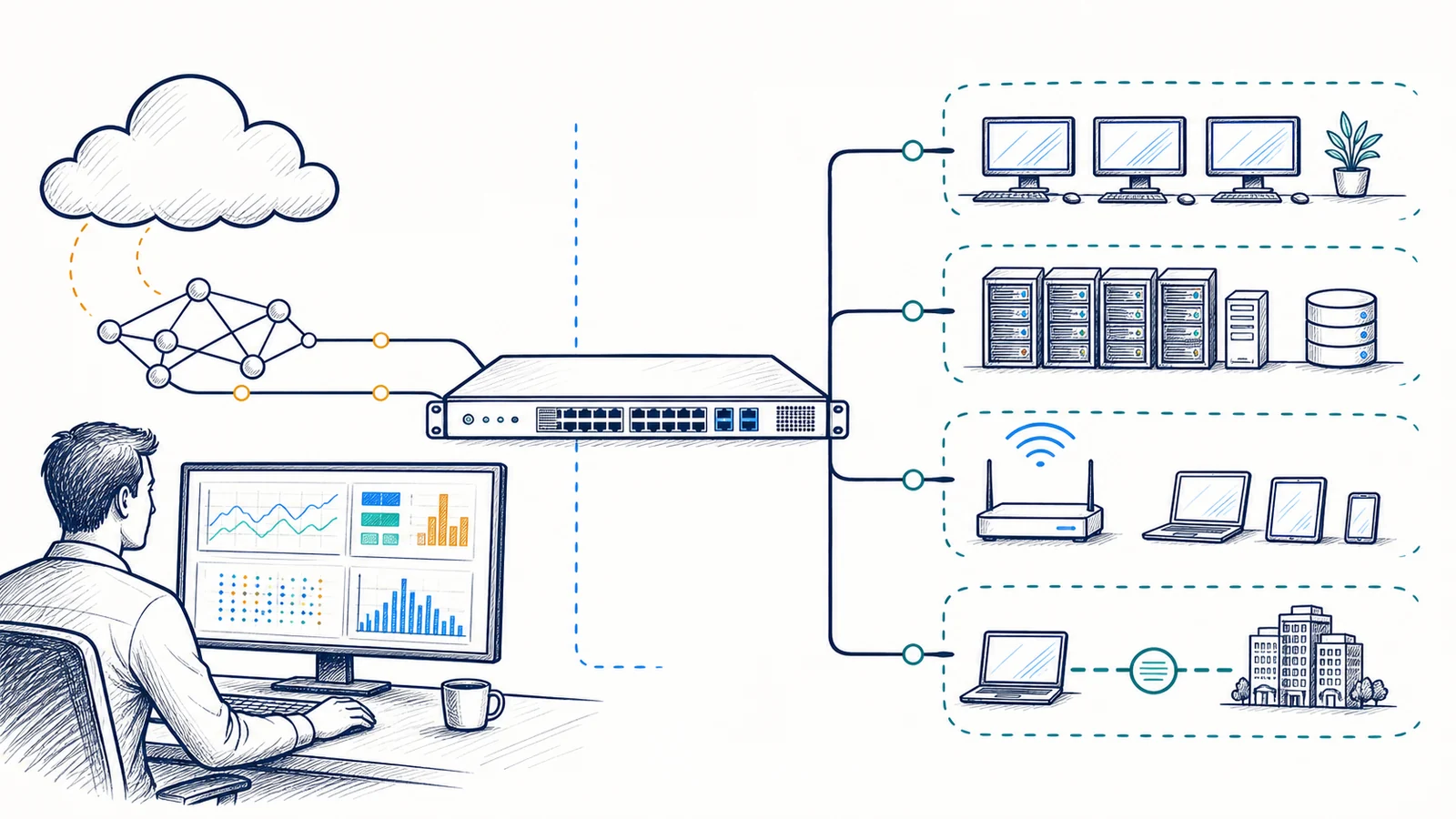
A firewall evaluates traffic against configured policy. Inbound controls can limit unsolicited connections from the internet to internal services. Outbound controls can regulate which internal systems may initiate connections to external destinations. Rules between internal zones can limit unnecessary paths among employee devices, servers, phones, guest Wi-Fi, supported operational equipment, and management interfaces.
The result is only as sound as the design and information behind it. An overly broad rule may expose more systems than intended; an overly narrow rule may interrupt an application. A permitted connection can still carry harmful content or be used through a compromised credential. Encrypted traffic may limit inspection unless the platform, licensing, certificates, endpoints, privacy requirements, and application behavior support an approved inspection design.
Unexpected Exposure
Old port-forwarding rules, broad source ranges, unused remote administration, or rules created for a former vendor deserve review. Removing a rule still requires ownership confirmation and testing.
Application Disruption
Blocked services, unreliable cloud access, failed vendor connections, or one-way communication may involve firewall policy, but DNS, routing, the ISP, the endpoint, and the application also need consideration.
Unclear Ownership
Missing administrative access, unknown licensing, undocumented changes, and no current configuration backup can delay safe work. Ownership and recovery prerequisites should be established before a major change.
Aging Platform
Unsupported hardware or software can restrict updates, security features, replacement options, and vendor assistance. Lifecycle planning should happen before a failure forces an urgent migration.
Build Rules From Approved Business Requirements
A firewall rule should have a purpose, owner, source, destination, service or application, direction, and review condition. Apex may review inbound, outbound, and inter-zone controls; identify duplicate, shadowed, expired, or unusually broad entries; and translate an approved requirement into a supported configuration. Where the platform permits it, rules can use address objects, groups, schedules, application categories, or other maintainable objects rather than scattered entries.
Rule management is not simply opening or closing a port. The requesting party should identify the system owner, data path, vendor requirement, expected users, duration, and test method. Internet-facing services may require additional controls and an explicit risk decision. Outbound restrictions must account for software updates, cloud services, DNS, time synchronization, identity, and vendor endpoints that can change.
Every material change needs authorization, a record of the prior state, an impact review, an appropriate window, validation of intended and blocked traffic, and a rollback approach. Emergency work can reduce preparation time, but it should not erase accountability or documentation. Credentials and sensitive configuration details belong in approved secure records, not in general user documentation.
Segmentation, VPN, and Remote Access Depend on More Than the Firewall
Network segmentation uses defined boundaries to reduce unnecessary communication between groups of systems. A firewall may enforce policy between VLANs or zones, but the design also depends on switching, addressing, routing, DHCP, DNS, wireless networks, and application requirements. Creating VLAN names without carrying the boundaries through the network does not create effective separation.
Site-to-site VPNs can connect approved network ranges at separate business locations. Remote-access VPNs can provide supported users with a controlled path to selected resources. Both depend on compatible gateways, supported encryption settings, identity or keys, licensing, internet service, addressing, routes, and policy on each side. Remote access should follow least privilege and an account-removal process; the tunnel does not make an unmanaged endpoint trustworthy.
Firewall changes can affect phones, cloud applications, vendor systems, remote workers, and branch offices. Representative workflow testing is more useful than confirming only that a tunnel is established or that a device responds to a basic network test. For focused access planning, see VPN and secure remote access services.
Secure Configuration Requires Supported Software and an Owned Lifecycle
Firewall maintenance may include reviewing administrative access, disabling unused management paths, limiting who can change settings, checking time and name-resolution dependencies, protecting configuration records, and applying vendor-supported software or firmware updates. Update work should consider release guidance, hardware compatibility, current configuration, licenses, VPN peers, expected restart behavior, a maintenance window, and a rollback or recovery path.
Subscriptions can control access to firmware, vendor support, security intelligence, filtering categories, VPN capacity, reporting, or other functions. Hardware and licenses are not assumed to be included in a management arrangement. Apex first verifies the make, model, serial or entitlement information where needed, support status, current version, available capacity, ownership, and renewal responsibility.
Configuration backups help recover known settings, but they are not the same as high availability. A high-availability pair may reduce the effect of some appliance failures where the vendor, models, licensing, cabling, power, software versions, synchronization, and design support it. It does not remove shared dependencies such as one carrier, one power source, common switching, configuration errors, or application sessions that do not survive a path change. Failover behavior should be documented and tested within an approved window.
Logs Create Records; They Do Not Create a Staffed Security Operation
Firewall logs may record allowed or denied connections, VPN events, administrative changes, system messages, or licensed security events. Available detail depends on the platform, enabled features, policy, time settings, storage, retention, and whether traffic is encrypted or otherwise outside inspection. Logging levels must balance usefulness with storage, performance, privacy, and operational needs.
Alerts can route selected conditions to designated recipients, but the existence of a log or alert does not mean a person is continuously reviewing it. Notification delivery, human availability, severity definitions, triage, escalation, and response expectations must be stated in the applicable service arrangement. Managed firewall administration is distinct from a security information and event management platform, a staffed security operations center, endpoint detection, or incident-response retainer.
After a suspected incident, available firewall records may help establish connection times, addresses, rule actions, VPN events, or changes. They may also be incomplete because retention expired, a feature was not enabled, traffic was encrypted, the appliance restarted, time was inaccurate, or activity occurred on an endpoint or cloud service beyond the firewall’s view. Preserving available logs and configuration state can support investigation, but a managed firewall service does not by itself provide forensic completeness, attribution, legal conclusions, or recovery of missing evidence.
Define the Managed Firewall Scope Before Depending on It
A Defined Scope May Include
- Inventory, ownership, support-status, licensing, and configuration review for approved firewall devices
- Policy and rule review for inbound, outbound, inter-zone, site-to-site VPN, and remote-access traffic
- Supported firmware planning, secure administration settings, and configuration backups
- Authorized rule changes with impact review, testing, documentation, and rollback planning
- Selected logging and alert configuration with documented recipients and escalation boundaries
- Coordination with internet carriers, application vendors, identity systems, endpoint support, and network owners
It Does Not Automatically Include
- Firewall hardware, subscriptions, renewals, replacement parts, internet circuits, or third-party fees
- Support for every vendor, model, version, feature, application, protocol, or location
- Continuous human log review, a staffed SOC, incident forensics, or a promised response time
- Endpoint protection, identity administration, backups, application support, or user-security training
- Carrier availability, uninterrupted failover, threat elimination, or a fixed uptime outcome
- Compliance certification, formal attestation, legal advice, or proof that no vulnerability exists
The customer remains responsible for authorizing changes, identifying application owners, maintaining required licenses and vendor relationships, providing approved administrative access, reporting staffing or vendor changes, and participating in workflow testing. An ISP or third-party administrator may control equipment or settings that Apex cannot change. Work outside the agreed scope requires review and authorization.
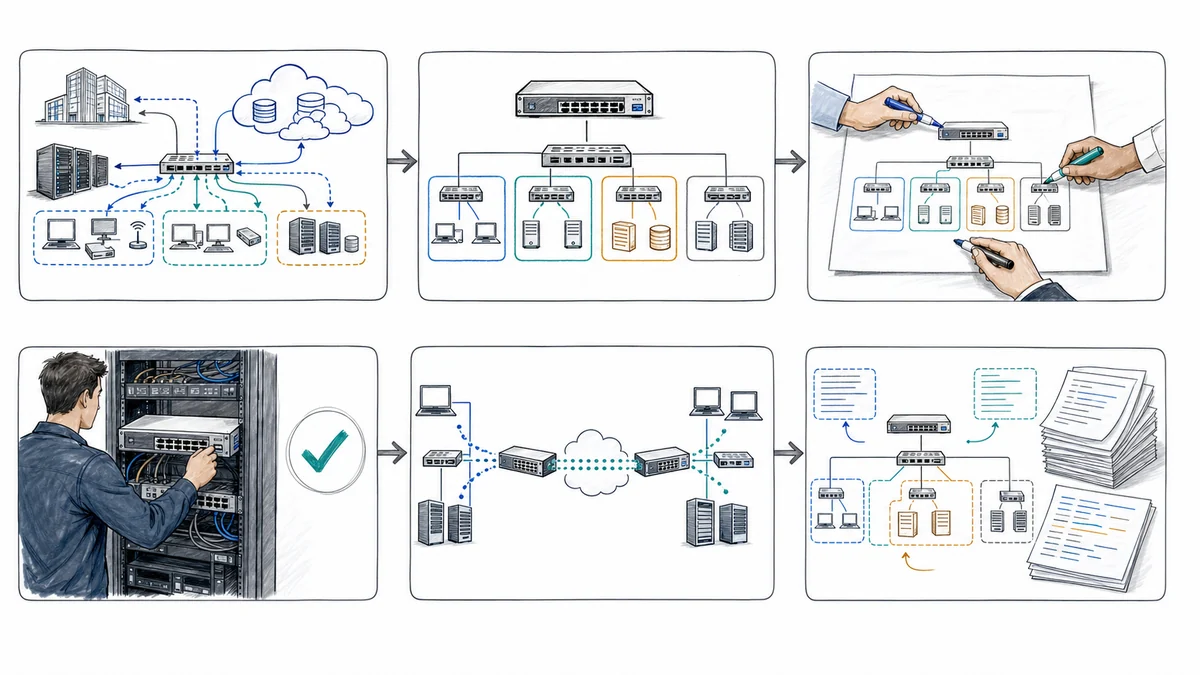
A Reviewable Managed Firewall Process
- Identify the business environment. Document locations, internet circuits, important applications, remote users, connected sites, network segments, vendors, support contacts, and tolerance for planned interruption.
- Establish ownership and access. Verify the supported appliance, administrative authority, configuration ownership, licensing, support status, current software, vendor portal access, and available recovery methods.
- Review policy and dependencies. Map interfaces, zones, routes, inbound and outbound rules, VPNs, remote administration, logs, alerts, DNS, identity, endpoints, and carrier or application dependencies.
- Prioritize approved work. Separate urgent exposure or support issues from maintenance and design improvements. Define the requestor, approver, expected effect, test plan, window, and rollback path.
- Back up and implement. Preserve an appropriate known configuration, apply the authorized supported change, and protect credentials and sensitive records through approved methods.
- Test intended and blocked paths. Validate representative users, applications, sites, VPNs, network zones, logs, and management access. Coordinate with the responsible vendor when the result depends on a third-party system.
- Document and review. Record the reason, approval, settings changed, test result, limitations, open items, configuration reference, and next review condition. Remove expired access when the business owner confirms it is no longer needed.
Managed Firewall Support for Orange County Business Locations
Apex IT Solutions works with businesses and organizations in Anaheim, Irvine, Santa Ana, Costa Mesa, Fullerton, Brea, Buena Park, and other Orange County communities where service is operationally available. Professional offices, warehouses, medical and operational workplaces, and multi-location organizations can have different carriers, applications, equipment, vendors, schedules, and change constraints. The firewall scope should reflect the actual workplace rather than assume one policy fits every business.
Remote service may be appropriate when a supported firewall is reachable, administrative access is authorized, and the required evidence is available. Onsite work may be needed to inspect cabling, power, carrier handoffs, rack connections, hardware state, or a device that cannot be reached safely. Onsite availability does not remove vendor, ISP, replacement-equipment, licensing, or change-window dependencies.
Managed Firewall Services FAQs
What does managed firewall service cover?
Coverage is defined for approved devices and may include configuration review, rule changes, supported updates, configuration backups, VPN settings, selected logs and alerts, documentation, and vendor coordination. Hardware, subscriptions, security-event monitoring, response commitments, and onsite work are included only when the applicable proposal or agreement says so.
Does a firewall replace endpoint protection?
No. A firewall controls defined network traffic, while endpoint protection addresses activity on supported workstations and servers. Identity controls, software updates, backups, user procedures, application security, and physical safeguards remain separate layers. A permitted or encrypted connection can still involve a compromised endpoint or credential.
Can a firewall block every cyber threat?
No. Results depend on policy, visibility, enabled and licensed features, updates, traffic patterns, endpoints, identities, applications, and user behavior. Some traffic is encrypted or travels through services beyond the firewall’s view. The goal is to enforce approved policy and reduce avoidable exposure, not represent that all harmful activity will be stopped.
How are firewall rule changes approved?
The business should identify an authorized requestor and approver. A useful request includes the source, destination, service, purpose, owner, duration, timing, and test plan. Apex can review the effect, record the prior state, schedule the change, validate intended and blocked traffic, and document the result within the agreed scope.
Does firewall logging mean someone is always reviewing events?
No. The appliance may create records and automated notifications when its dependencies are available, but human review is separate. Support hours, recipients, severity, triage, escalation, and response expectations are governed by the selected service arrangement. Managed administration should not be confused with a staffed security operations center.
What can limit firewall visibility?
Encryption, unsupported protocols, unavailable licenses, disabled features, storage limits, retention settings, application design, endpoint-to-cloud traffic, and activity occurring outside the observed path can limit what is recorded or inspected. Decryption, where supported, introduces certificate, privacy, compatibility, performance, and policy considerations that require separate evaluation.
Does a high-availability firewall pair prevent outages?
No. A compatible pair may address some appliance failures, but shared power, switching, cabling, carrier service, configuration, licensing, software, and application behavior remain dependencies. Failover may interrupt sessions and should be tested under an approved plan. A configuration backup alone does not provide automatic failover.
How do we begin a managed firewall review?
Provide the Orange County locations, firewall make and model, known ownership and licensing, internet providers, important applications, VPNs, network segments, current symptoms, recent changes, and authorized contacts. Do not send passwords through an unapproved channel. Request IT Support or call (800) 275-6513.
Start With the Firewall You Have and the Business Paths It Must Support
Share the locations, carriers, applications, remote-access needs, current appliance, known rule concerns, and people authorized to approve changes. Apex IT Solutions can review the supported environment, identify dependencies and boundaries, and recommend a practical next step.