
Practical cybersecurity assessment for Orange County businesses
Turn Available Evidence Into Prioritized, Actionable Security Work
A cybersecurity assessment helps a business understand how its current accounts, cloud services, endpoints, email, backups, policies, users, vendors, maintenance practices, and incident-readiness procedures fit together. The goal is not to create a dramatic list of theoretical problems. It is to establish an authorized scope, collect available evidence, identify conditions that deserve attention, explain business relevance, and organize practical next steps.
Apex IT Solutions performs assessments directly for business customers. Assessments are included for managed-services customers under their applicable service plan and are available as separately quoted projects for other businesses. Apex uses third-party tools where appropriate, but tools support the review rather than replace professional judgment, interviews, documentation, and validation.
The assessment deliverable includes findings, prioritized risks, a roadmap, and a presentation. Follow-up validation is a separate quoted service. The assessment is not penetration testing, a compliance certification, legal advice, a forensic investigation, or a guarantee that every weakness will be discovered.
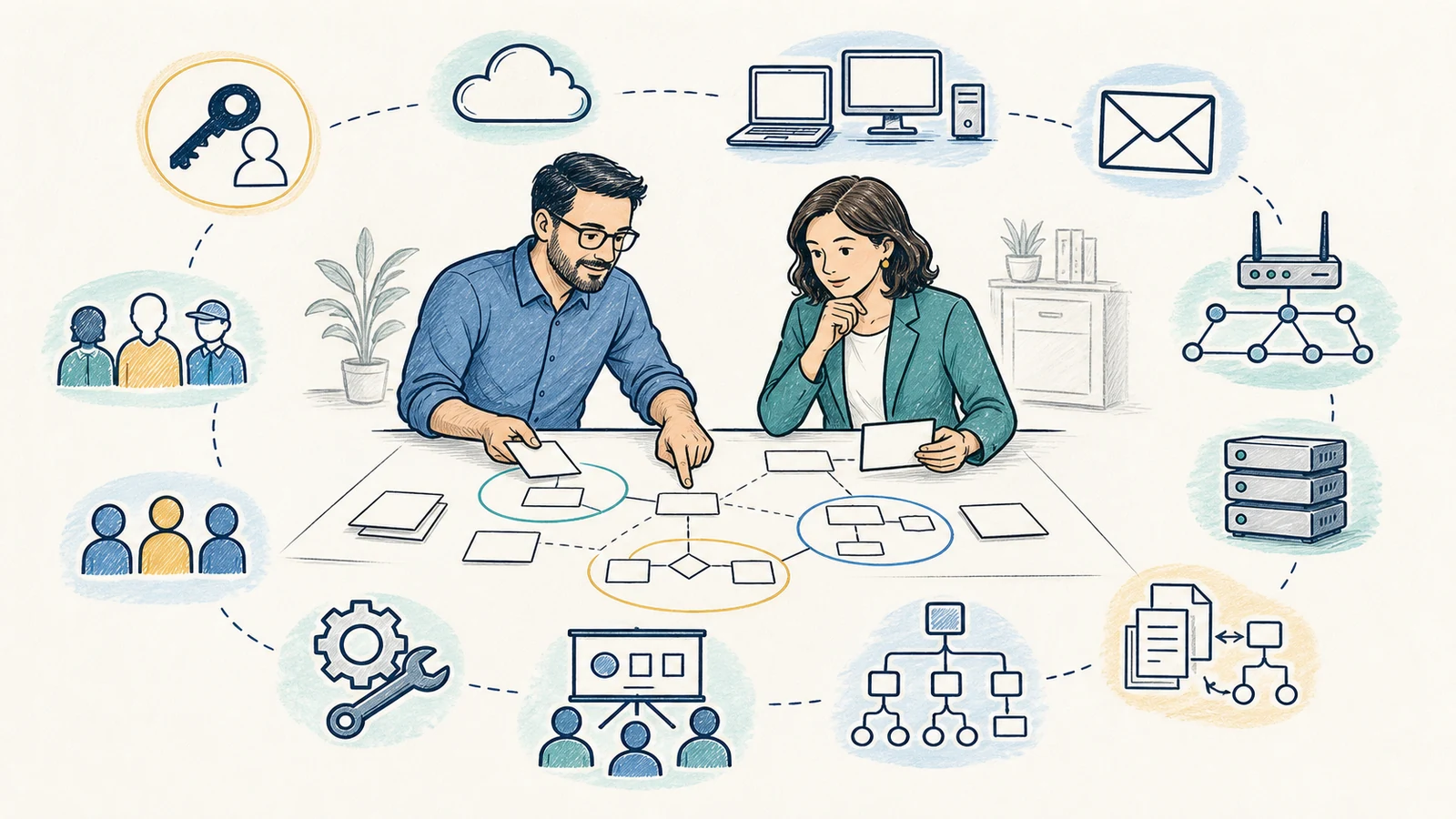
Assess the Environment You Actually Operate
Small businesses often build technology over time. A Microsoft 365 tenant may have been configured before the current staff joined. Workstations may be purchased in different years. A firewall may contain rules for a former vendor. Email controls, backup jobs, administrator accounts, shared files, remote access, and employee procedures may be owned by different people. Individual controls can appear reasonable while important relationships, exceptions, or responsibilities remain unclear.
An assessment creates a structured view of that environment. It can compare documented expectations with available technical evidence, identify unsupported or unknown conditions, and distinguish a verified issue from a question that needs more information. The work is most useful when it connects technical findings to business operations: access to important data, continuity of work, payment or communication risk, administrative privilege, customer commitments, vendor dependencies, and recovery readiness.
Establish a Baseline
Record the people, systems, accounts, platforms, locations, vendors, and responsibilities included in the review. A baseline makes gaps and ownership questions easier to discuss without assuming complete visibility.
Verify Available Evidence
Review supported configurations, inventories, account roles, licensing, endpoint status, selected logs, policies, backup information, alerts, diagrams, and interviews within the authorized scope.
Prioritize Real Work
Consider exposure, privilege, business impact, support status, existing safeguards, likelihood, change risk, dependencies, cost, and effort rather than treating every observation as equally urgent.
Clarify Ownership
Identify what Apex can address, what the customer must decide, what an application or platform vendor owns, and what requires legal, compliance, insurance, audit, or other specialist advice.
Plan in Stages
Organize immediate administrative corrections, short-term technical work, longer-term projects, process improvements, licensing decisions, equipment changes, and recurring maintenance.
Communicate Clearly
Present findings in language business owners can use to approve work, assign responsibilities, coordinate vendors, document accepted limitations, and schedule follow-up.
Review Technical Controls and the Processes Around Them
Apex assessments can cover identity, Microsoft 365, endpoint security, email security, backups, policies and processes, users and vendors, patching, security awareness, and incident readiness. The actual depth of each area depends on access, authorization, licensing, supported systems, available evidence, business priorities, and the agreed scope.
Identity and Microsoft 365
- User, administrator, shared, service, and vendor-account inventory
- Role assignment and administrative privilege
- Multi-factor authentication and recovery-method considerations
- Onboarding, role changes, and offboarding procedures
- Supported sign-in, forwarding, sharing, and application-access evidence
- Licensing or visibility limits that affect available controls
See Microsoft 365 support for related administration and remediation services.
Endpoints, Email, and Networks
- Supported workstation inventory, operating condition, agent status, and administrative access
- Antivirus or managed endpoint coverage visible to available tools
- Email filtering, authentication, reporting, and quarantine dependencies
- Firewall ownership, selected policy, remote access, segmentation, and management paths
- Unsupported hardware, software, or unverified systems requiring separate decisions
- Selected monitoring and alert-delivery responsibilities
Focused services include email security, managed firewalls, and network security assessments.
Backups and Recovery Readiness
- Important systems and data identified by the business
- Protected sources, destinations, retention, access, and available status records
- Restoration priorities and business dependencies
- Available test history and known exclusions
- Administrative and vendor ownership
- Gaps requiring additional design, testing, or recovery planning
Review related business backup and disaster recovery services.
Policies, People, Vendors, and Readiness
- Written or informal security responsibilities and approval paths
- Employee access changes, acceptable-use expectations, and awareness practices
- Vendor access, administration, contacts, and escalation boundaries
- Patch and maintenance ownership for supported technology
- Internal reporting, customer contacts, decision authority, and documentation
- Incident-readiness questions and specialist dependencies
Use Tools to Collect Evidence—Not to Manufacture Certainty
Apex uses third-party tools where appropriate to support assessment work. A tool may help inventory supported endpoints, display configuration, examine account roles, identify visible software conditions, report selected security settings, summarize available logs, or organize evidence. The value depends on successful access, data quality, platform support, licensing, retention, configuration, and the systems that are actually connected.
A scanner result, dashboard, installed agent, policy setting, or successful backup notice proves only a limited fact. It does not automatically establish that every device is enrolled, every account is known, every setting is effective, every vulnerability is visible, or every business process follows the documented rule. Tool output therefore needs context from administrators, users, vendors, service agreements, diagrams, invoices, change records, and operational knowledge.
Some evidence may not be available. A platform may retain limited history. A former vendor may own an account. A device may be offline. A product may not expose the necessary details. An unsupported system may need a different specialist. The assessment should record those limitations rather than convert missing evidence into an unsupported conclusion.
Define Scope Before Collecting Evidence or Recommending Changes
- Discovery. Discuss the business concern, important operations, users, locations, systems, recent changes, known incidents, existing providers, deadlines, and desired decisions.
- Authorization and scope. Identify included accounts, tenants, endpoints, email systems, backups, networks, policies, people, vendors, techniques, exclusions, and approved contacts.
- Evidence collection. Gather available records, inventories, configurations, account information, selected tool output, policy documents, backup information, interviews, and supporting context.
- Review and correlation. Compare evidence across technical and operational areas, distinguish verified conditions from assumptions, and identify dependencies or missing ownership.
- Risk prioritization. Consider business impact, privilege, exposure, support status, existing safeguards, maintenance, change risk, available workarounds, and effort.
- Roadmap development. Organize immediate, short-term, and longer-term work; assign likely owners; note approvals, licensing, equipment, vendor, backup, scheduling, and rollback needs.
- Presentation. Explain findings, limitations, priorities, dependencies, and proposed next steps to the designated business stakeholders.
- Separately scoped follow-up. Quote remediation or later validation where the customer wants Apex to implement changes or verify an updated condition.
Assessment activity is generally non-destructive and review-oriented. A proposed configuration change, isolation action, software deployment, penetration test, or disruptive validation is not implied by the assessment label. Any change requires separate authorization, planning, and an appropriate implementation scope.
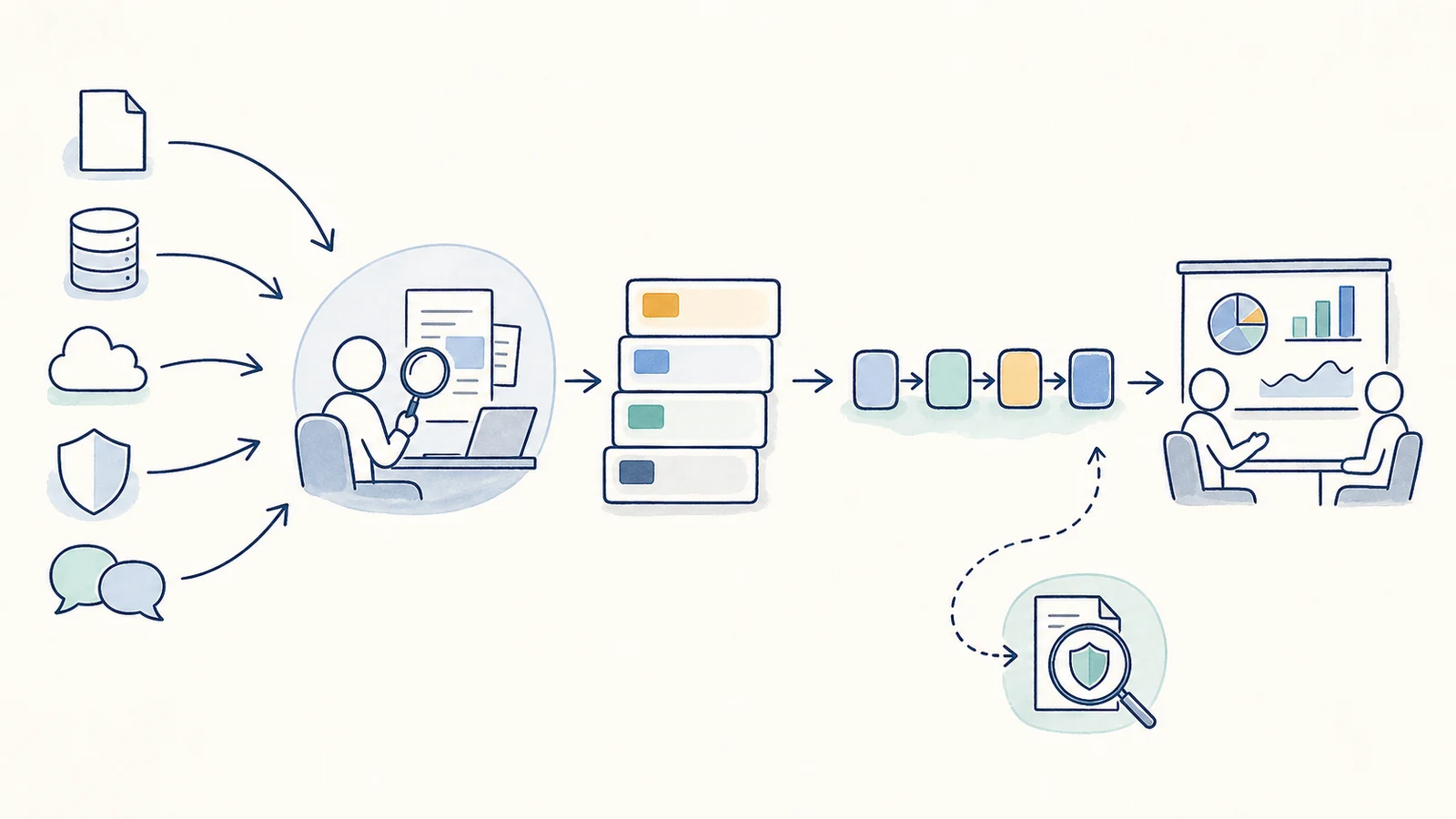
Receive Findings, Prioritized Risks, a Roadmap, and a Presentation
Apex provides four connected deliverables. Findings record observed conditions, supporting context, affected areas, known limitations, and why the item matters. Prioritized risks help the business distinguish urgent administrative or exposure concerns from maintenance work, design projects, process improvements, and lower-priority observations.
The roadmap translates findings into practical work. It can identify likely owners, sequence, dependencies, customer decisions, vendor coordination, licensing, replacement equipment, downtime or disruption considerations, backup or rollback needs, and validation steps. It is a planning tool, not a guarantee that every recommended action will be approved, affordable, compatible, or completed on a fixed timeline.
The presentation gives owners and designated stakeholders an opportunity to ask questions, correct context, confirm priorities, and decide what should happen next. Technical language is connected to business operations without converting the assessment into legal, compliance, insurance, or audit advice.
Remediation and follow-up validation are separate from the assessment unless the written proposal explicitly says otherwise. Follow-up validation is separately quoted because the scope may depend on which findings the customer chooses to address, which systems change, what evidence becomes available, and whether another provider completed the work.
Know What the Assessment Does Not Establish
The Assessment Can
- Review the agreed business and technical areas
- Use available evidence and third-party tools
- Document observations and visibility limits
- Prioritize risks using technical and business context
- Identify unsupported systems and ownership gaps
- Develop a staged roadmap
- Present findings to designated stakeholders
- Support later remediation or validation under a separate scope
It Does Not Automatically Include
- Penetration testing, exploit attempts, red-team activity, or other offensive testing
- Discovery of every weakness, account, endpoint, or threat
- A compliance certification, formal audit, or legal interpretation
- Digital forensics, breach determination, regulatory notification, or insurance advice
- A staffed 24/7 SOC, SIEM service, MDR service, or threat hunting
- Guaranteed remediation, response, recovery, uptime, or business outcome
- Unapproved changes, device isolation, software deployment, or service interruption
- Licenses, hardware, third-party fees, or implementation unless quoted
Businesses with contractual, regulatory, insurance, or legal obligations should involve the appropriate advisers. Apex can help gather supported technical evidence and implement approved technology changes, but it does not certify compliance or replace a qualified auditor, attorney, insurer, forensic provider, or incident-response specialist.
Provide Accurate Scope, Authorized Access, and Business Context
The customer designates authorized contacts, confirms which systems and locations are included, identifies important business operations, discloses known providers and ownership, and approves access. The customer should provide available account, platform, licensing, policy, vendor, backup, inventory, and change information through an approved secure method. Passwords, recovery codes, or sensitive records should not be sent through the public contact form.
Administrators and business owners may need to participate in interviews, clarify why a configuration exists, identify operational constraints, and confirm whether a system is still required. Vendors may need to supply records or access that Apex cannot independently obtain. If evidence conflicts, the assessment should record the conflict and recommend a way to resolve it rather than choose an unsupported answer.
The customer also decides which findings to accept, remediate, defer, transfer, or investigate further. Some recommendations may require application testing, maintenance windows, replacement equipment, subscription changes, employee communication, legal or compliance input, or coordination with another provider.
Use Recurring Assessments or a Defined Project
Assessments are included for managed-services customers according to their applicable plan and service agreement. The recurring model can connect assessment findings with ongoing inventory, documentation, user administration, maintenance, endpoint, email, firewall, backup, vendor, and support responsibilities. It does not remove the need to define the scope and evidence available for each review.
Other business customers can request a project-based assessment. Project pricing depends on the number and type of systems, users, locations, platforms, vendors, available documentation, access, onsite requirements, depth, and deliverables. The proposal identifies what is included, what the customer must provide, and what work is separate.
A business may also begin with a focused network security assessment when the immediate concern is limited to firewalls, routers, switches, VLANs, Wi-Fi, VPNs, exposed services, administration, and segmentation. A broader cybersecurity assessment covers additional identity, Microsoft 365, endpoint, email, backup, people, vendor, policy, maintenance, awareness, and readiness areas.
Cybersecurity Assessments for Orange County Businesses
Apex serves business customers in Orange County, including Anaheim, Irvine, Santa Ana, Costa Mesa, Fullerton, Brea, Buena Park, and nearby communities where service is available. Most discovery, account, cloud, endpoint, email, document, and interview work can be completed remotely when authorized access is available.
Onsite work may be appropriate when the assessment involves physical network equipment, local-only systems, an equipment rack, disconnected devices, site-specific operations, or evidence that cannot be collected safely through remote access. The required mix is determined during scope development rather than assumed from the page.
Cybersecurity Assessment FAQs
What areas can the assessment cover?
The agreed scope can cover identity, Microsoft 365, endpoint security, email security, backups, policies and processes, users and vendors, patch practices, awareness, and incident readiness. Depth depends on authorization, supported systems, licensing, access, available evidence, and business priorities.
Is this only for managed-services customers?
No. Assessments are included for managed-services customers under their applicable plan and are available as separately quoted projects for other business customers.
Does Apex use automated assessment tools?
Apex uses third-party tools where appropriate, but tool output is only one evidence source. Results are reviewed with configurations, inventories, documentation, interviews, platform limits, licensing, vendor ownership, and business context.
Will the assessment find every vulnerability?
No. Findings depend on scope, access, tool coverage, platform support, licensing, retention, system availability, documentation, and evidence quality. The deliverable records important limitations and unknowns; it does not guarantee complete discovery.
Is penetration testing included?
No. Penetration testing, exploit attempts, red-team activity, and other offensive testing are not included in the standard assessment. Any specialized testing would require explicit authorization and a separate qualified scope.
Does the assessment certify compliance?
No. Apex can review supported technical controls, document evidence, identify gaps, and help implement approved changes. Certification, formal audit, legal interpretation, and regulatory determinations belong with qualified legal, compliance, audit, insurance, or other advisers.
What deliverables do we receive?
Apex provides findings, prioritized risks, a practical roadmap, and a presentation. The exact format and depth are confirmed in the proposal or managed-service scope.
Is remediation included?
Not automatically. The assessment identifies and prioritizes work. Remediation may be quoted as a project or handled under an applicable managed-service agreement. Licensing, hardware, vendor fees, and disruptive changes are included only when the written scope says so.
How does follow-up validation work?
Follow-up validation is separately quoted after the customer decides which findings to address. The validation scope identifies the changed systems, responsible provider, available evidence, and conditions that Apex will recheck.
How do we get started?
Use the Request IT Support form to describe the business, users, locations, systems, Microsoft 365 or email platform, endpoints, network, backups, providers, recent concerns, and desired decisions, or call (800) 275-6513. Do not send passwords or sensitive evidence through the public form.
Build the Assessment Around the Decisions Your Business Needs to Make
Tell Apex which systems, users, locations, vendors, recent concerns, and business operations need review. We can define a managed or project-based assessment that produces findings, priorities, a roadmap, and a presentation without overstating what the available evidence can prove.