
Structured fault isolation for Orange County businesses
Turn Intermittent Network Symptoms Into Evidence and an Actionable Next Step
Slow applications, dropped calls, unstable Wi-Fi, failed connections, and internet interruptions can look alike to employees even when they have different causes. The fault may be in a workstation, wireless link, cable, switch port, VLAN, router, firewall, DNS or DHCP service, internet circuit, remote application, or provider network. Changing equipment before isolating the affected layer can hide evidence, add risk, and leave the original condition unresolved.
Apex IT Solutions helps Orange County businesses reproduce symptoms, measure conditions, compare affected and working paths, isolate likely fault domains, coordinate approved changes, and document results. The objective is a supportable diagnosis and proportionate correction—not a promise that every fault will be corrected on first contact. Some incidents can be investigated remotely; physical-layer, wireless, power, rack, and carrier-handoff conditions may require onsite inspection or third-party participation.
Describe the Symptom Before Naming the Cause
A useful report says who was affected, what task failed, where and when it happened, how long it lasted, and what still worked. “The network is slow” may mean one cloud application pauses, one floor loses Wi-Fi, a file transfer stalls, or every device at one site loses internet access. Those patterns point to different tests. Apex may review timestamps, user reports, screenshots, device status, interface counters, logs, addressing, recent changes, and provider information to build a timeline.
Intermittent Connectivity
Short drops may align with a failing link, wireless roaming, address renewal, loop protection, power instability, circuit loss, firewall state, or a remote service. Repeated timestamps and affected-path details help separate a pattern from unrelated events.
Slowness, Latency, and Packet Loss
Delay and failed packet delivery can arise on a local link, congested path, wireless channel, internet circuit, VPN, server, or provider route. Results must identify the test endpoints, direction, time, protocol, and load; one speed test does not characterize every workflow.
Limited Reachability
If users can reach an IP address but not a name, DNS deserves attention. If one subnet or service fails while others work, routing, VLAN membership, access controls, or application listening state may be involved.
Changes and Recurrence
New equipment, firmware, firewall rules, cabling moves, ISP work, office reconfiguration, or application updates can provide context. A prior change is a lead to test, not proof of responsibility.
Reproduce, Measure, Compare, and Isolate
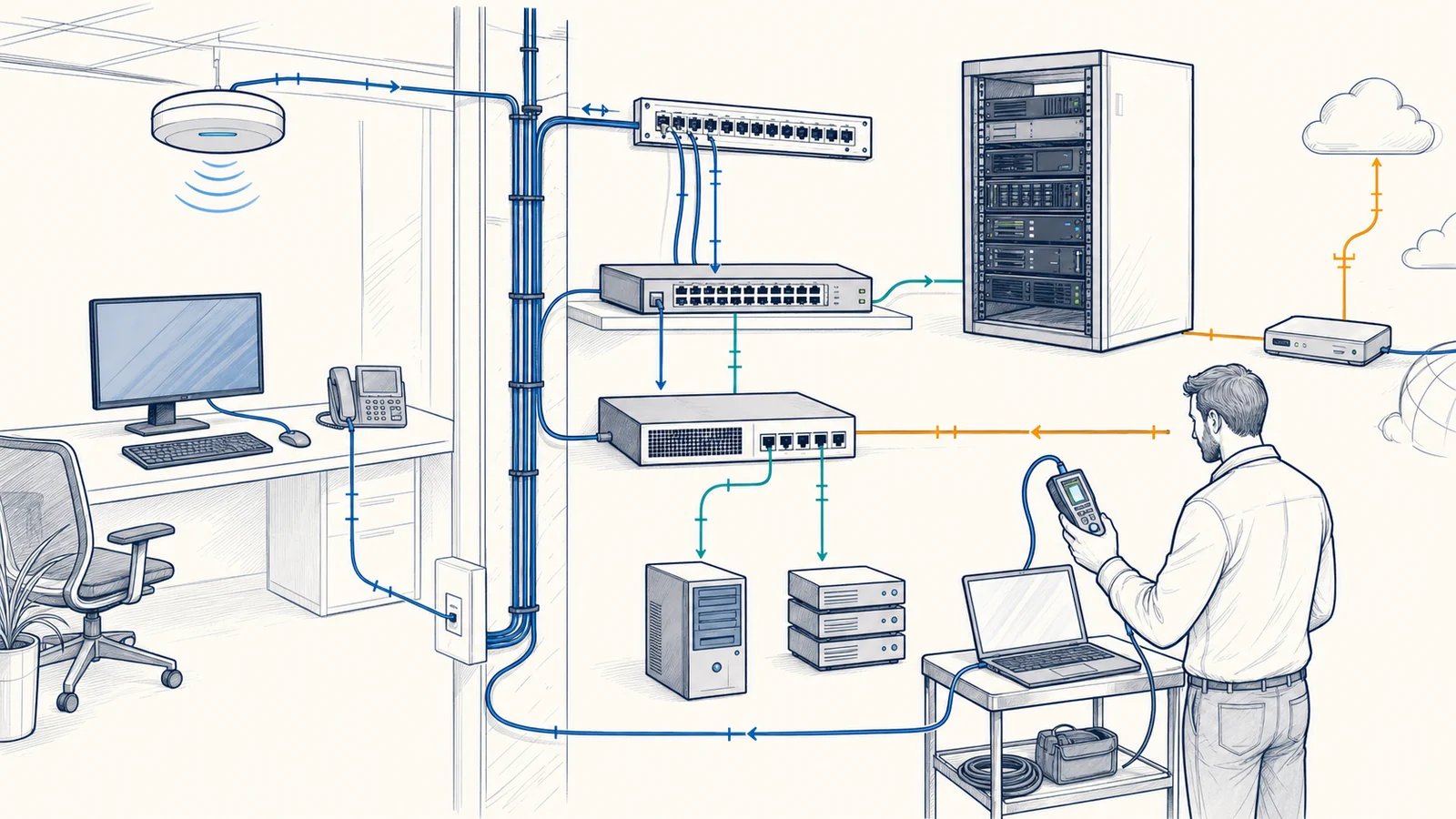
Structured troubleshooting changes one variable at a time where practical. A technician may reproduce the business task, test from an affected and unaffected device, compare wired and wireless connections, check a local gateway and an external destination, or move a known-good cable to an approved port. Measurements can include link state, address configuration, name resolution, round-trip time, packet loss, interface errors, route behavior, throughput under controlled conditions, wireless signal conditions, and application response. Each result narrows or expands the suspected fault domain.
Baselines make measurements more useful. A result can be compared with a known working device, another switch port, a different access point, an earlier monitoring period, a second site, or a provider’s documented handoff. Tests should avoid disrupting production and should be interpreted in context. ICMP reachability, for example, may be filtered or handled differently from application traffic; a successful ping does not establish that DNS, authentication, a database, or a cloud service is healthy.
Evidence should survive the incident. Apex may record timestamps, source and destination, test method, device and interface, observed result, configuration state, relevant logs, approved changes, and validation outcome. This creates a clearer vendor handoff and reduces the chance that temporary symptom relief is mistaken for root-cause correction.
Addressing and Network Services Can Fail in Different Ways
DHCP normally provides clients with configuration such as an IP address, subnet information, and other options. A device with no suitable lease, the wrong scope, an exhausted pool, an unreachable relay, or an unexpected DHCP source may fail to reach local or remote resources. Duplicate addresses can produce inconsistent reachability as devices compete to use the same address. Troubleshooting may compare leases, reservations, relay paths, server logs, address-use records, and the client’s actual configuration rather than assigning an arbitrary static address.
DNS translates names used by people and applications into network information. A failed lookup, stale record, wrong DNS server, suffix issue, forwarding problem, or unreachable resolver can make an available service appear offline. Testing should compare the requested name, returned answer, resolver used, record type, and direct IP behavior while recognizing that many applications require correct names and certificates and cannot be validated by IP alone.
Switching, VLANs, and routing determine which local links and networks can exchange traffic. An incorrect access VLAN, disabled or error-prone port, trunk mismatch, loop, missing route, overlapping subnet, wrong gateway, or asymmetric path can affect one device, one segment, or several locations. Configuration review should use authorized administrative access and current diagrams where available. Material changes need a configuration backup, business approval, maintenance window when disruption is possible, a test plan, and a rollback path.
Compare Wired and Wireless Paths, Then Inspect the Physical Layer
A wired comparison can help determine whether a symptom follows the endpoint or is specific to Wi-Fi, but it must use a known working cable, appropriate switch port, comparable network policy, and the same business destination. Wireless conditions can vary with access-point placement, building materials, interference, channel use, client capability, roaming behavior, driver condition, user density, and competing airtime. A strong signal indicator does not by itself establish a clean or uncongested path. Broader radio and access-point concerns may require a focused business Wi-Fi review.
Physical checks may include patch leads, wall jacks, patch-panel terminations, cable runs, transceivers, uplinks, port LEDs, negotiated speed, error counters, power, temperature, and rack condition. A link light proves only that some physical negotiation occurred; it does not verify cable quality or application performance. Visible damage, loose connections, intermittent port state, or errors may justify controlled substitution or cable testing. Installation, labeling, and remediation beyond basic investigation can be scoped through structured cabling services.
The Fault May Sit at the Network Edge—or Beyond It
Firewall policy, inspection, network address translation, resource limits, firmware, and licensing can affect traffic even when switching and internet service appear available. VPN behavior adds tunnel routes, encryption endpoints, remote networks, identity, client software, and both internet paths. Troubleshooting may compare intended policy with logs and tested flows, but rule changes require authorization. Broadly disabling security controls to “see if it works” can create unacceptable exposure and weak evidence.
Apex does not control an ISP, carrier, cloud platform, software vendor, or customer’s third-party administrator. When evidence points outside the managed environment, a useful escalation package may include circuit identifiers, timestamps, demarcation test results, source and destination details, traces, measured loss or latency, equipment status, and actions already taken. Provider cooperation, testing methods, repair timing, and final outcome remain subject to that provider.
A slow or unavailable application is not necessarily a network fault. Endpoint resource pressure, server load, storage, database behavior, authentication, licensing, browser state, software defects, and remote-platform conditions can resemble transport problems. Network testing can identify whether packets reach a defined endpoint under specified conditions; application owners may still need to review their own logs and service health.
Define the Investigation, Access, and Decision Boundaries
A Defined Troubleshooting Scope May Include
- Symptom interviews, timeline development, documentation review, and change-history review
- Authorized remote inspection of supported network devices, configurations, interfaces, and available logs
- DNS, DHCP, addressing, reachability, route, loss, latency, wired, wireless, and representative application-path tests
- Onsite physical inspection and controlled substitution when approved and operationally available
- Findings, evidence, corrective options, risk notes, validation results, and vendor escalation support
- Coordination with a separate network monitoring scope when historical indicators would help
It Does Not Automatically Include
- Carrier repair, vendor engineering, application remediation, source-code analysis, or third-party administrative access
- Replacement hardware, licenses, circuits, cabling installation, electrical work, or construction services
- Support for unsupported equipment, undocumented credentials, or systems the customer is not authorized to change
- Disruptive tests or production changes without approval, a suitable window, and risk review
- A promise that remote access is sufficient, that a root cause will be identifiable, or that recurrence can be eliminated
- Service-response, onsite-dispatch, or provider-restoration commitments not stated in an applicable agreement
The customer should identify an authorized contact, business impact, affected locations and users, critical workflows, recent changes, equipment ownership, support vendors, acceptable testing windows, and access limitations. Credentials should be exchanged through an approved secure method, not placed in general tickets or public documentation.
A Controlled Network Troubleshooting Process
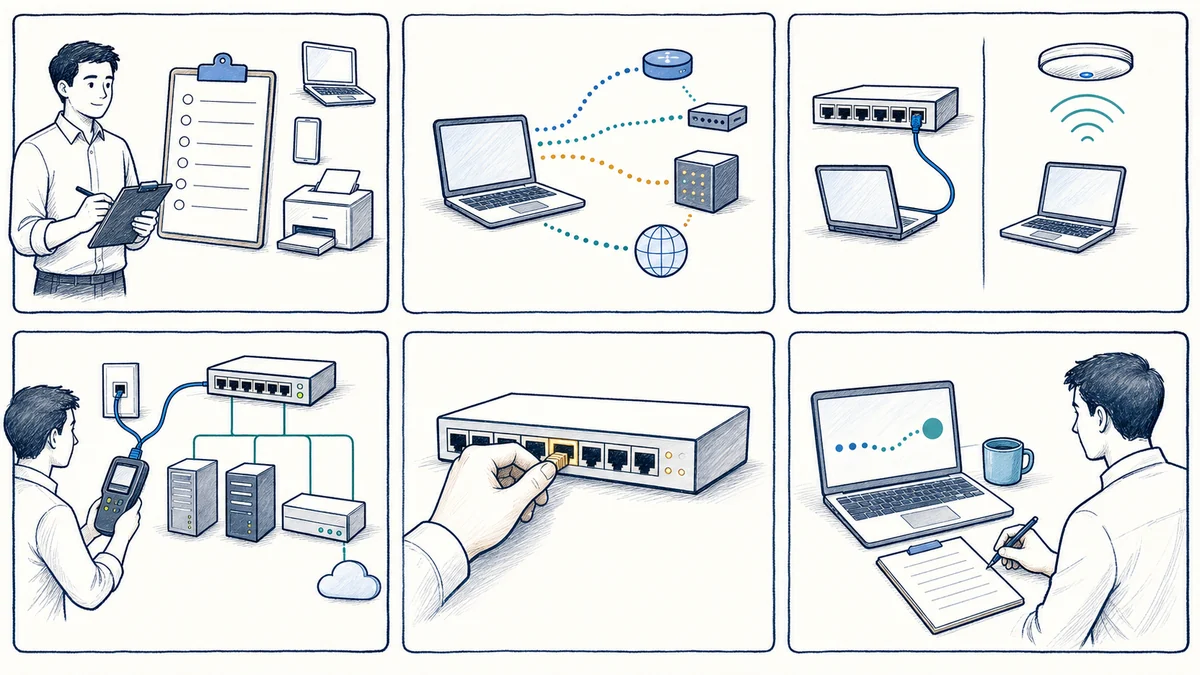
- Establish impact and scope. Identify affected business services, users, devices, sites, start time, frequency, workarounds, and operational priority.
- Preserve available evidence. Gather exact errors, timestamps, screenshots, logs, monitoring history, topology, addressing, circuit details, and recent change records before restarting or replacing components where practical.
- Form testable hypotheses. Map the path from endpoint through Wi-Fi or cabling, switching, routing, firewall or VPN, carrier, and destination application. Prioritize tests by safety, likelihood, and diagnostic value.
- Reproduce and compare. Test affected and working examples, local and remote destinations, wired and wireless paths, or current and baseline behavior without assuming that one passing test clears the entire layer.
- Isolate the fault domain. Correlate measurements, configurations, counters, logs, and physical observations. Engage the carrier, vendor, application owner, or onsite resource when evidence crosses an ownership boundary.
- Choose relief or correction deliberately. A temporary route, port move, restart, or policy exception may restore a workflow while deeper work continues. Record the risk, owner, review date, and difference between workaround and corrective action.
- Change with control. Back up supported configurations, secure approval, schedule an appropriate maintenance window, define validation and rollback, and communicate expected impact.
- Validate and document. Repeat representative tests, observe an appropriate period when the symptom is intermittent, record unresolved dependencies, and provide findings and next actions.
Remote and Onsite Network Troubleshooting for Orange County Organizations
Apex IT Solutions serves businesses and organizations in Anaheim, Irvine, Santa Ana, Costa Mesa, Fullerton, Brea, Buena Park, and other Orange County locations where service is operationally available. Offices, warehouses, professional practices, light-industrial sites, and multi-location operations may have different carriers, building constraints, network owners, work schedules, and tolerance for interruption. The investigation plan should fit the environment and the business task at risk.
Remote review may be effective when supported equipment is reachable, authorized access exists, and useful logs or test endpoints are available. Onsite work may be more appropriate for cabling, power, rack, wireless, demarcation, or inaccessible-device conditions. Request support with the affected location, symptom, timeline, business impact, and any recent change so the next step can be scoped.
Business Network Troubleshooting FAQs
Why is our network problem intermittent?
Intermittent symptoms can follow changing load, wireless conditions, a marginal cable or port, address renewal, power, provider routing, firewall state, or a remote service. Useful evidence includes exact times, affected users and paths, what remained available, and whether the event aligns with logs, counters, or changes. Observation may be needed before a pattern is clear.
Can network troubleshooting be performed remotely?
Some work can be done remotely when supported devices are reachable and authorized access, logs, configurations, and test endpoints are available. Physical cabling, power, rack, wireless, provider-handoff, or unreachable-equipment conditions may require onsite work. The initial evidence determines the practical next step.
Does a slow application mean the network is slow?
No. The network is one dependency. Endpoint resources, servers, storage, databases, authentication, licensing, application defects, and cloud-provider conditions can produce similar symptoms. Comparing network measurements with application and system evidence helps identify which owner should investigate next.
What is the difference between latency, packet loss, and bandwidth?
Latency describes delay across a measured path. Packet loss describes traffic that does not reach the measured destination or return during a test. Bandwidth describes available transmission capacity under defined conditions. Each affects applications differently, and results depend on endpoints, direction, protocol, time, and competing use.
Why does an IP address work when the server name does not?
That pattern may indicate a DNS lookup, record, suffix, resolver, forwarding, or reachability issue, but it is not conclusive. Many applications depend on the correct hostname for certificates, authentication, or virtual hosting, so direct IP access is only one comparison test.
Should we replace the switch, firewall, or access point first?
Not solely because it is suspected. Review support status, logs, interface behavior, configuration, power, physical links, and controlled comparisons first where practical. Replacement may be appropriate when evidence or lifecycle condition supports it, but unnecessary changes can add disruption and erase useful state.
What happens if the issue belongs to our ISP or software vendor?
Apex can organize relevant test results and coordinate an escalation within the approved scope. The third party controls its own network, systems, process, cooperation, and repair timing. Clear circuit or account details, timestamps, endpoints, measurements, and completed steps make the handoff more actionable.
How should we request network troubleshooting?
Provide the Orange County business location, affected users and services, exact symptom or error, start time and frequency, business impact, what still works, recent changes, equipment or carrier details, and an authorized contact. Request IT Support or call (800) 275-6513.
Start With the Symptom, the Business Impact, and the Evidence You Have
Share the affected location, users, business service, timing, error details, and recent changes. Apex IT Solutions can assess the available evidence, define safe tests, identify ownership boundaries, and recommend a proportionate next step for your Orange County organization.