
Practical visibility for supported business servers
See Important Server Conditions Before Choosing the Right Response
Servers can remain online while storage fills, a service stops, memory pressure grows, or a recurring event signals a developing issue. Server monitoring gives Orange County businesses a structured way to observe selected conditions, retain useful history, and send automated alerts when configured rules are met. It can improve awareness and troubleshooting, but it is not a substitute for sound administration, tested backups, lifecycle planning, or a defined support process.
Apex IT Solutions helps businesses define monitoring for supported physical and virtual servers and selected server services. Coverage can be shaped around the systems employees depend on, the measurements those systems can reliably expose, and the people who should receive alerts. Every monitored item, threshold, dependency, notification path, support boundary, and exclusion should be documented rather than assumed.
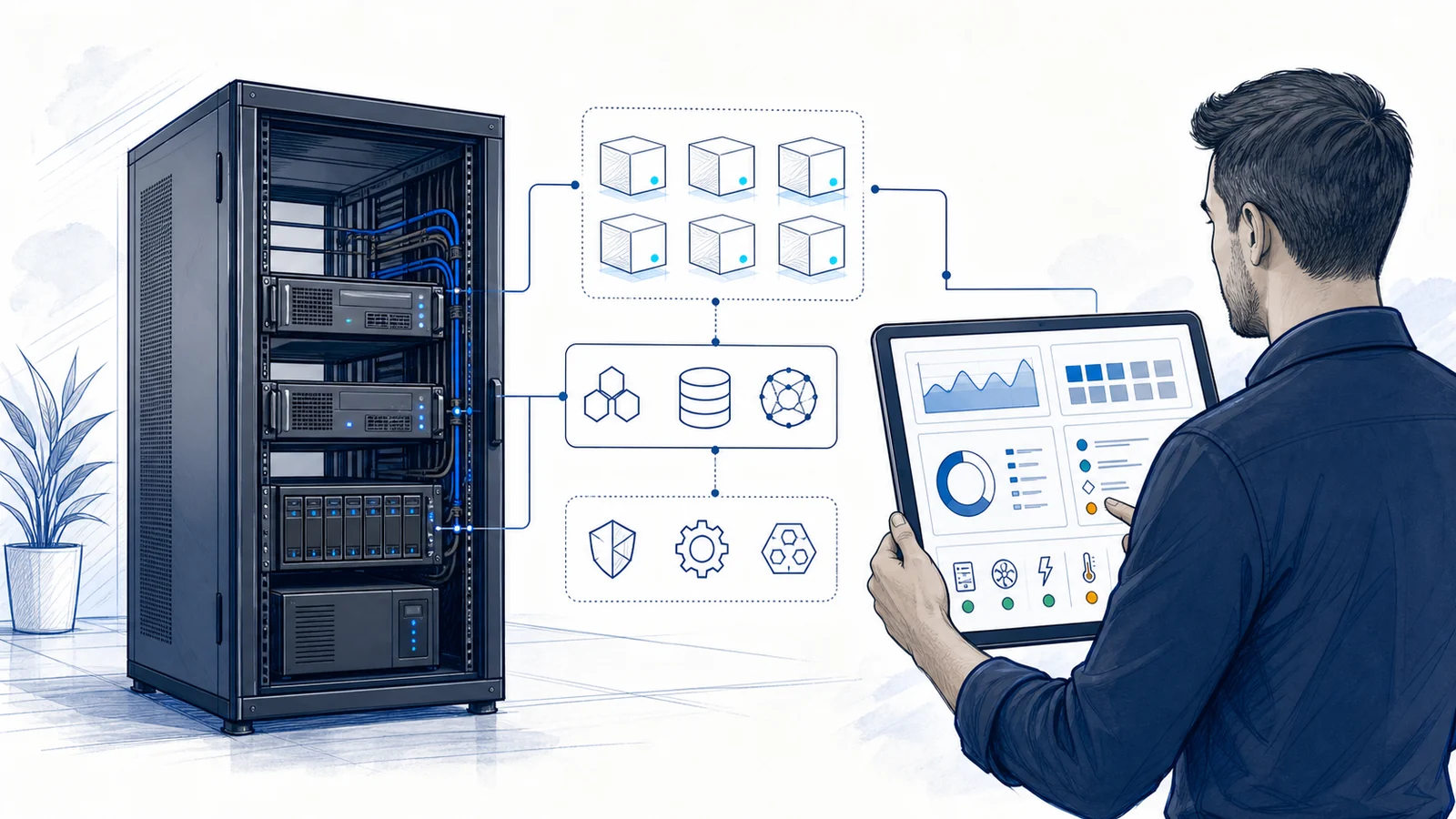
Server Monitoring Converts Selected Conditions Into Usable Evidence
A monitoring platform performs defined checks, collects available measurements, compares them with configured rules, and stores results for an applicable retention period. A failed check can show when a server or service stopped responding. Resource histories can reveal whether processor, memory, or storage behavior is isolated or recurring. Event and health signals can add context when the operating system, hypervisor, management controller, or application exposes them.
Those observations are evidence, not a complete diagnosis. A reachability failure may originate with the server, host, switch, firewall, internet path, power, monitoring probe, or credentials. High processor use may reflect expected month-end work or an abnormal process. A service-state alert may identify what stopped without explaining why. Investigation often requires correlating several signals with configuration, application, vendor, and user information.
Condition Awareness
Configured checks can flag selected state changes or threshold breaches, subject to collection intervals, confirmation rules, platform availability, and notification delivery.
Historical Context
Retained data can help distinguish a brief spike from a sustained condition, compare current behavior with prior periods, and identify repeated patterns worth investigating.
Focused Troubleshooting
Time-aligned server, service, storage, event, and dependency data can narrow the investigation and help determine whether remote work is sufficient or onsite service is needed.
Planning Input
Trends can inform discussions about capacity, workload placement, maintenance, hardware lifecycle, and optimization. They are one input to planning, not an automatic recommendation.
What a Defined Server Monitoring Scope May Observe
The exact scope depends on server role, operating system, virtualization platform, hardware, management interfaces, applications, licensing, and approved access. Physical servers and virtual machines can expose different information. A guest operating system may appear healthy while its host has a hardware issue; a host may be reachable while a business-critical guest service is stopped. Monitoring should reflect those layers.
Reachability and Basic Availability
Periodic network or agent-based checks may indicate whether a selected server responds from the monitoring location. A response does not establish that every application, file share, database, or user workflow is functioning.
Selected Service State
Where supported and authorized, monitoring may check defined Windows services, processes, ports, scheduled tasks, web endpoints, or other service indicators. The business purpose of each check should be clear.
Processor and Memory
Available operating-system or hypervisor counters may show processor use, memory availability, paging, or related measurements. Interpretation requires workload context and an appropriate observation period.
Storage Capacity and Performance
Checks may observe free capacity, volume state, latency, throughput, queue behavior, or storage-reported health where supported. Different storage layers can require different credentials and tools.
Event and Health Signals
Selected event logs, application events, hypervisor alarms, or platform health states may be collected or evaluated. Event selection and severity mapping require tuning; not every event indicates an incident.
Hardware Management
Supported out-of-band management interfaces may expose fan, temperature, power-supply, battery, disk, controller, or chassis conditions. Available sensors vary by manufacturer, model, firmware, license, and configuration.
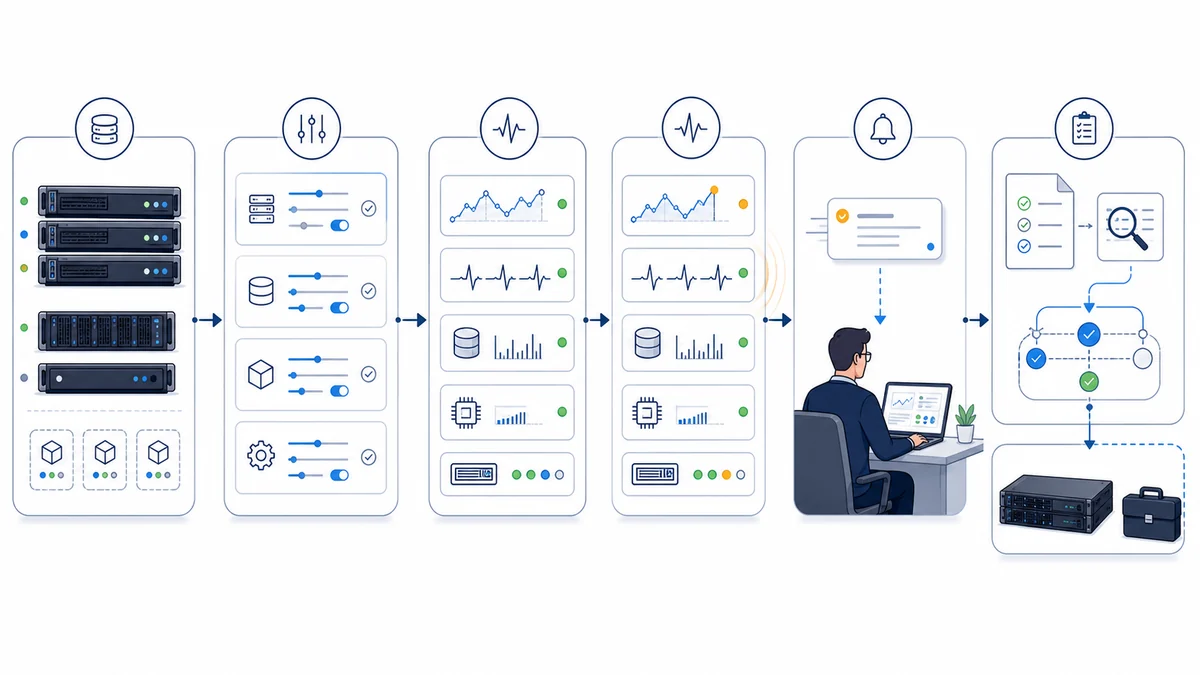
Baselines and Alert Boundaries Make Measurements More Useful
A threshold should reflect what matters to the server and its workload. A short processor spike may be normal, while sustained pressure during a critical workflow may deserve review. Storage alerts may need several boundaries so there is time to investigate before capacity becomes operationally restrictive. Service-state checks may need maintenance windows to avoid expected restart notifications. Initial settings often need refinement after enough normal operating data has been collected.
Trends also require context. Reporting intervals and aggregation can smooth brief peaks, and averages can hide short periods of high use. Retention, sampling frequency, counter selection, and workload changes affect what a graph can support. Apex can help document a practical baseline and review changes over time, but the platform can only analyze the data it successfully collects.
Backup-Job Status Is Not the Same as a Successful Restore
Where the selected backup product and access method support it, server monitoring may include visibility into defined backup-job states, missed schedules, reported failures, repository capacity, or the age of a selected recovery point. This can help bring attention to a known job condition. It does not independently prove that all required systems and data were included, that stored data is intact, or that the business can restore within its needs.
Recovery confidence requires separate work: documented scope, retention review, protected storage, restore procedures, credentials, encryption-key custody, application-aware considerations, and authorized restore testing. Monitoring a green job status must not be treated as a completed recovery test. Apex can coordinate a defined server backup review, while damaged or unavailable source media may require separately scoped data recovery.
Coverage Depends on Access, Supportability, and the Collection Path
Monitoring requires a working path to the system or its management layer. Depending on the design, this may involve an agent, local probe, remote collector, API, event subscription, service account, firewall rule, certificate, or out-of-band interface. Credentials should be approved, protected, and limited to the permissions needed. Password changes, expired certificates, disabled interfaces, product updates, or revoked vendor access can interrupt collection.
A Defined Scope May Include
- Inventory of supported physical servers, virtual hosts, guest systems, and selected services
- Approved collection methods, credentials, agents, probes, firewall access, and management interfaces
- Selected reachability, service-state, processor, memory, storage, event, health, or hardware checks
- Baseline observation, thresholds, maintenance windows, dependencies, recipients, and alert testing
- Dashboards, trend review, documentation, and periodic tuning when listed in the arrangement
- Coordination with server support, server optimization, or broader managed IT services
Separate Approval or Service Is Needed For
- Unsupported, obsolete, isolated, inaccessible, or third-party-controlled systems
- Unlisted applications, databases, cloud services, endpoints, appliances, or custom integrations
- Hardware replacement, software remediation, capacity upgrades, migrations, or vendor case work
- Backup design, protected retention, restore testing, recovery execution, or data reconstruction
- Licenses, subscriptions, warranties, replacement parts, cloud usage, or vendor charges
- Response, escalation, after-hours work, or onsite dispatch beyond the applicable support terms
Vendor and hardware limits matter. Older operating systems may not support a current agent. A management controller may require a particular firmware or license for certain sensors. A virtual platform may expose host metrics without application context. A vendor-managed line-of-business system may restrict access. These gaps should be recorded as exclusions or handled through an approved alternative rather than represented as monitored.
A Practical Assessment and Setup Process
- Identify business priorities. We discuss important server roles, user workflows, known symptoms, business hours, application owners, maintenance periods, and the decisions monitoring should support.
- Inventory each layer. Apex reviews supported hardware, hosts, virtual machines, operating systems, storage, selected services, management interfaces, backup products, warranties, vendors, licenses, network paths, and existing tools.
- Define checks and exclusions. Each proposed check is tied to a system, method, interval, purpose, threshold, dependency, recipient, and support path. Visibility gaps are documented.
- Configure approved access. Agents, probes, service accounts, APIs, certificates, firewall rules, or hardware-management interfaces are implemented only as required by the accepted design.
- Observe and tune. Initial measurements establish a working baseline. Thresholds, duration rules, dependencies, and maintenance windows are adjusted to reduce noise without claiming complete event coverage.
- Test the notification path. Where safe, selected conditions are used to confirm that the monitoring system creates the intended alert and attempts the configured notification. Human handling is verified against the agreed procedure.
- Document and review. Records identify monitored systems, owners, credentials process, checks, recipients, exclusions, licensing, escalation terms, and review cadence. Changes to servers or business priorities may require the scope to be updated.
Remote Evidence Can Guide Work; Physical Conditions May Require Onsite Service
When approved access is working, remote service may include reviewing current state, metrics, event history, storage conditions, alerts, dependencies, and recent changes. It may also include authorized configuration review or troubleshooting under a separate support request. Broader repair and administration are available through computer repair and server support.
Onsite service may be appropriate when a server or management interface is unreachable, physical alarms need confirmation, power or cooling must be inspected, disks or components need handling, rack cabling must be traced, or replacement hardware is required. Monitoring cannot directly see a loose cable, blocked vent, unusual sound, water exposure, or an uninstrumented power condition. Dispatch timing, parts, warranties, and repair work depend on the approved service scope.
Server Monitoring for Orange County Workplaces
Apex IT Solutions works with businesses in Anaheim, Irvine, Santa Ana, Costa Mesa, Fullerton, Brea, and Buena Park, along with other Orange County communities. A professional office, medical practice, warehouse, manufacturer, and multi-location company can rely on very different server roles, applications, vendors, and maintenance windows. Monitoring should be designed around the actual environment rather than a generic list of counters.
Local service is useful when remote signals point to physical infrastructure or when undocumented equipment must be assessed before monitoring begins. Apex can start with the current server inventory, important services, recurring concerns, backup visibility, vendor boundaries, and the team’s support expectations.
Server Monitoring FAQs
What can Apex monitor on a business server?
A defined scope may include reachability, selected services, processor and memory measurements, storage capacity or performance indicators, event or platform-health signals, and supported hardware-management sensors. The actual set depends on the server, operating system, virtualization layer, applications, access, licensing, and monitoring platform.
Can physical servers and virtual servers both be monitored?
Potentially. A physical server may provide operating-system data plus supported hardware-management sensors. A virtual environment can require separate visibility into the host, guest systems, shared storage, and selected guest services. Each layer must be supported, reachable, licensed where necessary, and included in the scope.
Does an alert mean a technician is already fixing the problem?
No. An alert records that a configured condition was met and initiates the selected notification path. Delivery, review, acknowledgment, investigation, authorization, repair, and onsite dispatch are separate steps governed by the applicable service arrangement.
How are CPU, memory, and storage thresholds chosen?
They are based on server role, workload, business impact, available measurements, and an observation period. Duration and maintenance windows matter as much as a single number. Thresholds commonly need tuning as workloads, applications, storage, and business schedules change.
Will monitoring catch every server problem?
No. Monitoring can identify only conditions exposed by supported systems and covered by configured checks. Collection gaps, new failure modes, missed events, unavailable paths, credential changes, aggregation, hardware limits, and unmonitored dependencies can affect visibility.
Does a successful backup-job status prove we can restore?
No. Job status is useful but distinct from recovery validation. Restore readiness also depends on correct backup scope, usable recovery points, protected storage, credentials and keys, application consistency, documented procedures, and authorized testing. Those tasks belong in a defined backup and recovery plan.
Can Apex monitor an older or vendor-managed server?
Only when there is a supported and authorized monitoring method. Older software may not support a current agent or secure protocol, while a vendor-managed system may restrict credentials or tools. Apex can document the limitation, discuss an approved alternative, or exclude the system from represented coverage.
When is onsite server service needed?
Onsite work may be needed for unreachable equipment, physical alarms, power or cooling checks, component replacement, rack cabling, installation, or conditions not exposed remotely. Monitoring can guide the visit, but it does not include dispatch, parts, or repair unless those items are authorized.
How does an Orange County business get started?
Share the locations, server roles, physical and virtual inventory, important services, current monitoring or backup tools, recurring concerns, vendor contacts, and people responsible for alerts. Apex can determine whether the next step should be remote discovery, an onsite assessment, or a broader server-support review. Contact Apex or call (800) 275-6513.
Define Monitoring Around the Servers Your Business Relies On
Start with the physical and virtual systems, selected services, dependencies, backup visibility, alert recipients, and support expectations that matter to your Orange County business. Apex IT Solutions can assess practical monitoring options, document limitations, and recommend a clear next step.