
Practical business voice planning and support in Orange County
Connect Business Calling to the Network and Workflows Behind It
A business phone system is more than a set of desk phones. Calls may need to reach office staff, remote employees, mobile users, departments, shared queues, voicemail, or an after-hours destination. The service also depends on internet access, power, the local network, supported devices, accurate emergency-service location records, and the carrier platform delivering the calls.
Apex IT Solutions is a business VoIP reseller that helps Orange County businesses select, configure, deploy, and support a compatible voice solution. Depending on the carrier, platform, licensing, devices, network, and approved scope, Apex can coordinate number porting and help with desk phones, softphones, mobile apps, auto attendants, call queues, voicemail, call recording, SMS, E911, fax, cabling, Power over Ethernet, Quality of Service, and internet-redundancy planning.
The goal is a supportable calling environment, not a promise that every feature works on every platform or that calls can never be interrupted. Apex owns carrier escalation for the services it resells and coordinates E911 location accuracy with the customer and carrier. Ongoing support is provided during business hours. Carrier service, device behavior, third-party systems, internet availability, power, and customer decisions remain important parts of the result.
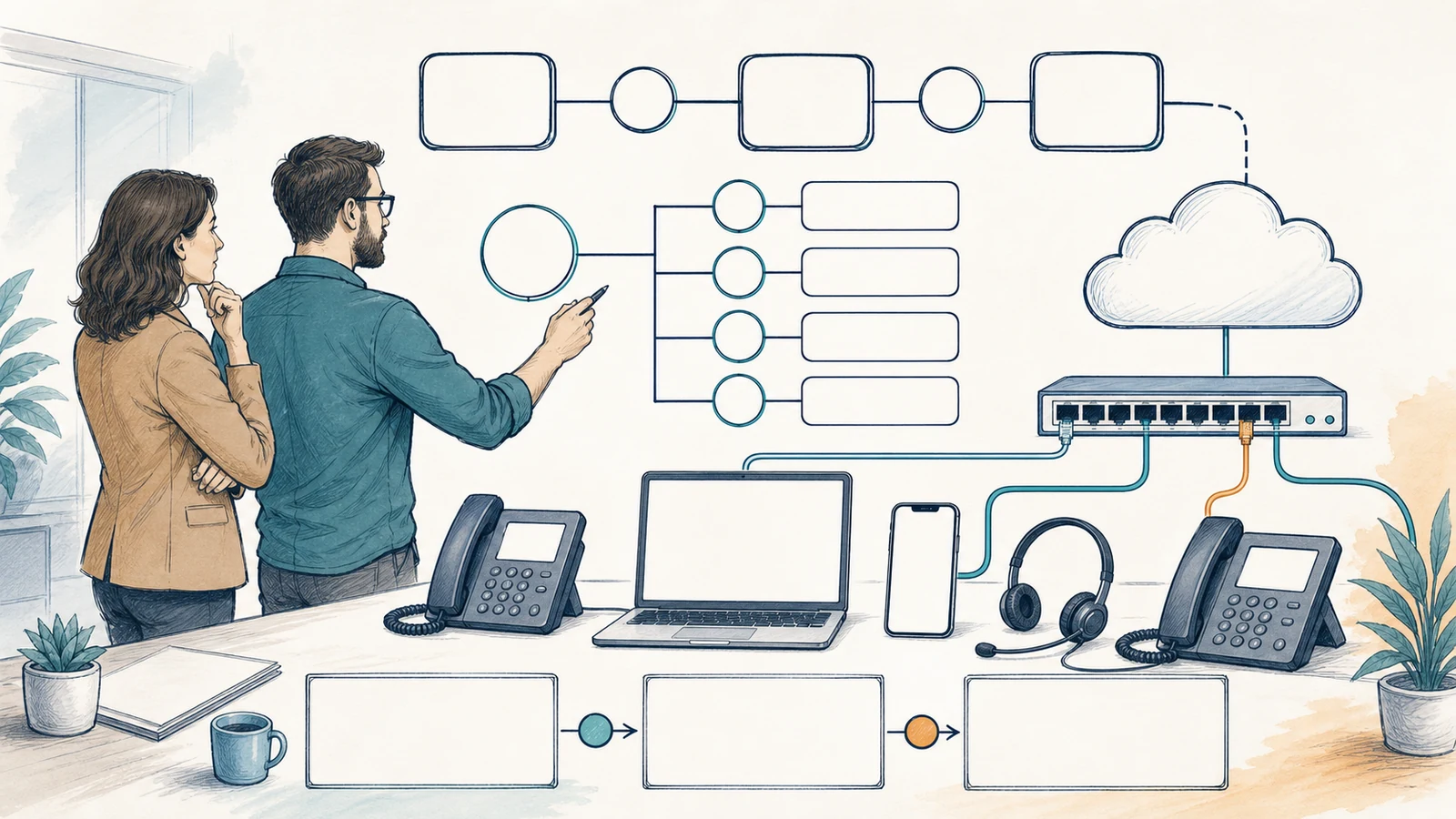
Plan Around How the Business Actually Handles Calls
VoIP can be a good fit when a company wants to replace an aging phone system, support employees across locations, give selected users mobile or desktop calling options, or make incoming-call routing easier to manage. It can also help when the current arrangement has unclear ownership: one company supplies internet, another bills for telephone lines, a former vendor controls phone settings, and no current document explains which numbers reach which people.
A useful discovery process starts with business behavior rather than a feature checklist. Which numbers do customers call? Who should answer first? What happens when that person is busy or unavailable? Which departments need a shared queue? Who may place or receive business calls from a computer or mobile app? Which calls require voicemail, recording, text messaging, fax, or an after-hours destination? Which sites and users need an emergency-service location?
Office Calling
Provide supported desk-phone service for reception, individual users, shared spaces, and departments, with handset choice matched to the carrier platform, licensing, network, and user needs.
Flexible Users
Configure compatible softphones or mobile apps for approved users who need to work away from a desk, while recognizing that device, operating-system, connectivity, and platform support vary.
Call Routing
Translate approved business rules into auto attendants, queues, extensions, schedules, forwarding, voicemail, and escalation paths supported by the selected service.
Coordinated Support
Give the customer an Apex contact for supported configuration and carrier escalation instead of leaving staff to determine which connected provider should investigate first.
No design removes every dependency. A technically correct call flow can still be affected by a carrier event, internet outage, power loss, local-network problem, user setting, unsupported endpoint, expired license, or changed vendor service. Planning makes ownership and alternatives clearer; it does not guarantee uninterrupted calling.
Choose Features Only After Compatibility Is Confirmed
Apex can handle or coordinate a broad range of business voice functions, but they are not a universal package. Availability and behavior depend on the carrier, platform, plan, license, device, number type, network, destination, and applicable third-party rules. Discovery should distinguish essential requirements from optional conveniences before a carrier agreement or hardware order is approved.
- Desk phones: select and configure supported handsets, extensions, keys, voicemail access, and user assignments. Existing phones may not be reusable simply because they use internet connectivity.
- Softphones and mobile apps: enable supported desktop or mobile calling for authorized users. Experience depends on platform support, device permissions, operating system, internet or cellular connectivity, and current app versions.
- Auto attendants and call queues: build approved greetings, menu choices, schedules, department routing, queue membership, overflow, and fallback behavior within platform limits.
- Voicemail: configure supported mailboxes, greetings, notification options, and ownership. Retention, transcription, delivery, and storage features vary by carrier and license.
- Call recording: configure supported recording capabilities when selected, but the customer is responsible for determining and maintaining lawful notice, consent, retention, access, and use with qualified legal advice.
- Business SMS: coordinate supported messaging where available. Number eligibility, registration, campaigns, content rules, throughput, carrier approval, applications, and fees may affect use; SMS compatibility is not assumed.
- Fax: assess a compatible service or adapter path when fax remains necessary. Fax machines, multifunction devices, analog adapters, line conditions, protocols, and destinations can behave differently, so successful operation is not universal.
- E911: coordinate supported emergency-location records and customer-approved updates, with the customer supplying complete, accurate address and location information.
Licenses, telephone numbers, devices, adapters, and feature permissions must align. A feature shown in carrier marketing may require a different service tier, supported number type, separate registration, specific hardware, or administrative configuration. Apex confirms the intended combination during scoping but does not represent every future vendor change or third-party destination as compatible.
Treat Internet, Power, and the Local Network as Part of the Phone System
Hosted VoIP sends signaling and voice traffic across data connections. That makes the customer’s internet service and local network part of the call path. Available bandwidth matters, but so do latency, packet loss, congestion, firewall behavior, cabling quality, switch capacity, wireless conditions, and the route between a user and the carrier platform. A speed test by itself does not establish that every call will perform well under real business load.
Apex can assess and support cabling, PoE, and QoS as part of the agreed design. PoE-capable switches can supply power to compatible desk phones over network cabling, reducing separate power adapters at desks. The switch still needs suitable capacity, power budget, configuration, and backup strategy. QoS can prioritize eligible voice traffic on managed network components, but it cannot control every carrier, public-internet path, home network, mobile connection, or upstream congestion point.
Power planning is equally important. Hosted phone service does not make a handset operate during a building outage unless the phone, network switches, firewall, modem or carrier handoff, and other required equipment remain powered and their connected services remain available. Battery backup can provide limited runtime when properly sized and maintained; it is not unlimited power. The customer owns its power service and business-continuity decisions.
Internet-redundancy planning can evaluate a secondary connection and compatible failover design. Redundancy may reduce dependence on one circuit, but it does not guarantee calls will continue without interruption. Both services may share physical routes, local power, provider infrastructure, equipment, DNS, or configuration dependencies. Active calls may drop during failover, and recovery behavior depends on the network and voice platform. Related work may involve network design and installation, network troubleshooting, or multi-location network connectivity.
Coordinate Number Porting With Accurate Records and Realistic Timing
Keeping established business numbers usually requires a port request from the gaining carrier to the current provider. Apex coordinates that process for an approved deployment, but the customer owns the records and authorization needed to release the numbers. The legal business name, service address, account number, authorized person, billing information, PIN or password where required, number list, and current account status may all affect acceptance.
A mismatch can cause rejection or require correction. Features or services attached to the old account may also need review before numbers move. The customer should not cancel the existing service merely because a port has been submitted; premature cancellation can jeopardize numbers or connected services. Apex and the customer identify which numbers are moving, what remains behind, who can approve changes, and how calls should route after activation.
A requested date is a planning target, not a guaranteed port date. Timing and release remain dependent on the losing carrier, gaining carrier, number eligibility, correct authorization, carrier procedures, holidays, order status, and any required remediation. Apex follows the order, communicates available status, and owns escalation with the carrier it resells. Carrier escalation means Apex manages the case and follow-up; it does not give Apex control over another provider’s systems or guarantee the date or outcome.
Keep E911 Records Aligned With Where Users and Devices Operate
Emergency calling requires special attention because a VoIP number or user may not remain at one physical desk. The emergency location associated with a number, device, user, or platform record must reflect the supported design and carrier requirements. Multi-suite buildings, shared campuses, remote users, temporary locations, and mobile use can make a simple mailing address insufficient.
Apex coordinates E911 location accuracy with the customer and carrier for the services it resells. That includes helping establish the carrier-supported records, submitting approved information, and coordinating corrections or escalation when a known discrepancy is identified. The customer is responsible for providing complete and accurate addresses and location details, approving the assignments, and promptly notifying Apex when a user, phone, number, office, floor, suite, or operating location changes.
E911 capability and location handling depend on the carrier platform, service configuration, network availability, device or app behavior, current records, and the information available to emergency-service systems. VoIP, internet, power, or carrier disruption may affect the ability to place a call. Users should understand the approved emergency-calling procedure and available alternatives. Neither this page nor location coordination is an emergency-service guarantee.
Document Call Flows, Users, Devices, and Vendor Handoffs
Call routing is a business decision implemented through technology. The customer approves the main number treatment, menu language, business hours, holiday schedules, queue membership, ring order, overflow, voicemail ownership, forwarding, after-hours behavior, and who may change each setting. Apex translates approved decisions into supported platform configuration and tests representative paths. If approvals arrive late or employees and schedules change, the deployment and resulting behavior can change as well.
User and device records need the same discipline. Each extension should have an owner or defined shared purpose, appropriate license, supported endpoint, caller-ID treatment, voicemail decision, emergency location, and access permissions. Mobile and desktop applications may introduce operating-system permissions, headsets, home networks, cellular service, and user-controlled settings. Desk phones may depend on cabling, switch ports, PoE, firmware, and provisioning. A user preference can therefore affect a symptom that initially looks like a carrier problem.
Connected vendors remain responsible for their own services. Internet carriers control their circuits; voice carriers operate their platforms; device manufacturers control hardware and firmware; software providers control integrations; mobile carriers and destination networks control parts of messaging and call delivery. Apex owns carrier escalation for the VoIP service it resells and coordinates connected troubleshooting within scope, but it cannot guarantee carrier uptime, direct a third party’s response, or make an unsupported integration work.
Some businesses also need firewall changes, segmented voice networks, secure remote access, or new interoffice connectivity. Those needs can be coordinated with network and infrastructure services, managed firewall services, or VPN and secure remote access support when separately appropriate.
Move From Discovery to a Supported Orange County Voice Environment
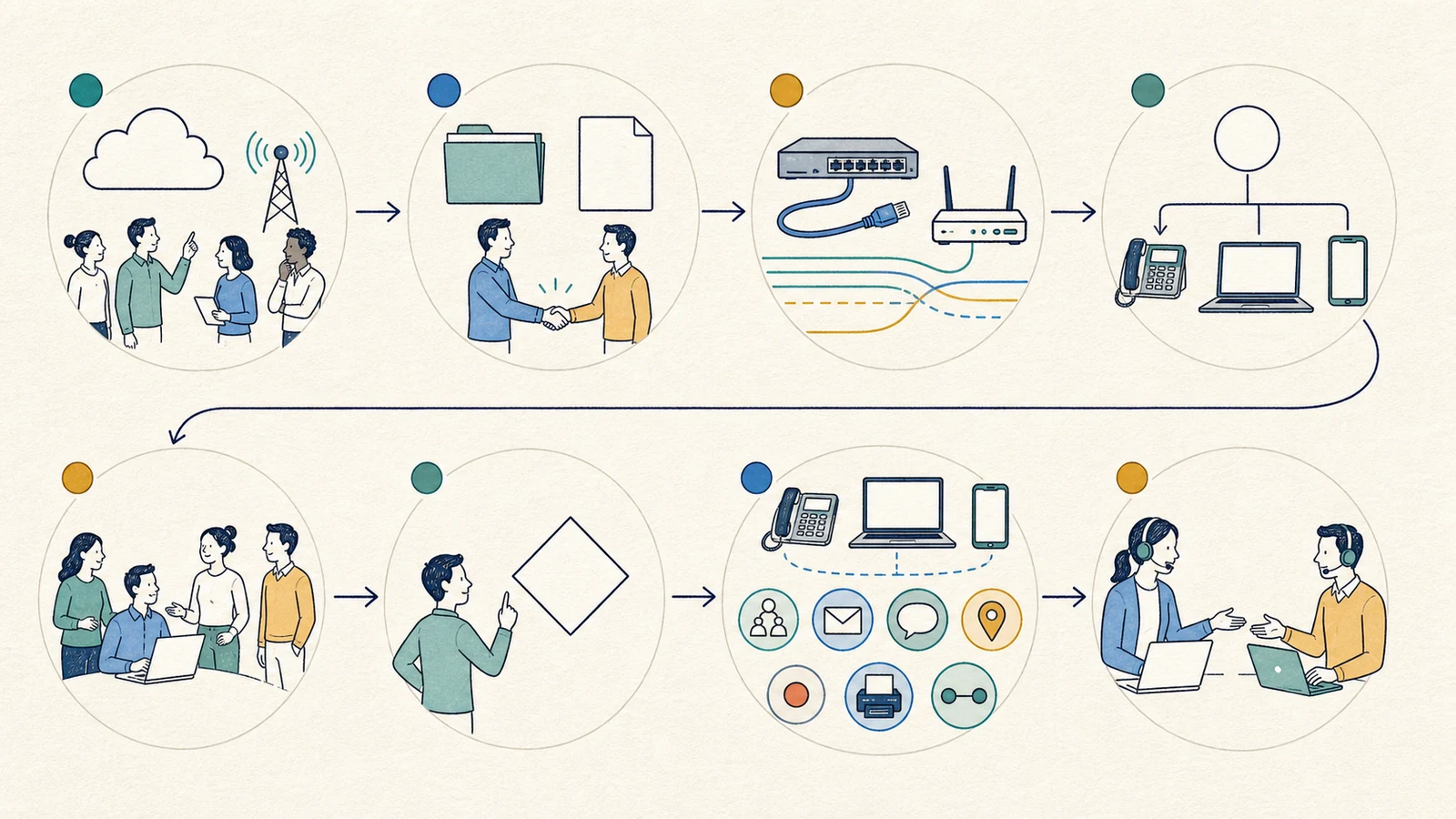
- Understand the calling need. Identify locations, users, main and direct numbers, current providers, call volumes as known by the customer, business hours, departments, remote work, special devices, and current pain points.
- Inventory dependencies. Review available information about internet circuits, firewall, switching, PoE, cabling, Wi-Fi, power protection, handsets, apps, fax devices, analog equipment, number ownership, licenses, and connected vendors.
- Design the call flow. Document greetings, schedules, auto attendants, queues, extensions, forwarding, voicemail, overflow, recording, SMS, fax, caller identity, and emergency-location assignments that the customer wants approved.
- Confirm supportability and terms. Match requirements to carrier, platform, license, hardware, device, number, network, and registration constraints. Confirm required carrier licensing, hardware, charges, and contract before approval.
- Prepare the network and records. Complete agreed cabling, PoE, switch, firewall, QoS, redundancy, user, device, porting, authorization, and E911 preparation. Resolve known gaps instead of assuming activation will correct them.
- Configure and deploy. Apex can perform remote configuration and support, with onsite network, handset, or cabling work as required by the environment and approved scope.
- Test representative workflows. Check inbound and outbound calls, menus, queues, voicemail, approved apps and phones, caller identity, emergency-location records, messaging, fax, recording, failover behavior, and other included functions as applicable.
- Transition to support. Record key settings, contacts, carrier cases, customer approvals, known limitations, and procedures for users, changes, escalation, and future location updates.
Testing confirms observed behavior at that time; it cannot prove that every destination, network condition, carrier event, device state, or future software update will behave identically. A staged, documented transition gives the business a clearer baseline and a practical route for reporting problems.
Set Clear Support, Commercial, and Responsibility Boundaries
What Apex Handles Within the Agreed Scope
- Carrier and platform selection assistance as a business VoIP reseller
- Supported voice configuration, number-port coordination, devices, apps, routing, voicemail, and selected feature setup
- E911 location coordination using customer-supplied and customer-approved location information
- Carrier escalation ownership for the resold VoIP service
- Business-hours ongoing support, remote configuration and support, and onsite network, handset, or cabling work as required
- Planning for compatible cabling, PoE, QoS, firewall, and internet-redundancy needs
What the Customer Owns
- Accurate E911 addresses and location details, approvals, and prompt notice of user or location changes
- Correct porting records, account information, number lists, authorization, and an active existing service until transition is validated
- Call-flow, schedule, user, number, device, feature, and access approvals
- Internet service, electrical power, internal business-continuity decisions, and timely access to connected providers
- Determining and maintaining compliance with recording, notice, consent, retention, privacy, messaging, and other laws, with legal advice as needed
- Communicating staffing, site, vendor, device, and workflow changes that affect the voice system
Carrier-required licensing, hardware, charges, and a carrier contract apply according to the selected solution. Terms are generally one year, but the exact carrier agreement controls, including the term, renewal, cancellation, usage, feature, fee, and service provisions. This page does not publish a price or promise unlimited calling. Destinations, usage categories, international service, toll-free service, messaging, devices, taxes, fees, and other items may be governed or charged differently by the carrier agreement.
Apex provides ongoing support during business hours; this is not a 24/7 support promise. The service does not promise carrier uptime, a guaranteed port date, uninterrupted calls, universal platform or feature compatibility, universal analog or fax operation, universal SMS or recording compatibility, a legal determination that recording is lawful, or guaranteed access to emergency services. Exact responsibilities and included work are controlled by the carrier agreement, Apex scope, and customer-approved configuration.
Business VoIP Services FAQs
Can Apex move our existing business phone numbers?
Apex coordinates number porting for an approved VoIP deployment. The customer must provide accurate current account records, identify every number and attached service, and supply valid authorization. Carrier acceptance and timing depend on number eligibility, record matches, account status, and losing- and gaining-carrier procedures, so a requested port date is not guaranteed.
Can we use desk phones, computers, and mobile phones?
Potentially. Apex can configure supported desk phones, softphones, and mobile apps, but availability and behavior depend on the carrier platform, license, device model, operating system, app version, permissions, network, and user configuration. Device and platform compatibility is confirmed for the intended use rather than assumed universally.
Do you support auto attendants, call queues, voicemail, and recording?
Apex can configure these functions when the selected carrier, platform, license, numbers, and devices support them. The customer approves greetings, schedules, routing, members, access, and retention decisions. For recording, the customer—not Apex—must determine lawful notice, consent, retention, access, and use with qualified legal advice.
Will fax and SMS work with business VoIP?
They may be available through compatible services, numbers, applications, devices, or adapters. Fax, analog equipment, and SMS have carrier, platform, destination, registration, protocol, device, and regulatory dependencies. Apex can assess and test the approved approach but does not promise universal compatibility or delivery.
What happens to our phones if internet or power fails?
VoIP calling may be unavailable or affected when required internet, power, network, or carrier components fail. Battery backup and a compatible secondary internet service can be considered, but runtime and failover are limited and active calls may disconnect. Redundancy reduces selected dependencies; it does not guarantee uninterrupted calling.
Does QoS guarantee call quality?
No. QoS can prioritize eligible traffic on network components the business controls, which may help during congestion. It cannot control every public-internet route, upstream carrier, home or mobile network, destination provider, device, or outage. Cabling, switches, firewall settings, bandwidth, latency, packet loss, and user conditions also matter.
How does E911 work for office and remote users?
Apex coordinates carrier-supported E911 location records using information the customer supplies and approves. The customer must provide accurate addresses and location details and promptly report moves or user changes. Emergency calling also depends on current records, platform behavior, internet, power, network, device, carrier, and emergency-service systems; it is not guaranteed.
Is VoIP support available around the clock?
No. Apex provides ongoing support during business hours and owns carrier escalation for the VoIP service it resells. Escalation gives the customer a defined support path, but it does not create 24/7 Apex availability, control a carrier’s systems, guarantee uptime, or promise a particular response or resolution time.
What contracts, licenses, or hardware are required?
Requirements depend on the selected carrier, platform, users, features, numbers, devices, and network. Carrier-required licensing, hardware, charges, and contract apply. Terms are generally one year, but the exact carrier agreement controls all term, renewal, cancellation, usage, service, and fee provisions.
Start With Your Numbers, Locations, Users, and Call Flow
Tell Apex about your current provider, telephone numbers, office and remote users, internet connections, phones, fax or analog needs, call routing, messaging, recording, emergency locations, and desired transition. Apex can help identify a compatible carrier solution, network preparation, customer decisions, and a practical deployment path for your Orange County business.